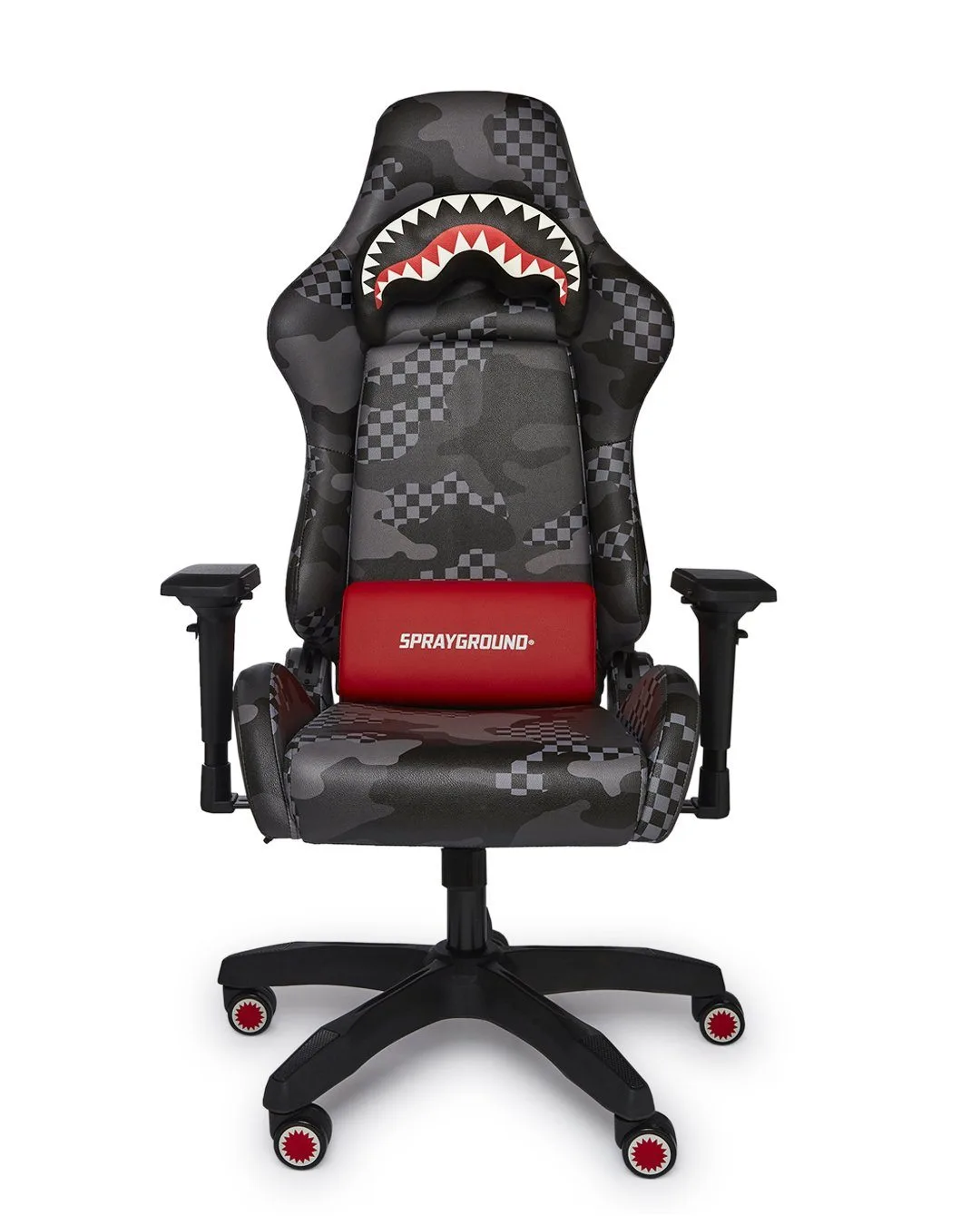
Your gaming chair is more than just a seat—it’s a command center for epic battles, long streaming sessions, and late-night work marathons. Over time, spills, sweat, dust, and everyday grime can dull its appearance and even shorten its lifespan. Knowing how to clean a gaming chair upholstery properly is essential to maintain both its look and comfort.
Whether you own a sleek PU leather model or a breathable fabric chair, regular cleaning prevents stains from setting and keeps the material from cracking or fading. In this guide, we’ll walk you through the best methods for spot cleaning, deep cleaning, and maintaining your gaming chair upholstery. With the right techniques and a little routine care, your chair will stay fresh, supportive, and ready for your next victory.
Why Regular Gaming Chair Maintenance Matters
Gaming chairs endure a lot—hours of pressure, friction from clothing, accidental food drops, and even pet hair. Without proper care, dirt and oils can break down the upholstery, leading to cracks in leather or fraying in fabric. Regular cleaning not only keeps your chair looking new but also preserves its ergonomic support and resale value.
Many gamers overlook simple maintenance until a stain sets in or the material starts peeling. By incorporating a quick wipe-down and periodic deep clean into your routine, you can avoid costly replacements. Remember, a clean chair also contributes to a healthier gaming environment, reducing allergens and bacteria buildup.
- Wipe down your chair weekly with a microfiber cloth to remove surface dust and oils.
- Vacuum fabric chairs monthly to prevent dirt from embedding into the fibers.
- Treat spills immediately with a dry cloth—never rub, as it can spread the stain.
Step-by-Step Guide to Clean Gaming Chair Upholstery
Start by checking your chair’s care tag—most gaming chairs use PU leather, faux leather, or breathable mesh. For PU leather, mix a mild dish soap with warm water (1:4 ratio). Dampen a soft cloth, wring it out well, and gently wipe the entire surface. Avoid soaking the material, as excess moisture can damage the foam or base. Dry immediately with a clean towel.
For fabric or mesh upholstery, use a vacuum with a brush attachment to remove loose debris. Then, apply a fabric-safe upholstery cleaner or a DIY solution of water and a few drops of dish soap. Test on an inconspicuous area first. Use a soft-bristle brush to work the cleaner into stains, then blot with a damp cloth. Allow the chair to air dry completely before use.
- For stubborn stains, create a paste of baking soda and water, apply to the spot, let sit for 15 minutes, then gently scrub and wipe away.
- Never use bleach, ammonia, or harsh chemicals—they can discolor or weaken the upholstery.
- Condition PU leather every 3 months with a dedicated leather conditioner to prevent cracking.
Common Mistakes to Avoid in Gaming Chair Upholstery Care
One of the biggest mistakes is using too much water or cleaner, which can seep into the padding and cause mold or mildew. Always use a damp—not wet—cloth. Another error is scrubbing aggressively; this can damage the surface finish, especially on faux leather. Instead, blot and use gentle circular motions.
Avoid placing your chair in direct sunlight for long periods, as UV rays can fade and dry out the material. Also, skip abrasive tools like scouring pads or stiff brushes. For tough stains, patience and repeated gentle cleaning work better than force. Finally, don’t forget to clean the armrests and base—they collect grime too.
- Always test any cleaning solution on a hidden area first.
- Use a separate cloth for cleaning and drying to avoid spreading dirt.
- Rotate your chair’s position occasionally to ensure even wear on the upholstery.
Deep Cleaning Tips for Different Upholstery Materials
For PU leather chairs, a deep clean every 2-3 months is ideal. Start by wiping with a mild soap solution, then apply a leather-safe conditioner to restore flexibility. Avoid using baby wipes or alcohol-based wipes, as they can strip protective coatings. For fabric chairs, consider using a steam cleaner on a low setting, but keep the nozzle moving to avoid saturating one spot.
Mesh-backed chairs require extra care—use a compressed air duster or a vacuum with a crevice tool to remove dust from the mesh weave. For all materials, always refer to the manufacturer’s instructions. Some premium chairs come with removable covers that can be machine washed on a gentle cycle, making maintenance even easier.
- Fabric chairs benefit from a yearly professional upholstery cleaning if heavily used.
- For odor removal, sprinkle baking soda over the fabric, let it sit overnight, then vacuum thoroughly.
- Use a microfiber cloth for all cleaning steps—it traps dirt without scratching.
Keeping your gaming chair upholstery clean doesn’t have to be a chore. With the right supplies, a consistent routine, and a few smart techniques, you can extend the life of your chair and enjoy a fresh, comfortable seat every time you play. Whether you’re spot cleaning a spill or giving your chair a full refresh, these tips will help you maintain your setup like a pro. For more gaming gear care advice, explore our collection of accessories designed to complement your ultimate gaming experience.