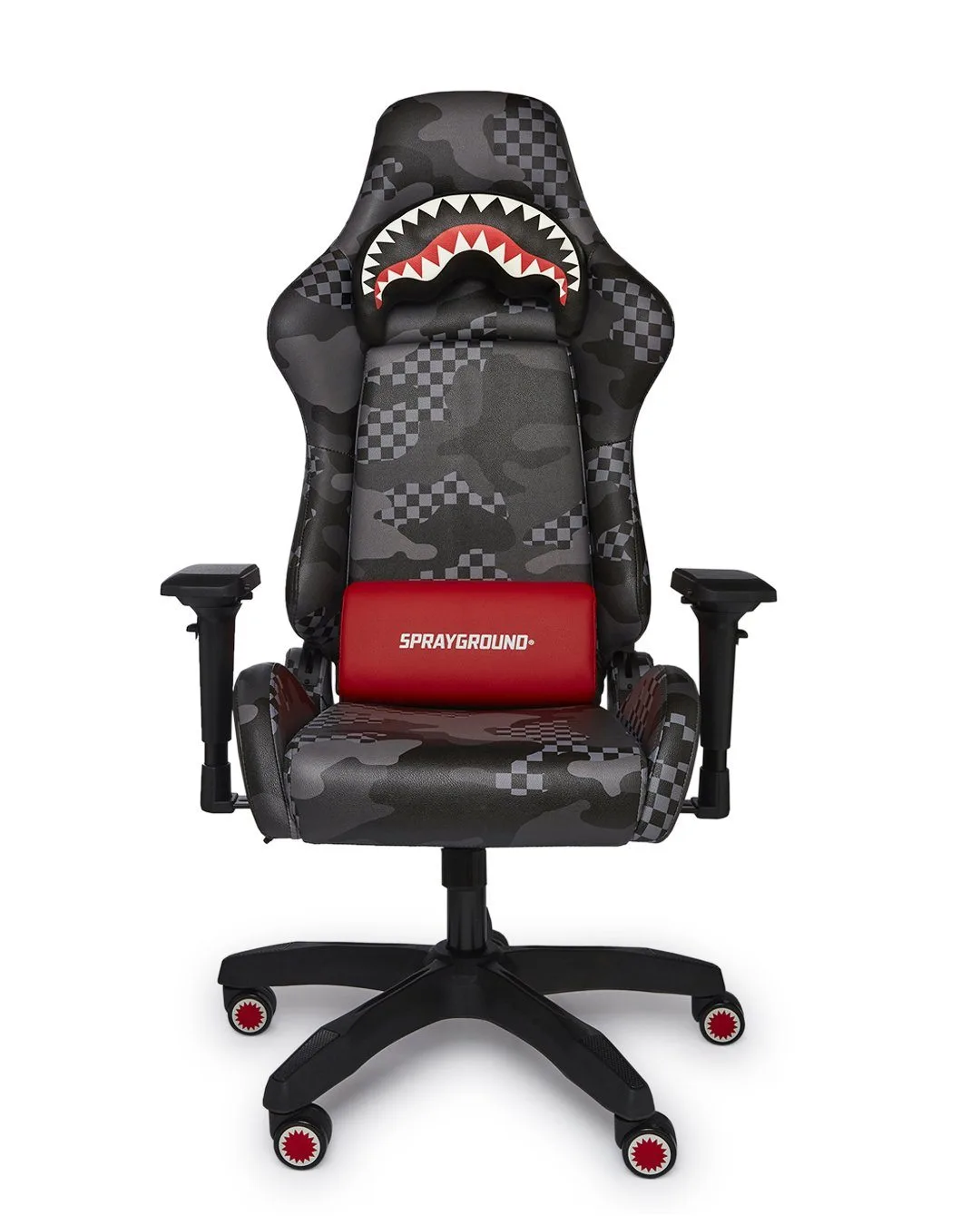
Gaming chairs have evolved beyond the battlestation. With their high-back design, lumbar support, and bold aesthetics, they are now a popular choice for anyone who spends long hours at a desk—whether you are grinding through a work project, streaming your favorite game, or studying for exams. But can a gaming chair truly replace a traditional office chair? The answer is yes, if you set it up correctly and choose a model that fits your space and body.
In this guide, we will walk you through how to rock a gaming chair as your primary desk chair, focusing on ergonomic adjustments, workspace integration, and style coordination. We will also highlight a few SPRAYGROUND® products that complement your gaming chair setup, including the Bearzilla: The Conquest DLXR Backpack and the 3AM Infiniti Backpack (DLXV), so you can keep your essentials close while looking sharp.

3AM Infiniti Backpack (DLXV)
Why Choose a Gaming Chair for Your Desk?
Gaming chairs are engineered for prolonged sitting. They typically feature a high backrest that supports your entire spine, adjustable armrests, a reclining mechanism, and a sturdy base with smooth-rolling casters. Unlike many office chairs, gaming chairs offer a more aggressive lumbar curve, which helps maintain proper posture during long work sessions. The padding is often denser, providing better weight distribution and reducing pressure points on your hips and thighs.
Another advantage is the customization. Most gaming chairs allow you to adjust seat height, tilt tension, and recline angle. Some models even include a removable lumbar pillow and headrest cushion. This level of adjustability makes it easier to find a neutral sitting position, which is key to preventing back pain and fatigue. Plus, the vibrant colors and sleek designs add a personal touch to your workspace, making it feel less like a corporate cubicle and more like a creative hub.
- Look for a chair with at least 4-point adjustable armrests (height, width, angle, and depth) to support your arms while typing or using a mouse.
- Ensure the seat depth allows you to sit with your back against the backrest while leaving 2-4 inches between the back of your knees and the seat edge.
Ergonomic Setup Tips for Work and Play
To get the most out of your gaming chair as a desk chair, start with proper positioning. Sit all the way back so your lower back is supported by the lumbar cushion. Adjust the seat height so your feet rest flat on the floor and your knees are at a 90-degree angle. Your elbows should also form a 90-degree angle when your hands are on the keyboard, with your wrists straight. If your armrests are too high or low, adjust them until your shoulders are relaxed.
Next, set your monitor at arm’s length away, with the top of the screen at or just below eye level. This prevents neck strain. If you use a laptop, consider a riser or an external monitor. For gaming sessions, you may want to recline the backrest slightly (100-110 degrees) to reduce spinal pressure, but keep your head supported by the headrest. Remember to take micro-breaks every 30 minutes—stand up, stretch, or walk around for a minute to keep blood flowing.
- Place your keyboard and mouse close together to avoid reaching, which can strain your shoulders and wrists.
- Use a footrest if your feet do not touch the floor comfortably after adjusting the seat height.
Styling Your Gaming Chair for a Streetwear-Inspired Workspace
A gaming chair can be a statement piece in your room, especially if you lean into a streetwear aesthetic. Pair your chair with a desk that has clean lines and a matte finish, and add ambient LED lighting behind your monitor or along the desk edge. Choose a color scheme that matches your chair—black and red, white and blue, or all-black with neon accents. Keep your desk clutter-free by using a sleek backpack to store cables, notebooks, and peripherals.
SPRAYGROUND® offers backpacks that are both functional and fashionable, perfect for keeping your workspace organized. The Bearzilla: The Conquest DLXR Backpack features a bold bear print and multiple compartments for your laptop, tablet, and gaming accessories. Its padded back panel and adjustable straps make it comfortable to carry from your desk to the living room. Similarly, the 3AM Infiniti Backpack (DLXV) has a futuristic design with plenty of pockets for tech gear, so you can keep your desk tidy without sacrificing style.
- Use a cable management tray under your desk to hide power strips and cords, maintaining a clean look.
- Add a small shelf or wall-mounted organizer for your phone, wallet, and keys to keep them off the desk.
Choosing the Right Gaming Chair for Your Body and Budget
Not all gaming chairs are created equal. When selecting one, consider your height and weight. Most chairs have a weight capacity between 250 and 400 pounds, so check the specifications. Seat width and depth also matter—wider seats are better for larger body types, while deeper seats suit taller individuals. The material is another factor: PU leather is easy to clean but can get sticky in warm climates, while fabric or mesh is more breathable.
Budget-wise, you can find decent gaming chairs for under $200, but premium models with more adjustability and better build quality start around $300-$500. Look for features like a metal frame, a gas lift cylinder from a reputable brand (Class 3 or 4), and a 2-5 year warranty. Reading user reviews about comfort after 8+ hours of sitting is crucial. If possible, test the chair in a store or buy from a retailer with a good return policy.
- If you are tall (over 6 feet), look for a chair with a taller backrest (32 inches or more) and a seat that extends beyond 20 inches in depth.
- For hot climates, consider a mesh-back gaming chair to improve airflow and reduce sweating during long sessions.
Integrating Your Gaming Chair with Other Desk Accessories
Your gaming chair is just one piece of the puzzle. To create a cohesive and productive setup, pair it with a desk that has a large surface area (at least 48 inches wide) for your monitor, keyboard, and mouse. A monitor arm can free up desk space and allow you to adjust screen height independently of the chair. Add a desk lamp with adjustable brightness to reduce eye strain, and consider a wireless charging pad for your phone.
For storage, a stylish backpack like the Bearzilla: The Conquest DLXR Backpack can sit on a hook beside your desk, holding your laptop, charger, and headphones. You can also use a small drawer unit or a shelf for books and notebooks. The goal is to keep your work tools within arm’s reach without cluttering your primary work surface. A clean desk helps you focus and makes the gaming chair the star of the show.
- Invest in a high-quality mouse pad with a wrist rest to complement your chair’s armrest adjustments.
- Use a cable clip or sleeve to route your headphone cable neatly along the desk edge.
Whether you are working from home, gaming into the night, or both, a gaming chair can be a versatile and stylish addition to your desk setup. Focus on ergonomic adjustments, keep your space organized, and add personal touches like a SPRAYGROUND® backpack to complete the look. Ready to upgrade your workspace? Explore the Bearzilla: The Conquest DLXR Backpack to carry your gear in streetwear style while you sit in comfort.