빠른 답변
앞부분을 들어 올리고, 한 바퀴를 손으로 흔들어 서보 암 바깥쪽의 각 조인트를 살펴보세요. 다음 조인트가 움직이기 전에 먼저 움직이는 첫 번째 조인트를 고치세요. 대부분의 스티어링 슬롭 수리는 느슨한 서보 마운트, 마모된 로드 엔드, 또는 휘어진 링크에서 끝나며, 조인트가 조인 후에도 여전히 움직인다면 교체 부품이 필요합니다.
Steering slop rarely appears all at once. It creeps in as a quarter inch of play at the tire, then a half inch, until the truck wanders on sidehills and you start steering with throttle. Diagnosing it is mostly a matter of watching joints in order instead of guessing at the servo.
This guide walks the steering chain from servo to knuckle, tells you what each symptom usually means, and marks the point where more shimming or tightening stops helping. Have a small hex driver, a rag, and a flat surface ready before you start.
Run the wiggle test before you touch anything
Set the truck on a stand so the front wheels hang free, power the radio and receiver, and center the steering trim. Grab one front tire at the 3 and 9 o'clock positions and rock it gently while watching the steering linkage. You are looking for the first place where movement stops transferring and starts being absorbed.
Repeat on the other side, then hold the servo arm still with one finger and rock the tire again. If the arm moves with the tire, the play is ahead of the servo. If the arm stays put and the tire still moves, the play is in the servo, the servo saver, or the mount. Write down what you find before disassembling anything.
- Do the test with the servo powered and centered so the saver is loaded normally.
- Check both wheels; a single worn rod end on one side is easy to miss.
Check the servo mount and chassis first
Servo mount wear is the most common cause of vague steering on a crawler that has taken hits. Grab the servo body and try to twist it against the chassis. Any rock here shows up as steering play at the tires, and it also lets the servo saver work at the wrong angle. Tighten the mounting hardware and inspect the mount for cracks or elongated screw holes.
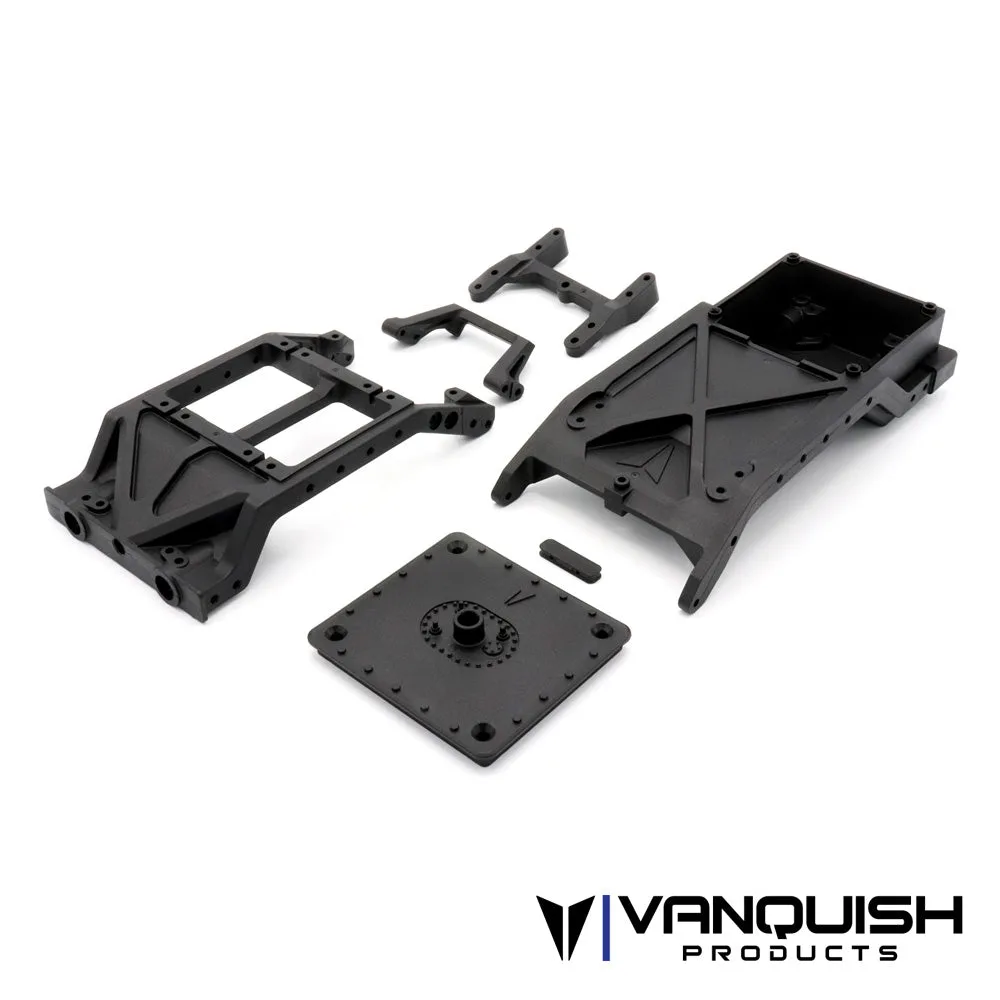
If the mount is solid, look at the chassis itself. Flex between the front cross brace and the servo location changes steering geometry under load, which feels like slop even when every joint is tight. A braced front end keeps the servo and steering rack in the same relationship when the truck is bound up on a rock.
- A mount that moves under hand pressure will move more under servo torque.
- Check for missing or loose cross brace hardware before buying anything new.
Inspect the steering rack, links, and rod ends
Work outward along the drag link and tie rod. Push each link sideways against its rod end; a rod end with visible in-and-out play or a wallowed hole is done. Bent links are common after hard impacts and show up as steering that is fine on one side and short on the other. Roll each link on a flat surface to check straightness.
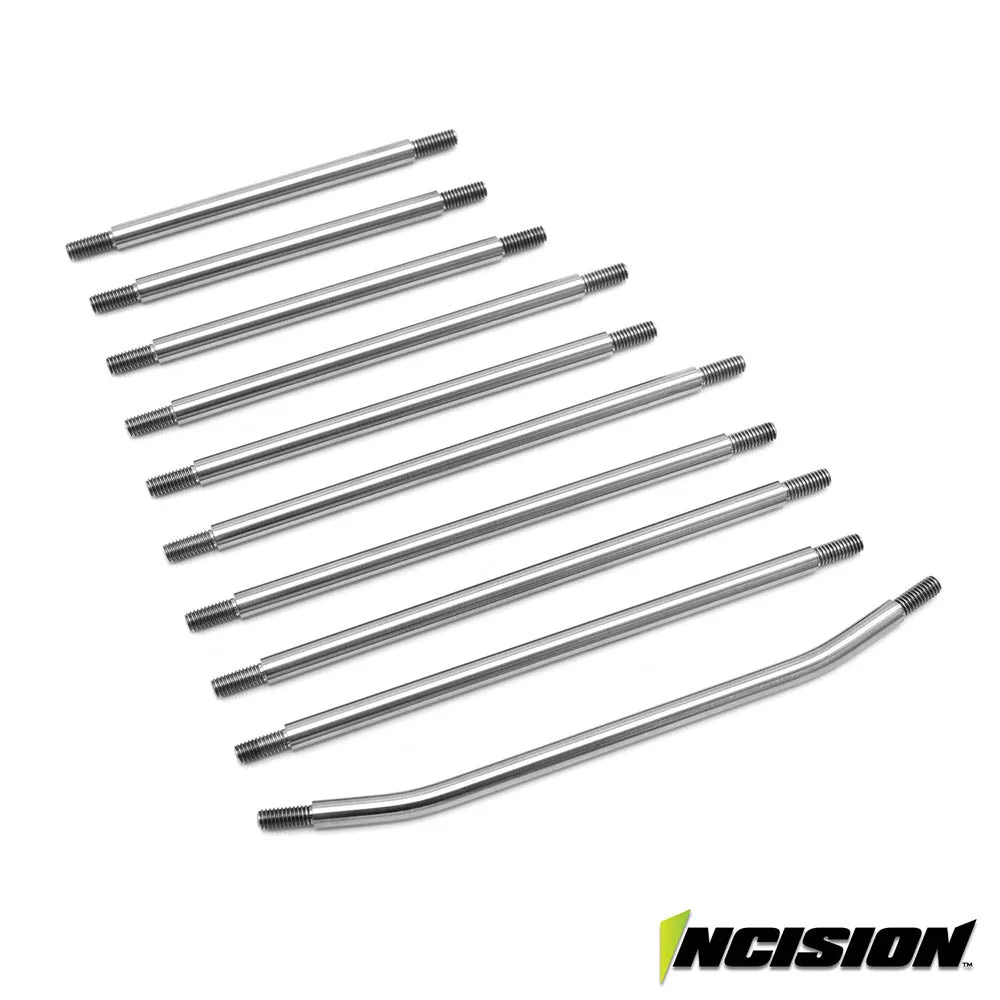
Titanium links resist bending better than stainless and keep their shape after the hits that normally tweak a stock link. That matters on a crawler because a bent drag link changes your steering center and forces constant trim correction. If your links are straight and your rod ends are tight, the rack is not your problem.
- Replace rod ends in pairs so both sides wear evenly.
- A link that springs back when you flex it is usually fine; one that stays bent is not.
Check the knuckles and high steer arms
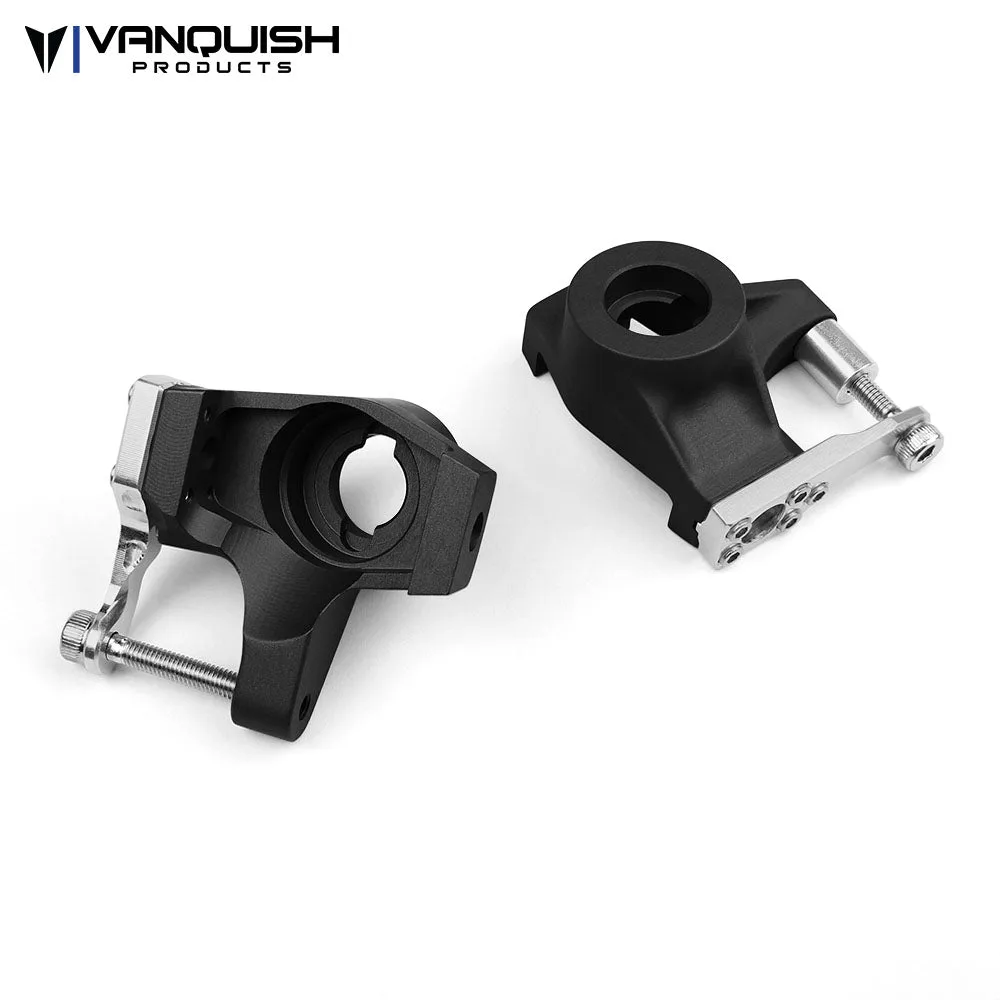
At the axle, look for movement between the knuckle and the steering arm. A machined aluminum knuckle with a bolt-on high steer arm supports the tie rod and drag link at two points, which reduces the flex that a single-shear arm allows. If the arm moves separately from the knuckle, tighten it and recheck before condemning the part.
Also check the kingpin or bushing area for vertical play. If the knuckle rocks up and down, no amount of steering linkage adjustment will remove the wander. This is the point where you stop tightening and start planning a rebuild of the front axle.
- Clean the knuckle and arm mating surfaces before retorquing hardware.
- Vertical knuckle play is a rebuild item, not a linkage adjustment.
Know when to stop adjusting and replace
Tightening hardware fixes slop caused by loose fasteners. It does not fix worn holes, bent links, or a servo that cannot hold center. If you have tightened every joint and the tire still moves a quarter inch or more before the servo arm does, the worn part has to come out.
Set a limit for yourself: if the same joint loosens twice in a season, replace the part instead of retightening it a third time. Chasing slop with threadlocker and shims costs more trail time than a single replacement, and it hides the wear that will eventually fail mid-climb.
- Replace any rod end that has been retightened twice.
- If the servo itself rocks in the mount after tightening, the mount is the part to change.
Steering slop diagnosis chart
- Servo body rocks in the mount: Tighten the servo hardware and inspect the mount and front cross brace for cracks or elongated holes. If it still rocks, the mount or chassis bracing is the weak point. Fix this before checking anything further down the linkage.
- Tire moves but the servo arm does not: The play is between the servo arm and the knuckle. Check rod ends for in-and-out play and roll the drag link and tie rod on a flat surface for bends. Replace worn rod ends in pairs; replace bent links.
- Steering arm moves separately from the knuckle: Retorque the arm hardware and recheck. If movement returns, the knuckle or arm is flexing under load and needs a stronger part. Double shear support at the arm is the durable fix.
- Knuckle rocks vertically: This is kingpin or bushing wear, not linkage slop. No steering adjustment will remove it. Stop adjusting and plan a front axle rebuild.
- Everything is tight but steering still wanders: Check servo torque and centering, then confirm the chassis is not flexing between the servo and the front axle. If the servo cannot hold center, the servo is the limit, not the linkage.
Parts that address the usual causes
- VS4-10 Chassis Cross Braces w/Dig Servo Mount: Front and rear molded chassis braces with a dig servo mount, compatible with all VS4-10 chassis, that include mounts for the VFD transmission and 1-piece style battery, a scale fuel cell in the rear brace, and integrated front and rear post style bumper mounts with standard 43mm spacing. If your wiggle test shows the servo moving with the chassis rather than the linkage, bracing the front end removes that flex and keeps the servo and steering rack in a fixed relationship under load.
- VS4-10 Straight Axle Steering Knuckle: Aluminum knuckles for VS4-10 straight axles, milled from billet aluminum, compatible with stock links, with a bolt-on high steer arm that adds scale appearance and double shear support of the tie rod and drag link; fits VS4-10 Origin, Pro, and Phoenix. When the slop is at the axle and the arm moves separately from the knuckle, a machined knuckle with double shear support takes the flex out of that joint instead of masking it with tighter hardware.
- Incision Titanium VS4-10 Ultra 10pc Link Kit: A 3/16 inch titanium 10-piece link kit for the VS4-10 Ultra that replaces the stainless steel links in the kit, including drag link, panhard link, three upper links, four lower links, and a tie rod link, and reuses the factory rod ends. If your links stay bent after impacts and you keep trimming steering to compensate, titanium links hold their shape and let you reuse the rod ends you already have.
Work the steering chain in order, fix the first loose joint you find, and stop tightening once a part is worn rather than loose. That habit keeps your Vanquish crawler tracking straight and tells you exactly which replacement part is worth buying.