빠른 답변
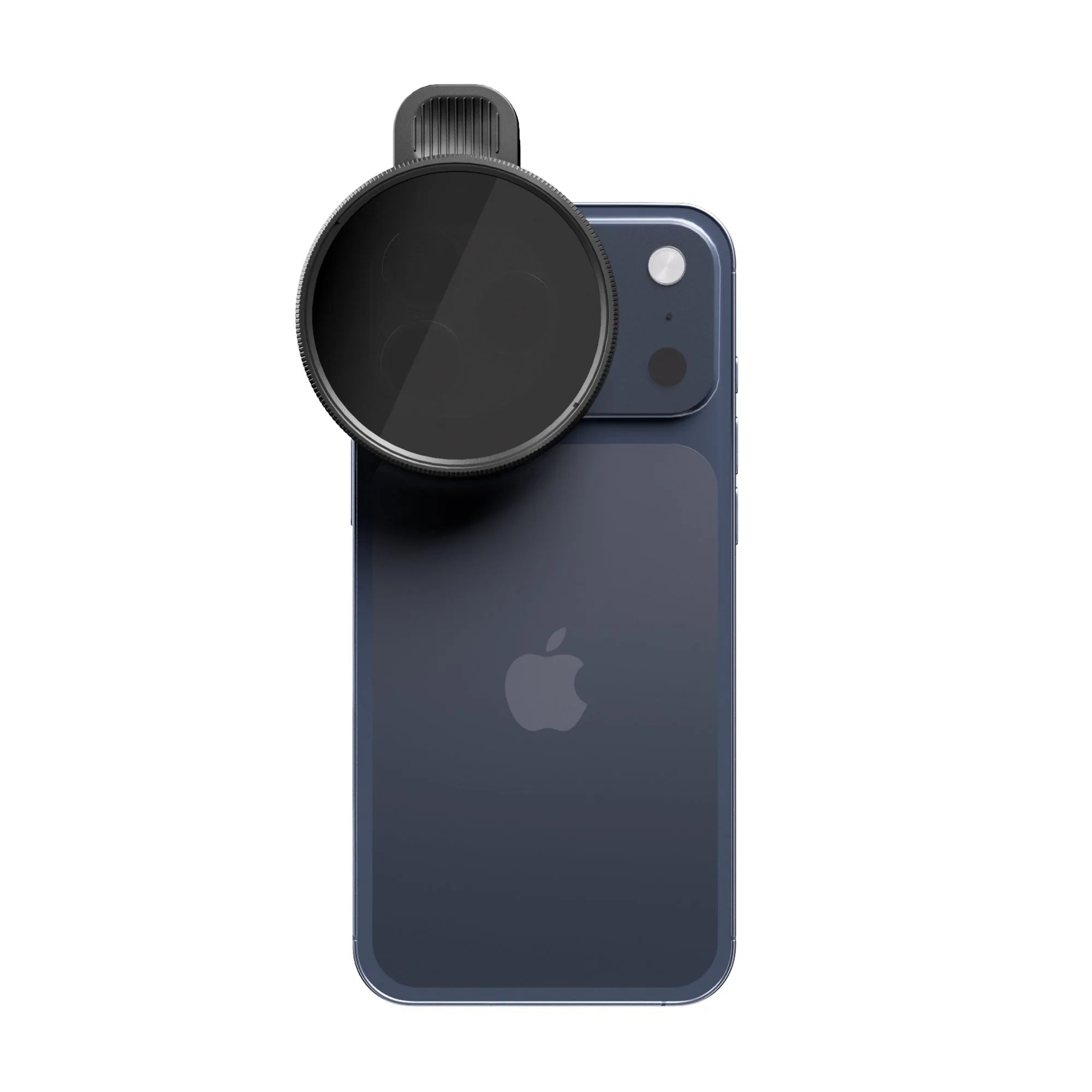
SANDMARC 모션 가변 필터를 iPhone 렌즈에 부착한 다음, 링을 돌려 대낮에도 시네마틱 셔터 속도나 장노출에 맞는 정확한 노출을 맞추세요.
iPhone 동영상에서 가변 ND 필터가 중요한 이유
일반 iPhone 카메라는 밝은 조건에서 180도 셔터 규칙(셔터 속도 = 프레임 레이트의 2배)을 달성할 만큼 조리개를 조일 수 없습니다. 가변 ND 필터는 센서에 빛이 닿기 전에 빛을 차단하여 이 문제를 해결하며, 넓은 조리개와 낮은 ISO를 유지해 가장 깨끗한 화질을 얻을 수 있게 해줍니다.
SANDMARC Motion Variable Filter는 4스톱 조절 범위를 지원하므로 필터를 교체하지 않고도 변화하는 빛에 대응할 수 있습니다. 그늘에서 햇빛으로 이동하거나 골든 아워를 기다릴 때 특히 유용합니다.
트레이드오프: 가변 ND 필터 vs 고정 ND 필터
가변 ND 필터는 편리하지만, 극단적인 설정에서는 교차 편광 아티팩트(X자 패턴이나 색상 변화)가 나타날 수 있습니다. SANDMARC Motion Filter는 색상 왜곡과 색조 변화를 최소화하도록 설계되었지만, 꼭 필요한 경우가 아니라면 가장 어두운 설정까지 돌리는 것은 피해야 합니다.
조명이 고정된 스튜디오 환경에서 촬영한다면 고정 ND 필터가 약간 더 일관된 결과를 제공할 수 있습니다. 야외에서 즉흥적으로 촬영해야 하는 상황이라면, 가변 ND 필터의 작은 단점은 감수할 만합니다.
단계별 가이드: Motion Variable Filter 사용법
- 필터를 안전하게 장착하세요: Motion Variable Filter를 iPhone 렌즈에 클립하거나 나사로 고정하세요. 빛이 새지 않도록 중앙에 맞추고 단단히 고정하세요. 흔한 실수: 느슨하게 장착하면 비네팅이나 산란광 플레어가 생깁니다.
- 카메라를 수동 모드로 설정하세요: 셔터 속도와 ISO를 고정할 수 있는 서드파티 앱(FiLMiC Pro 또는 ProCamera 등)을 사용하세요. 24fps에서는 셔터 속도를 1/50s로, 30fps에서는 1/60s로 설정하세요. ISO는 가능한 한 낮게 유지하세요(보통 25-50). Locking shutter speed first prevents the camera from compensating for the ND filter.
- Rotate the filter to dial in exposure: Look at your live preview. Slowly rotate the filter ring until the exposure meter reads neutral or slightly underexposed (-0.3 to -0.7 EV). If the image is too dark, rotate back. If it's still blown out, rotate further. Stop rotating as soon as the exposure looks natural. Over-darkening can introduce noise when you lift shadows in post.
- Check for artifacts: Zoom in on the preview and pan across a bright sky or light source. If you see an X-pattern or color shift, rotate the filter slightly back until it disappears. If artifacts persist, the light may be too harsh; consider adding a lens hood or repositioning.
- Record and review: Shoot a short test clip. Play it back to confirm motion blur looks smooth and exposure is consistent. Adjust the filter ring as needed between takes. For long exposures (e.g., waterfalls), switch to a tripod and use a remote shutter to avoid camera shake.
Product spotlight
-
Motion Variable Filter - iPhone: Rotates smoothly across four stops to manage exposure in any condition: bright midday sun, overcast skies, or golden hour, without swapping glass or touching your ISO. You can adjust exposure on the fly as lighting changes, keeping your shutter speed locked to the 180-degree rule for natural motion blur.
Motion Variable Filter - iPhone