Why a dual adjust buckle changes your repair options
A broken buckle can sideline a pack, but the fix is often simpler than you expect. The 1/2" Dual Adjust Side Release Buckle is a direct replacement for many ultralight pack buckles, and its dual adjust design lets you fine-tune strap length on both sides of the buckle. That means you can dial in fit without cutting and rethreading a fixed loop.
Unlike standard 1/2" buckles that adjust on only one side, this buckle gives you two adjustment points. For a backpack hip belt, sternum strap, or compression strap, that extra range can make the difference between a snug carry and a sloppy one. The buckle also features a wide mouth and narrow prongs, which Zpacks notes make it easier to snap together without fidgeting—a small but welcome detail when you're wearing gloves or rushing to beat weather.
Buckle specs that matter for your repair
-
1/2" Dual Adjust Side Release Buckle: Slimmer, lighter, and stronger than the competition. If you're replacing a worn or broken buckle on an ultralight pack, saving grams without sacrificing strength is the whole point.
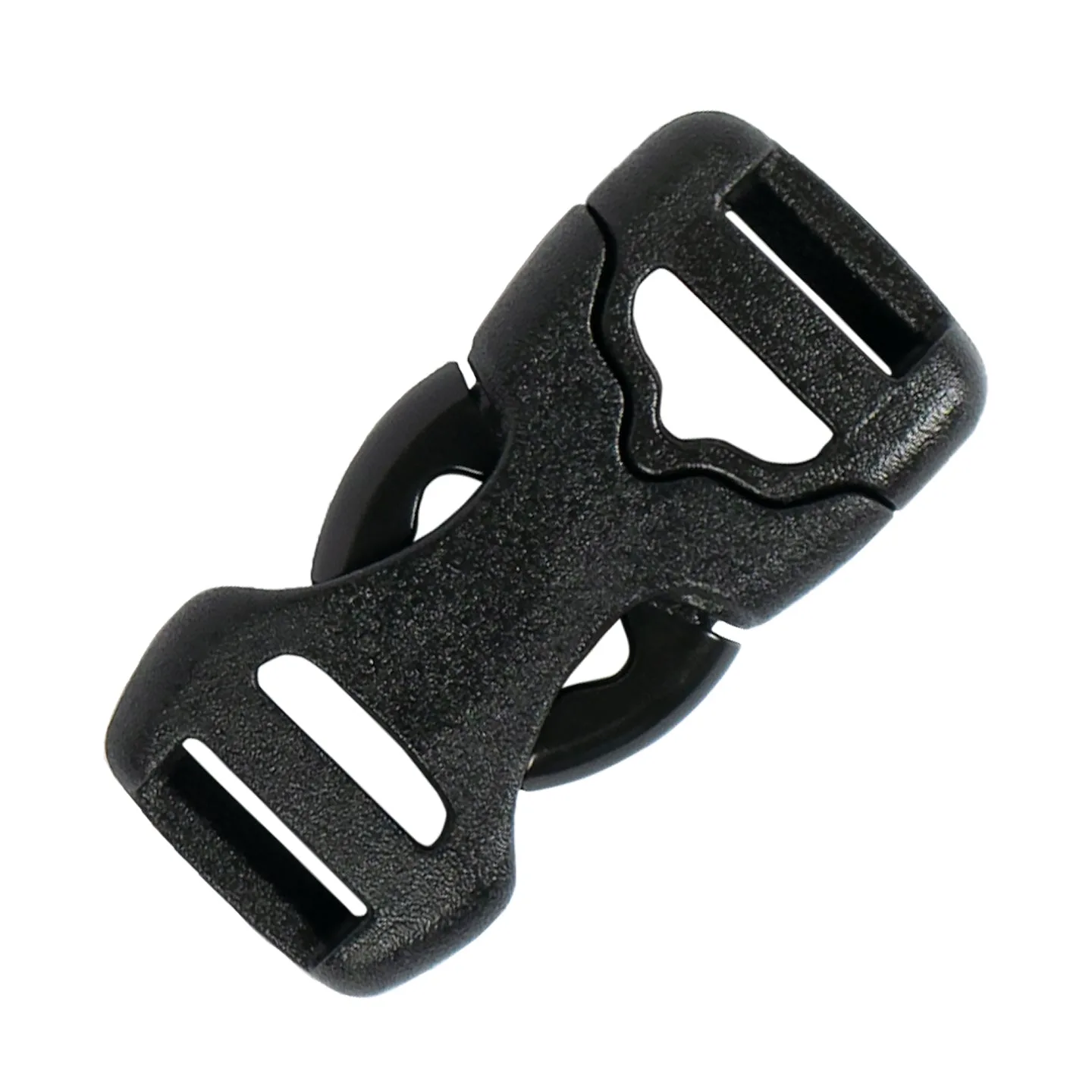
1/2" Dual Adjust Side Release Buckle
-
1/2" Dual Adjust Side Release Buckle: Adjustable on both sides, unlike normal 1/2" buckles. Dual adjustment gives you more range to tighten or loosen the strap on either side of the buckle, which is handy for fit tweaks on the trail.
-
1/2" Dual Adjust Side Release Buckle: Wide mouth and narrow prongs for easier snapping. Less fumbling when you're clipping in with cold hands or in a hurry.
How to replace your backpack buckle
Before you start, check that your existing strap is 1/2" wide (webbing width). The buckle is designed for that width. If your strap is wider or narrower, this buckle may not fit securely. Also inspect the strap itself for fraying or wear—if the webbing is damaged, replacing just the buckle won't solve the problem.
- Remove the old buckle: If the old buckle is broken, cut it free with scissors or a knife, taking care not to damage the strap. If it's intact but you're swapping it out, unthread it by reversing the original path.
- Thread the new buckle onto one side: Take one end of the strap and pass it through the slot on one half of the buckle. The dual adjust design means both halves have adjustment slots. Thread the webbing through the slot, over the center bar, and back out—the same path the old buckle used. If you're unsure, look at how the strap was threaded on the other side or on a similar buckle.
- Thread the other side: Repeat the threading process on the opposite half of the buckle with the other strap end. Both sides should now be adjustable.
- Test the adjustment: Pull on each strap to slide it through the buckle. The webbing should move smoothly but hold firm when you stop pulling. If it slips, you may have threaded it incorrectly—recheck the path.
- Snap and check the fit: Clip the two halves together. The wide mouth and narrow prongs should engage easily. Adjust both sides to center the buckle on the strap and achieve the fit you need.
Dual adjust vs standard buckle: which do you need?
Standard side release buckles typically adjust on only one side, while the other side is fixed. That's fine for many applications, but it limits how much you can fine-tune the fit. The dual adjust design shines when you want symmetrical adjustment or when you need to shorten or lengthen the strap on both sides of the buckle.
- Dual adjust buckle: Adjustable on both sides. Better for centering the buckle, dialing in fit from either side, and replacing buckles on straps where both ends need length adjustment. The Zpacks 1/2" Dual Adjust Side Release Buckle is also slimmer and lighter than typical buckles.
- Standard buckle: Adjustable on one side only. Simpler and often cheaper, but less versatile for fit tweaks. If your original buckle was standard and you were happy with it, a standard replacement may suffice.
What the catalog doesn't tell you
The product record doesn't specify a weight in grams, exact dimensions, or a load rating. It also doesn't list compatible strap thicknesses beyond the 1/2" width. If your strap is unusually thick or stiff, the buckle may be harder to thread. For most ultralight backpacking webbing, it should work fine, but it's worth checking the strap width before you order.
Also note that the buckle is sold as a single unit with a Standard variant. If you need multiple buckles for a repair, order accordingly. And while the buckle is described as stronger than the competition, no specific strength rating is provided—so if you're replacing a load-bearing buckle on a hip belt, use your judgment and inspect the buckle regularly.
When to replace your buckle (and when to repair)
Replace the buckle if it's cracked, deformed, or won't stay snapped. A buckle that releases under load is a safety risk. If the buckle is intact but the strap is frayed, replace the strap or shorten it rather than just swapping the buckle. For a quick fix on the trail, a spare buckle and a few minutes can get you moving again—especially with a buckle that's easy to snap one-handed.
The 1/2" Dual Adjust Side Release Buckle is a practical spare to keep in your repair kit. Its dual adjustment means you can adapt it to different strap lengths, and the slim profile won't add bulk to your pack.