Start with the charger's ceiling, then check your device
The Satechi 100W USB-C PD Wall Charger is rated for up to 100W output over USB-C Power Delivery. That number is the charger's ceiling, not a guarantee that every connected device will draw 100W. The device decides how much power it accepts, and the cable and port must support the same USB-C PD negotiation.
To charge a laptop with a 100W charger, confirm that the laptop charges over USB-C PD and that its own power requirement is at or below what the charger can deliver. If the laptop's supplied power adapter is rated above 100W, the Satechi charger will not match that adapter's maximum output. The supplied catalog does not list a per-port breakdown, so treat the 100W figure as the charger's overall USB-C PD rating rather than a promise for a specific laptop model.
What a 100W charger can realistically power
Use the device's own USB-C PD rating as your guide. The categories below describe typical device classes, not confirmed compatibility with every model.
- USB-C PD laptops: Many USB-C PD laptops accept power through a USB-C port, but the accepted wattage varies by model. Check your laptop's stated USB-C PD input before assuming the Satechi charger will run it at full speed.
- Phones and tablets: USB-C PD phones and tablets negotiate their own charging rate. A 100W charger can supply them, but the device will draw only what its charging standard allows.
- Accessories and smaller devices: Headphones, mice, and other USB-C accessories generally draw far less than 100W. The charger's higher ceiling does not force extra power into them.
USB-C Power Delivery explained in one paragraph
USB-C Power Delivery is a negotiation between charger, cable, and device. The charger advertises available power profiles, and the device requests one it supports. Charging speed therefore depends on the lowest common capability in that chain. A charger rated for up to 100W can only deliver its full ceiling when the connected device and cable both support that level. The supplied product information for the Satechi 100W charger does not list individual voltage and current profiles, so confirm your device's PD requirements with its manufacturer before relying on a specific wattage.
The Satechi 100W USB-C PD Wall Charger at a glance
-
100W USB-C PD Wall Charger: Up to 100W output over USB-C Power Delivery, using Gallium Nitride (GaN) technology. This is the charger's maximum rating. Match it against your laptop's USB-C PD input to judge whether it can serve as your primary travel or desk charger.
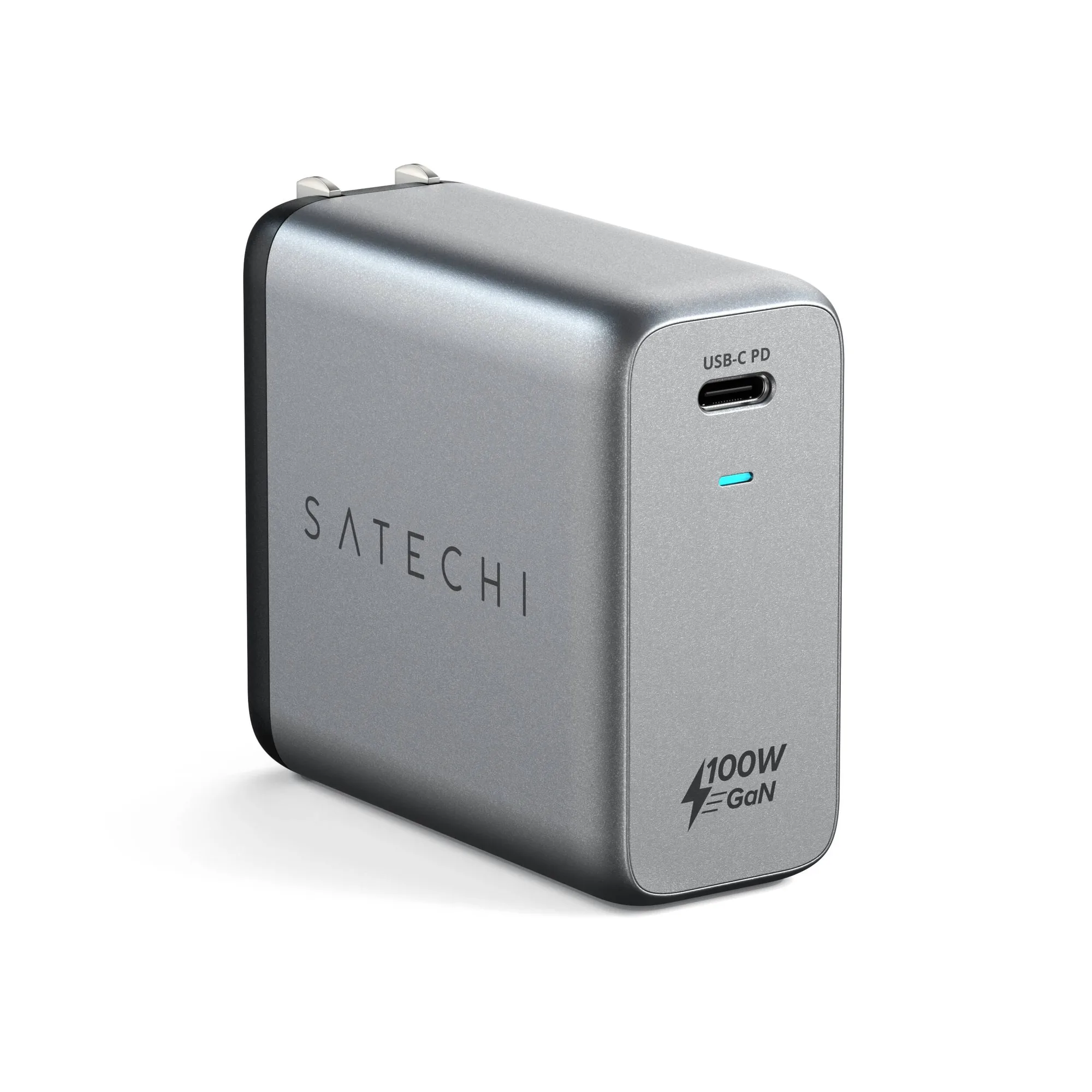
100W USB-C PD Wall Charger
-
100W USB-C PD Wall Charger: Foldable plug design for portability. A foldable plug makes the charger easier to pack, which matters if you plan to carry one charger for a laptop and phone instead of separate adapters.
-
100W USB-C PD Wall Charger: Available with an AU plug option. Check the plug variant against the outlet type you will use. The supplied record lists the AU plug option; other regional variants are not confirmed in the provided information.
How to set up charging with the Satechi 100W charger
The supplied product record does not include step-by-step operating instructions, so the sequence below is a general USB-C PD setup check rather than a manufacturer procedure.
- Confirm your device charges over USB-C PD: Check your laptop, tablet, or phone specifications for USB-C Power Delivery input. Devices that charge only through a barrel connector or a proprietary standard are not confirmed to work with this charger.
- Compare your device's power requirement with the charger's 100W ceiling: If your device's USB-C PD input is at or below the charger's rating, the charger can supply it. If your device expects more than 100W, expect slower charging or a power warning from the device.
- Use a USB-C cable rated for the power level you need: The supplied product information does not specify an included cable. Use a cable whose manufacturer states it supports the wattage your device requires.
- Plug in and check the device's charging indicator: The device will negotiate its accepted rate. If it shows slow charging or no charging, the limitation is likely in the device, cable, or port rather than the charger alone.
Where the 100W rating stops being the whole story
A 100W charger is most useful when you carry one adapter for a USB-C PD laptop and smaller devices. The tradeoff is that the 100W figure describes the charger's maximum, not a fixed output for every port or device. The supplied catalog does not confirm multi-port behavior, per-port wattage allocation, or which fast-charging protocols beyond USB-C PD are supported.
If your laptop's original adapter is rated above 100W, this charger is not a like-for-like replacement for full-speed charging under heavy load. It can still be useful for travel or lighter tasks, but confirm your laptop's behavior with a lower-wattage USB-C PD source before relying on it as your only charger.