Start with the cable the network is built for
The 12-2 Brick and 12-2 Brick Biwire Networks are not standalone speaker cables. They are special filter circuits hand-built in protective pods that you add to Transparent High Performance 12-2 Speaker Cables. That single fact resolves most setup confusion before it starts: the network is designed and calibrated to work ideally with that specific cable family, so the first question is whether you already own or plan to buy 12-2 Speaker Cables.
There is one useful exception. The catalog states that 12-2 Bricks will also significantly improve the performance of any brand or type of 12 AWG speaker cable. If you are working with 12 AWG cable from another maker, the network is still a legitimate option, but the ideal calibration pairing remains Transparent 12-2 Speaker Cables.
What the catalog confirms about the network
-
High Performance 12-2 Brick and 12-2 Brick Biwire Networks: 12-2 Brick Networks are special filter circuits hand-built in protective pods. The pods are part of the product, not packaging, so plan where they will sit in your cable run.
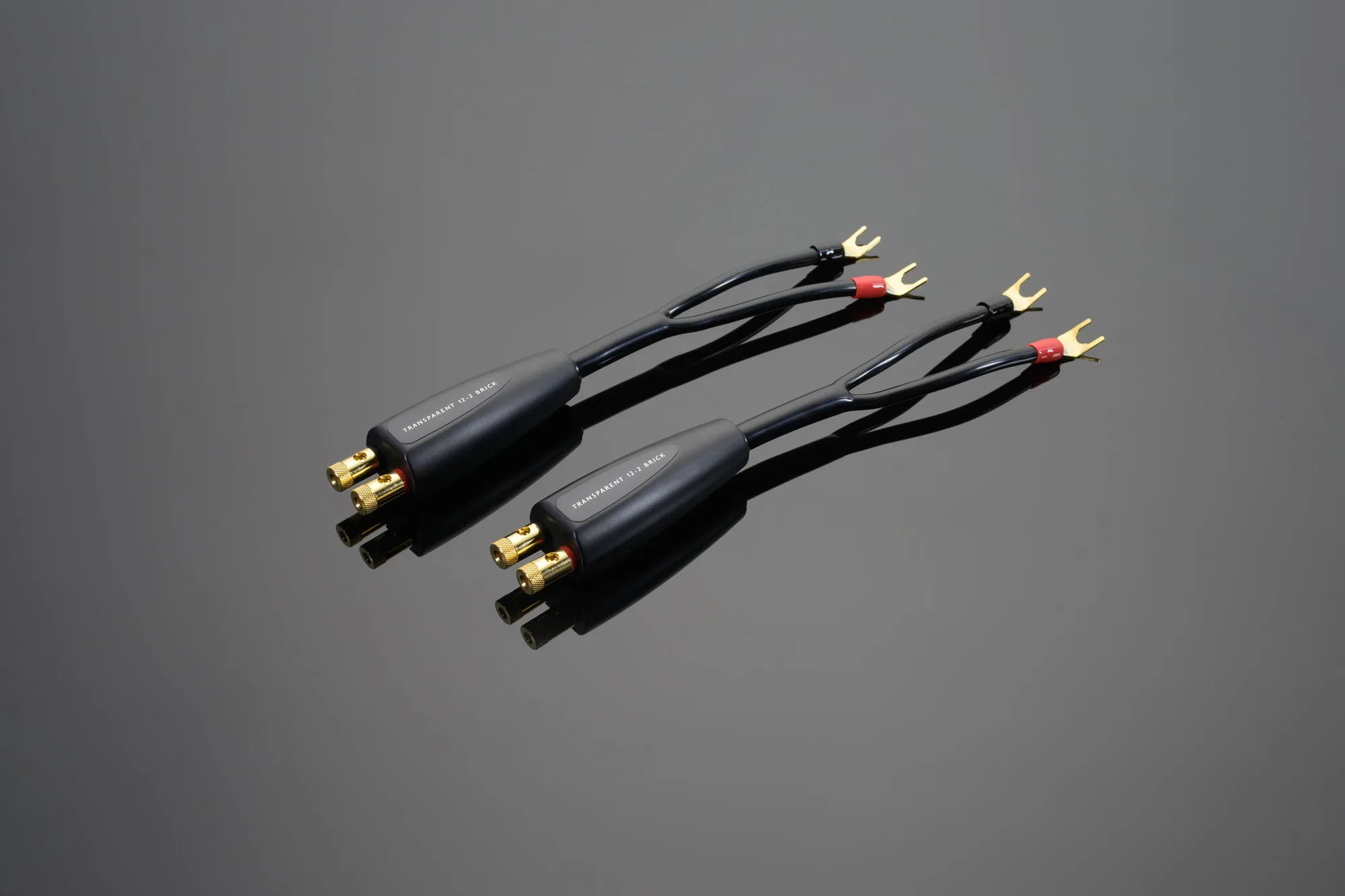
High Performance 12-2 Brick and 12-2 Brick Biwire Networks
-
High Performance 12-2 Brick and 12-2 Brick Biwire Networks: Transparent designed and calibrated 12-2 Brick and 12-2 Brick Biwire Networks to work ideally with High Performance 12-2 Speaker Cables. This is the intended pairing and the basis for expecting the calibrated result.
-
High Performance 12-2 Brick and 12-2 Brick Biwire Networks: 12-2 Bricks will also significantly improve the performance of any brand or type of 12 AWG speaker cable. Owners of other 12 AWG cable have a supported path, though not the ideal calibration pairing.
-
High Performance 12-2 Brick and 12-2 Brick Biwire Networks: They help your speaker cables transfer low frequency energy more efficiently and provide cleaner, clearer, more dimensional sound throughout the rest of the music range. This describes what the network is for, which helps you judge whether it matches the change you want.
Choose biwire or standard before anything else
The most consequential choice is the speaker-input option. The network is available as biwire for 4-input speaker connections, and the catalog lists both Biwire Connections and Standard Connections variants. If your speakers present four inputs and you intend to run a biwire arrangement, the biwire version is the matching choice. If your speakers use a standard connection, the standard version is the one to select.
This is where a common mistake appears: ordering the biwire network for speakers that are not set up for four inputs, or ordering the standard network while planning a biwire run. The catalog does not describe an adapter or conversion between the two, so treat the input option as a decision to settle before ordering rather than something to correct later.
Connector and length options in the catalog
Every variant pairs one termination type with one input type and one length range. The catalog lists these combinations:
- Spade or banana termination: Both termination types are offered across all length ranges and both input types, so the choice should follow what your amplifier and speakers accept.
- 1-20 Feet: The shortest listed cable length range, available with spade or banana termination and standard or biwire connections.
- 21-40 Feet: The middle listed range, with the same termination and input combinations.
- 41-60 Feet: The longest listed range, again with the same termination and input combinations.
A sensible order of decisions
The catalog does not supply installation steps, so this sequence is about choosing the right variant, not about how to physically fit it.
- Confirm your speaker cable: Identify whether you have Transparent High Performance 12-2 Speaker Cables, another 12 AWG cable, or something else. The network is calibrated for 12-2 and also works with other 12 AWG cable; the catalog does not describe use with other gauges.
- Count your speaker inputs: Four inputs point to the biwire version. A standard connection points to the standard version.
- Check your terminations: Decide between spade and banana based on what your amplifier and speakers accept.
- Measure the run: Place your run in the 1-20, 21-40, or 41-60 foot range so the variant matches the actual distance.
- Plan for the pods: The filter circuits sit in protective pods, so leave room for them along the cable path rather than treating the cable as a plain run.
Mistakes worth avoiding
- Treating the network as a complete cable: The 12-2 Brick Network is added to 12-2 Speaker Cables. It is not a substitute for the cable itself.
- Assuming any cable gauge works: The catalog supports 12-2 Speaker Cables and other 12 AWG cable. It does not describe performance with other gauges, so do not assume a 14 AWG or 10 AWG cable is equivalent.
- Mismatching the input option: Biwire and standard versions are distinct products in the catalog. Choose based on your actual speaker inputs.
- Ignoring the pod placement: The protective pods are part of the assembly. Route with them in mind rather than discovering them after the cable is run.
What the supplied information does not settle
The catalog does not include care instructions, safety guidance, or operating steps for the 12-2 Brick Networks, and it does not describe how the pods attach or where along the run they should sit. It also does not state whether the network can be moved between cables after installation. If any of those details matter for your setup, confirm them with Transparent before ordering rather than inferring a procedure.
The catalog also does not describe a conversion between biwire and standard versions. Treat the input choice as fixed at the point of purchase based on the evidence available.