Quick answer
Choose the 140W 3-port GaN adapter as your main power source, then add the coiled cable in the connector type that matches each device. The adapter handles multiple devices; the cable determines whether each one actually fast-charges.
Why the adapter and cable are not interchangeable decisions
The adapter sets the maximum power available across its ports, but the cable and the device's own charging standard decide what each port actually delivers. A 100W-rated USB-C cable can carry far more than a 27W Lightning cable, so mixing them up is the most common reason a fast-charge travel setup feels slow.
The Zenless Zone Zero Rapid Power Pro Series 140W GaN 3-Port Fast Charging Adapter is a MiHOYO official product with a foldable 90° plug and compatibility with EU/US plug adapters. That makes it a practical single brick for a laptop, handheld, and phone, but only if you match each cable to the device.
The connector trap that catches most buyers
The Zenless Zone Zero Rapid Power Series Coiled Fast Charging Data Cable comes in two connector types with very different limits: Type-C to Type-C supports up to 100W and certain Android devices plus iPhone 15 to 16, while Lightning to Type-C tops out at 27W and does not support iPhone 15 to 16. If you own an iPhone 15 or 16, the Lightning version will not charge it at all through that connector.
That single fact should drive your cable choice before you think about aesthetics. Buy the Type-C version for modern phones, handhelds, and laptops; buy the Lightning version only for older Lightning devices that you still carry.
When one adapter is enough and when it is not
A 3-port adapter spreads its 140W across connected devices, so plugging in a laptop, a handheld, and a phone at once will not give each device its solo maximum. For a fast charge travel setup, prioritize the device you need most and charge the rest overnight.
The coiled cable's 180cm total length (45cm coiled) is convenient in a bag but short when stretched across a hotel desk. If you often charge from a wall outlet behind furniture, plan for an extension or choose your outlet carefully.
How to build your ZZZ charging setup step by step
- List every device and its connector: Write down each device you plan to charge (phone, handheld, laptop, controller) and whether it uses USB-C or Lightning. Common mistake: assuming all USB-C cables are equal; check the device's maximum charging wattage. If any device is an iPhone 15 or 16, you must use a Type-C to Type-C cable, not Lightning.
- Pick the coiled cable version that matches your main device: Order the Type-C to Type-C coiled cable for USB-C phones, handhelds, and laptops. Order the Lightning to Type-C only if your primary device still uses Lightning and is not an iPhone 15 or 16. Buying both versions is reasonable only if you regularly carry both connector types.
- Assign ports on the 140W adapter by priority: Plug your highest-draw device (usually a laptop or handheld) into the port that delivers the most power alone, and put phones or accessories on the remaining ports. Common mistake: plugging in three devices and expecting each to get full speed. Check your device's expected wattage; if it needs more than the adapter can spare with other devices connected, charge it alone first.
- Test the full setup before you travel: Connect adapter, cable, and device at home and confirm the device shows fast charging (or charges at the expected rate). Swap cables if it does not. Common checkpoint: a cable that charges slowly may be the Lightning version or a lower-rated cable. Label each cable with its connector type and wattage so you grab the right one in a hurry.
- Pack the plug adapter and a short extension: The adapter supports EU/US plug adapters, so bring the correct plug adapter for your destination. Add a short extension cord if you expect limited outlet access. Common mistake: forgetting that the coiled cable is only about 45cm coiled and 180cm fully stretched. A 1m extension cord solves most hotel desk reach problems without adding much weight.
Product facts
-
【Pre-Order】Zenless Zone Zero – Rapid Power Pro Series 140W GaN 3-Port Fast Charging Adapter: 140W total output across 3 ports, with a 90° foldable plug and EU/US plug adapter compatibility. One brick can replace several chargers on a trip, and the foldable plug keeps it from snagging in a bag.

【Pre-Order】Zenless Zone Zero – Rapid Power Pro Series 140W GaN 3-Port Fast Charging Adapter
-
【Pre-Order】Zenless Zone Zero - Rapid Power Series: Coiled Fast Charging Data Cable: Type-C to Type-C version supports up to 100W and iPhone 15 to 16; Lightning to Type-C is limited to 27W and does not support iPhone 15 to 16. Choosing the wrong connector version can cap charging speed or fail to charge a newer iPhone entirely.
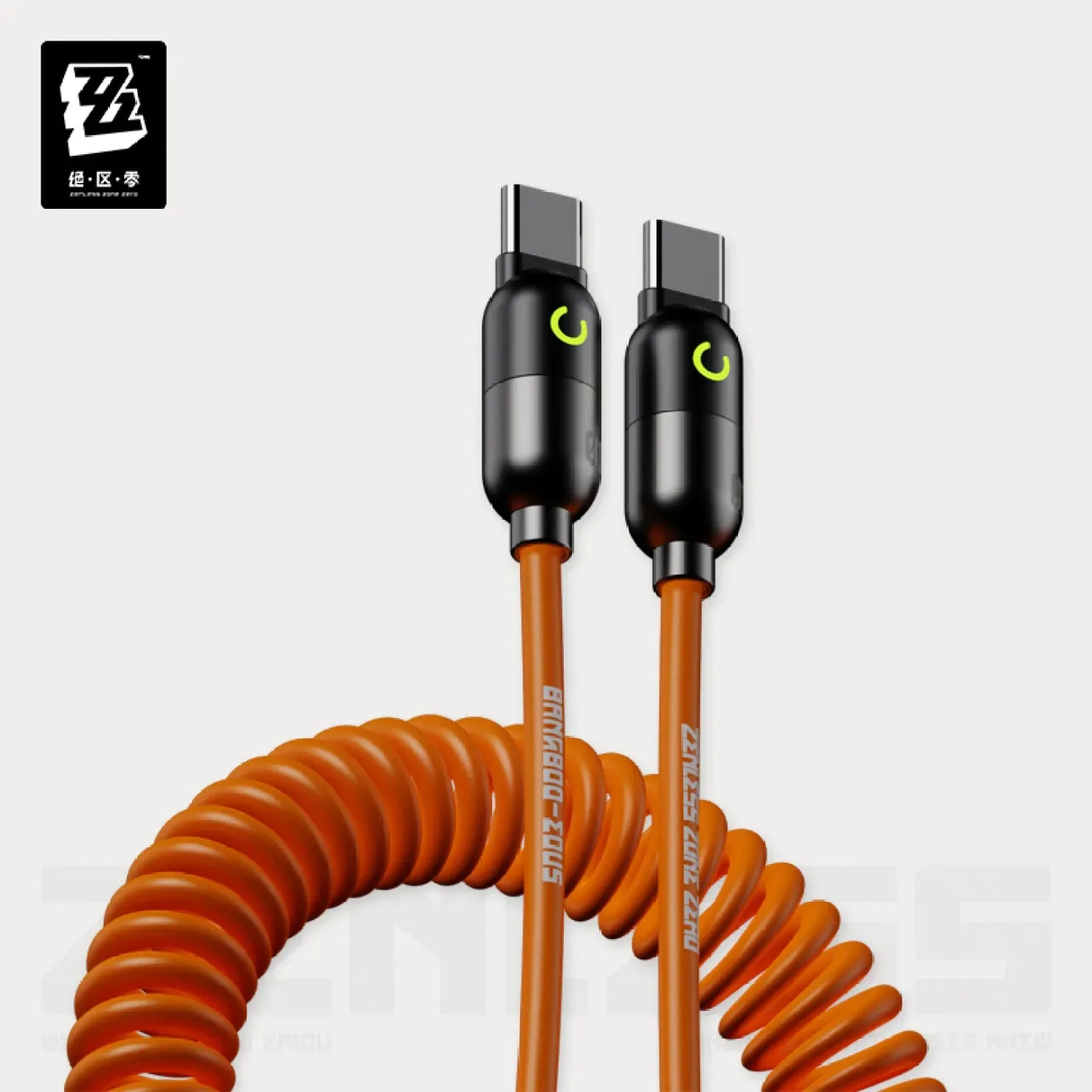
【Pre-Order】Zenless Zone Zero - Rapid Power Series: Coiled Fast Charging Data Cable