What Uneven Heating Looks Like
If your 16x24 heat press produces transfers with light spots, patchy color, or inconsistent adhesion, the platen may not be heating evenly across its full surface. This is a common frustration for anyone working with large-format sublimation or screen-print transfers. Before you assume the machine is defective, there are several practical checks you can run using only what you already have.
Step-by-Step Diagnostic Checks
These steps help you isolate the cause without special tools. Always allow the press to reach the set temperature and stabilize for at least the time recommended in the product instructions before testing.
- 1. Check the platen surface and non-stick sheet: A dirty or damaged non-stick sheet can create hot spots or cold zones. Remove the sheet and inspect the metal platen for residue, dents, or warping. Clean gently with a non-abrasive cloth if needed.
- 2. Perform a paper burn test: Place a large sheet of plain copy paper on the lower platen, close the press at medium pressure for the duration specified in the product instructions, and open. Even browning across the paper indicates uniform heat. Darker or lighter areas point to uneven heating zones.
- 3. Verify temperature setting and recovery: Set the thermostat to 350°F and wait until the ready light cycles on. Open the press for the time specified in the product instructions, then close on a fresh paper. If the second burn shows cold edges, the heater may struggle to recover quickly, especially on a large 16x24 platen.
- 4. Test pressure distribution: Uneven pressure can mimic uneven heat. Use a piece of carbon paper or a thin sheet of paper between two plain sheets. Close the press and check the imprint. A consistent mark means pressure is even; light areas suggest pressure adjustment is needed.
What the 16x24 Heat Press Specifies
-
ePhotoInc Heat Press 16 X 24 Large Heat Press Sublimation Heat Press T Shirt Heat Press Machine Screen Printing Transfer Machine ZP1624: Temperature range: 0-500°F A wide range allows you to test at multiple set points, but the controller must maintain the selected temperature evenly across the 16x24 worktable.
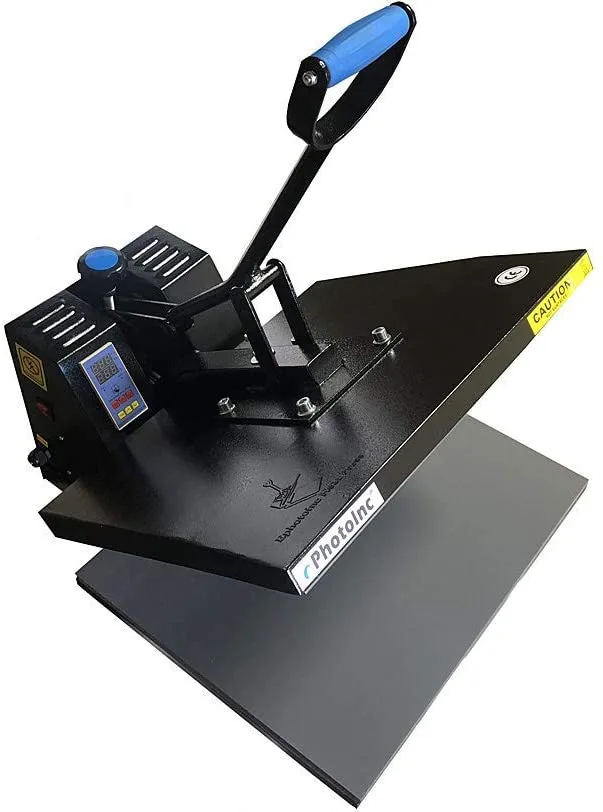
ePhotoInc Heat Press 16 X 24 Large Heat Press Sublimation Heat Press T Shirt Heat Press Machine Screen Printing Transfer Machine ZP1624
-
ePhotoInc Heat Press 16 X 24 Large Heat Press Sublimation Heat Press T Shirt Heat Press Machine Screen Printing Transfer Machine ZP1624: Worktable size: 16x24 inches A larger platen is more prone to temperature variation from edge to center. The burn test is especially useful for this size.
-
ePhotoInc Heat Press 16 X 24 Large Heat Press Sublimation Heat Press T Shirt Heat Press Machine Screen Printing Transfer Machine ZP1624: Voltage: 110V, Power: 1800W 1800W on 110V is typical for this class. If the press is on an extension cord or shared circuit, voltage drop can reduce heating performance.
When to Consider a Replacement
If the burn test shows persistent cold zones after cleaning and pressure adjustment, the heating element or thermostat may be failing. Replacing the temperature controller is a possible repair, but for a large platen, a new press may be more reliable. The ePhotoInc 16x24 heat press is designed for consistent industrial-quality transfer work, and its included transfer heat sheet and instruction menu support proper setup.