Quick Answer
The 180 Optical Encoder Motor for mBot2 is a drop-in upgrade that gives your robot precise speed and position control via an optical encoder, making it ideal for line-following, PID tuning, and accurate movement tasks.
Why an encoder motor matters for mBot2
Standard motors on many robots spin without feedback, so the robot can't know exactly how far it has traveled or how fast it is going. The 180 Optical Encoder Motor changes that by providing real-time rotation data to the mBot2's control board.
This feedback lets the robot correct its movement on the fly, which is essential for tasks like following a line precisely, driving in straight lines, or performing consistent turns. It also enables more advanced programming concepts like PID control, which many STEAM curricula introduce.
Trade-offs to consider before upgrading
While the encoder motor improves accuracy, it is not a silent or maintenance-free component. The POM gears reduce noise, but you should still check for wear over time, especially if the robot is used frequently in classroom settings.
Also, the encoder motor is designed for mBot2, so it won't fit older mBot models without modification. If you're teaching a mixed fleet, verify compatibility before purchasing.
How to Upgrade or Replace Your mBot2 Motor
- Confirm compatibility: Check that your robot is an mBot2 model and that the motor mount matches the 180 Optical Encoder Motor's dimensions. If you have an older mBot, you may need an adapter or a different motor. Always verify the model number before ordering to avoid a wasted purchase.
- Power down and disconnect: Turn off the mBot2 and disconnect the battery to prevent accidental movement or electrical shorts while working on the motor. Working on a powered robot can cause unexpected motion and damage the control board.
- Remove the old motor: Unscrew the mounting screws and gently pull the standard motor away from the gearbox or wheel assembly. Keep the screws in a safe place. Do not force the motor out; if it sticks, check for hidden screws or clips.
- Install the new encoder motor: Align the motor shaft with the gearbox or wheel, then press it into place. Secure it with the same screws, tightening them evenly. An unevenly tightened motor can cause vibrations and affect encoder readings.
- Reconnect and test: Reconnect the battery and run a simple test program that moves the robot forward for a set time or distance. Observe whether it travels straight and stops accurately. If the robot drifts or overshoots, you may need to adjust the PID values in your code.
Product Facts
-
180 Optical Encoder Motor for mBot2: The 180 Optical Encoder Motor for mBot2 features an optical encoder that enables precise control through PID and PWM calculations. This means your robot can maintain a set speed and distance, which is critical for consistent and repeatable movement in competitions and classroom challenges.
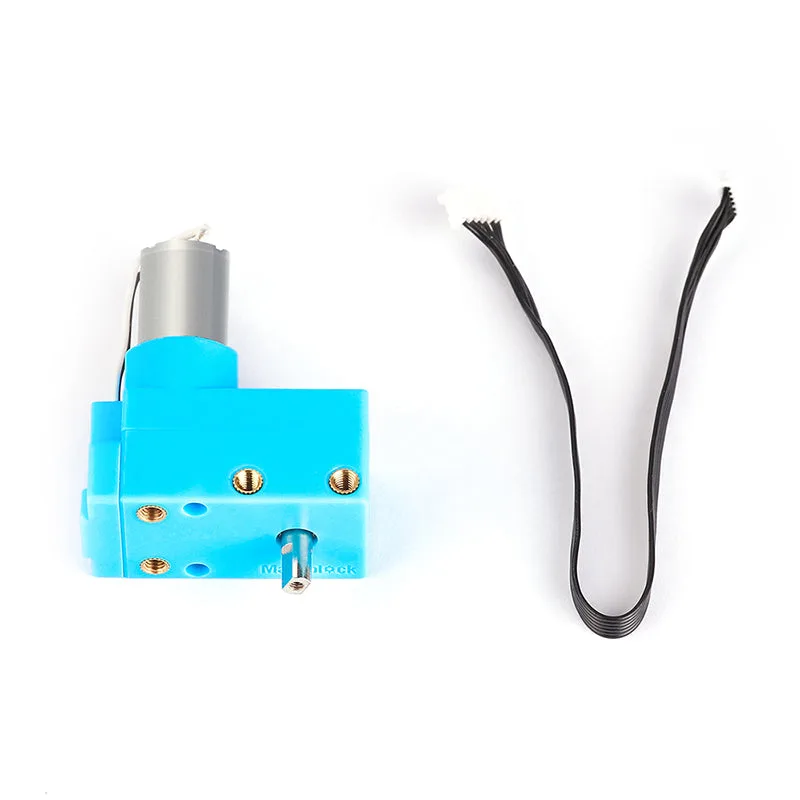
180 Optical Encoder Motor for mBot2
-
180 Optical Encoder Motor for mBot2: It offers flexible installation and can directly operate sprockets, gears, synchronous belts, rubber tires, and tracks. You can use the same motor across different robot builds or drive systems, making it a versatile investment for a classroom or makerspace.