Quick Answer
The Quad Lock 360 to Gimbal Adaptor lets you attach wireless charging and MAG heads to car or desk mounts. Replacing it takes only a few minutes with no special tools.
Why Replace the 360 to Gimbal Adaptor?
Over time, the adaptor may wear or you might need a different configuration. Swapping it restores a secure connection between your device and the mount, ensuring stable use while driving or working.
Step-by-Step Installation Guide
- Remove the Old Adaptor: Twist the existing 360 to Gimbal Adaptor counterclockwise to detach it from the mount head. If it is stuck, use a gentle rocking motion. Check that the mount head is clean and free of debris before installing the new adaptor.
- Align the New Adaptor: Position the replacement adaptor so that the three alignment tabs line up with the slots on the mount head. Push it in firmly until it sits flush. Misalignment can cause the adaptor to wobble or fail to lock—confirm the tabs are fully seated.
- Lock the Adaptor in Place: Twist the adaptor clockwise until you hear a click, indicating it is locked. Give it a gentle tug to verify it is secure. If it does not click, remove and re-seat the adaptor; a loose connection may lead to accidental detachment.
Product Details
-
Replacement - 360 to Gimbal Adaptor: Replacement Quad Lock 360 to Gimbal Adaptor allows Wireless Charging and MAG heads to be mounted onto car and desk mounts. This small part is essential for adapting your charging and magnetic heads to work with existing Quad Lock mounts, saving you from buying a whole new system.
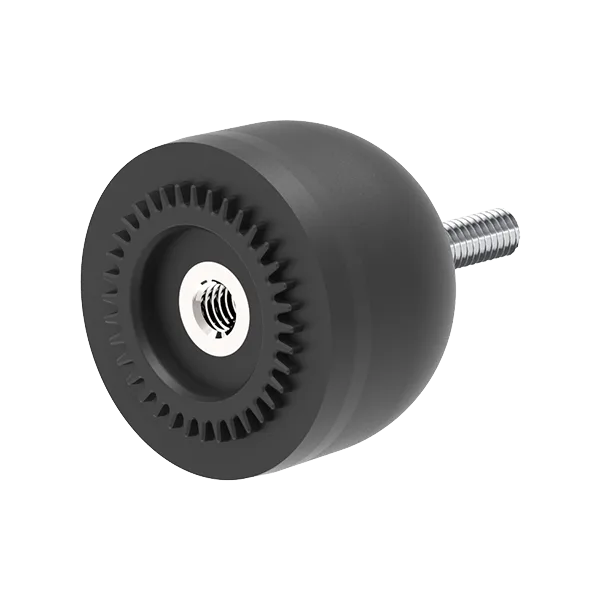
Replacement - 360 to Gimbal Adaptor