Quick answer
Mount the 556 Quad Mag Insert w/ MP2 in a placard or chest rig that accepts a quad insert, then test retention with your actual magazines before you load it for a range session. The MP2 inserts rely on click-in retention, so fit and draw feel matter more than extra straps or flaps.
Why the MP2 retention changes your setup approach
The 556 Quad Mag Insert w/ MP2 uses proprietary MP2 inserts that hold magazines with positive click-in retention instead of bungee cords, buckles, or hook-and-loop flaps. That means your setup work shifts from adjusting straps to confirming that each magazine seats fully and releases smoothly.
Because the retention is built into the insert, a loose or misaligned mount can make magazines feel harder to draw than they should. Take the time to seat the insert correctly in your placard or rig before you judge the retention.
When a quad insert is the right choice
A quad insert suits shooters who want four rifle magazines on the front of a chest rig or placard without adding separate pouches. If you usually carry one or two magazines, the 556 Single Mag Insert MP2 may be a simpler fit for your setup.
The MP2 design is intended to retain nearly all 556 magazines, including most 5.45x39 magazines, but always confirm fit with the specific magazines you run. Catalog details do not list every magazine model, so test your own before relying on the insert in the field.
Step-by-step setup for the 556 Quad Mag Insert
- Confirm your placard or rig accepts a quad insert: Check that your placard, chest rig, or plate carrier front panel has a quad-width insert pocket or mounting interface. If the pocket is sized for a triple or single insert, do not force the quad insert into it. A quad insert needs a quad-compatible pocket; forcing it can distort the MP2 inserts.
- Seat the insert fully and evenly: Slide the insert into the pocket or mounting sleeve until it sits flush and square. Work it in evenly rather than pushing one corner ahead of the others. A partially seated insert can make some magazines feel tighter than others.
- Test retention with an empty magazine: Insert one empty magazine into each slot and listen and feel for the MP2 click. Pull firmly to confirm it holds, then press the magazine release path you normally use to draw it. If a slot does not click, reseat the insert before loading live magazines.
- Check draw and reindex with a partial magazine: With an empty or training magazine, draw it, then reinsert it partially to confirm you can reindex without fighting the retention. Repeat for each slot. MP2 retention should allow a smooth draw and quick reindex of partial magazines.
- Load and do a final function check: Load your actual magazines and confirm each seats fully, holds securely, and releases cleanly. Check that the insert has not shifted in the pocket after several draws. Recheck seating after your first range session, since live magazines may reveal fit issues that empty ones do not.
Product facts
-
556 Quad Mag Insert w/ MP2: The 556 Quad Mag Insert comes standard with proprietary MP2 inserts for secure retention of nearly all 556 magazines, including most 5.45x39 magazines, without bungee cords, buckles, or hook-and-loop flaps. You can set up a cleaner placard with fewer retention accessories, but you should still verify fit with your specific magazines.
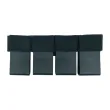
556 Quad Mag Insert w/ MP2