Why Use a Hardwire Kit for Parking Mode?
A dash cam that runs off the cigarette lighter socket only records while the car is on. To capture events when you are parked, you need a constant power source that does not drain the starter battery completely. The 70mai Hardwire Kit with USB Type-C Port (model UP03) connects your compatible dash cam directly to the vehicle fuse box, providing continuous power for 24H Smart Parking Surveillance.
This guide explains what the kit does, which dash cams it works with, and the general setup process. Because wiring a fuse tap varies by vehicle, the actual installation steps are covered in your dash cam's manual.
What the 70mai Hardwire Kit with USB Type-C Offers
-
70mai Hardwire Kit with USB Type-C Port: The 70mai Hardwire Kit (UP03) is designed for all countries and compatible with USB Type-C dash cams. This kit supports the latest 70mai dash cams that use a USB Type-C power port, including the A510, A810, Omni, 4K Omni, and 4K T800 models.
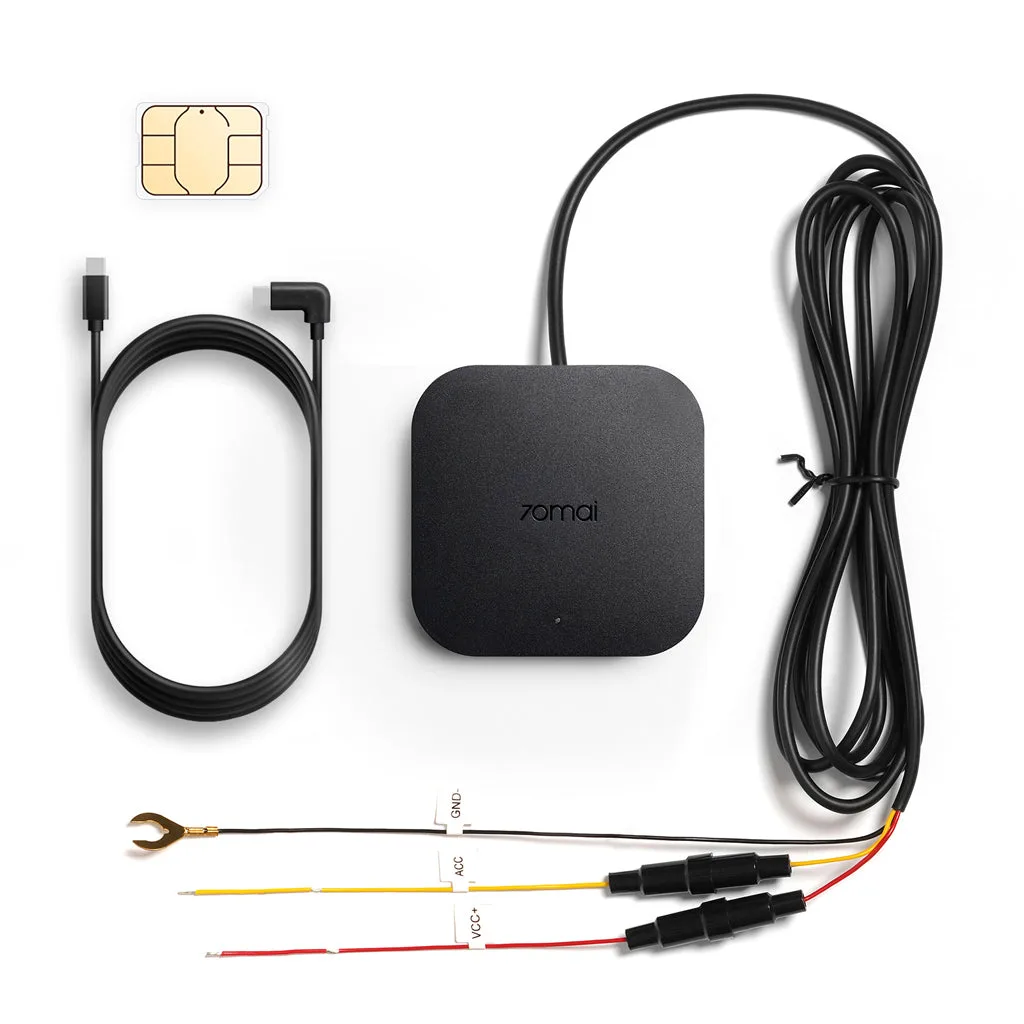
70mai Hardwire Kit with USB Type-C Port
-
70mai Hardwire Kit with USB Type-C Port: The UP03 provides 24H Smart Parking Surveillance, with low-voltage protection to prevent your car battery from draining completely. Parking surveillance can run around the clock without damaging your vehicle's starting ability, giving you peace of mind in parking lots or on the street.
-
70mai Hardwire Kit with USB Type-C Port: If your dash cam uses a micro USB port, the UP02 hardwire kit is the correct choice instead of the UP03. Using the wrong connector type will not physically fit or provide a reliable power connection. Check your dash cam's port before buying.
How to Set Up the Hardwire Kit for Parking Mode
The following steps outline the general procedure for connecting the 70mai Hardwire Kit to your vehicle's fuse box. Refer to your dash cam and vehicle manuals for exact fuse locations and safety precautions.
- Confirm compatibility: Make sure your dash cam has a USB Type-C power input and is a supported model (A510, A810, Omni, 4K Omni, 4K T800). If you have a micro USB dash cam, choose the UP02 kit instead.
- Gather tools and locate the fuse box: You will need the hardwire kit, a fuse tap (usually included), a multimeter or test light, and basic hand tools. Locate the vehicle's interior fuse box (often under the dashboard or glove compartment).
- Identify constant and switched fuses: Use a multimeter to find a fuse slot that is always live (for parking mode power) and one that is only live when the ignition is on (for switched power). The hardwire kit uses both to know when the car is parked.
- Connect the hardwire kit to the fuse box: Insert the fuse taps into the chosen slots. Connect the kit's ground wire to a clean metal chassis bolt. Route the cable along the headliner and A-pillar to the dash cam location.
- Plug into the dash cam and test: Connect the USB Type-C end of the hardwire kit to your dash cam. Turn on the ignition to confirm the dash cam powers up. Then turn off the car and verify that the dash cam enters parking mode (usually indicated by a different LED or a notification in the app).
Important Considerations
The 70mai Hardwire Kit includes low-voltage protection, but the exact cutoff voltage is not specified in the supplied documentation. For best results, follow the installation instructions that come with your dash cam and hardwire kit.
If you need 4G LTE connectivity for real-time alerts and GPS location tracking while parked, consider the 4G UP05 variant (for the US, AT&T carrier recommended) or the UP04 (for Australia and Korea, Telstra carrier recommended). These models add remote monitoring capabilities beyond the standard UP03.
Always disconnect the car battery negative terminal before working on the fuse box to avoid short circuits.