Quick answer
Choose the A320 MCDU panel if you fly Airbus in X-Plane or MSFS with Toliss, Fenix, FBW, or FSL, because its 5.6-inch 800×600 backlit LCD and 1:1 metal layout match that workflow. Choose the B737 CDU panel if you fly Boeing and want a full-metal 1:1 replica with a silicone keypad and indicator lights, but check that your sim aircraft supports a CDU hardware interface first.
The real difference is the aircraft you fly, not the metal
Both panels are 1:1 metal recreations at USD 335.00, so build quality alone will not decide it. The A320 MCDU is tied to Airbus-style pages and the B737 CDU to Boeing-style pages, and your sim aircraft determines which one maps cleanly to the buttons you press in the virtual cockpit.
That makes the decision a software-fit question first. If you split time between Airbus and Boeing, pick the one you fly most and treat the other as a later addition rather than trying to make one panel serve both.
Display and feedback: LCD versus keypad-first operation
The A320 MCDU has a 5.6-inch high-brightness LCD at 800×600 with a fast response time, which matters when you are reading scratchpad messages and route data at a glance. The B737 CDU emphasizes a silicone keypad with indicator lights, so its value is in tactile key presses and lit annunciators rather than a listed display specification.
If you rely on reading the CDU screen more than feeling the keys, the A320 panel's supplied display details give you more to work with. If you want the keypad and indicator-light experience, the B737 panel is the more direct match.
Compatibility lists are not the same length
The A320 MCDU record names X-Plane, MSFS 2020/2024, and Toliss A310/A320 plus FENIX/FBW/FSL A320. The B737 CDU record names MSFS 2020/2024, Prepar3D, and X-Plane but does not list specific 737 add-ons in the supplied facts.
That gap is a decision limitation, not a flaw: if you fly a particular 737 add-on, confirm its CDU hardware support before buying. If you fly the named Airbus add-ons, the A320 panel's compatibility list gives you a clearer starting point.
Trade-offs to weigh before you buy
- Airbus software fit: If you fly Toliss A310/A320, FENIX, FBW, or FSL A320 in X-Plane or MSFS, the A320 MCDU's listed compatibility makes it the lower-risk choice. List your top three add-ons and confirm each is covered before ordering.
- Boeing keypad feel: If you fly Boeing and want a silicone keypad with indicator lights, the B737 CDU matches that preference, but confirm your specific 737 add-on supports CDU hardware because the supplied facts do not name one. Ask the add-on developer or store support about CDU hardware support if you fly a 737 you cannot verify.
- Display versus no listed display: The A320 MCDU supplies a 5.6-inch 800×600 LCD specification; the B737 CDU supplies keypad and indicator-light details but no display specification. Pick the A320 if screen readability is your priority. Treat an absent display spec as a reason to check, not a reason to assume.
Product facts at a glance
-
1/1 Scale Metal B737 CDU Home Cockpit Panel Compatible with MSFS 2020/2024, Prepar3D, X-Plane: Full-metal 1:1 B737 CDU layout with silicone keypad and indicator lights. You get a heavy, aircraft-like keypad feel and lit annunciators, but the supplied facts do not list a display specification, so check screen details if that matters to you.
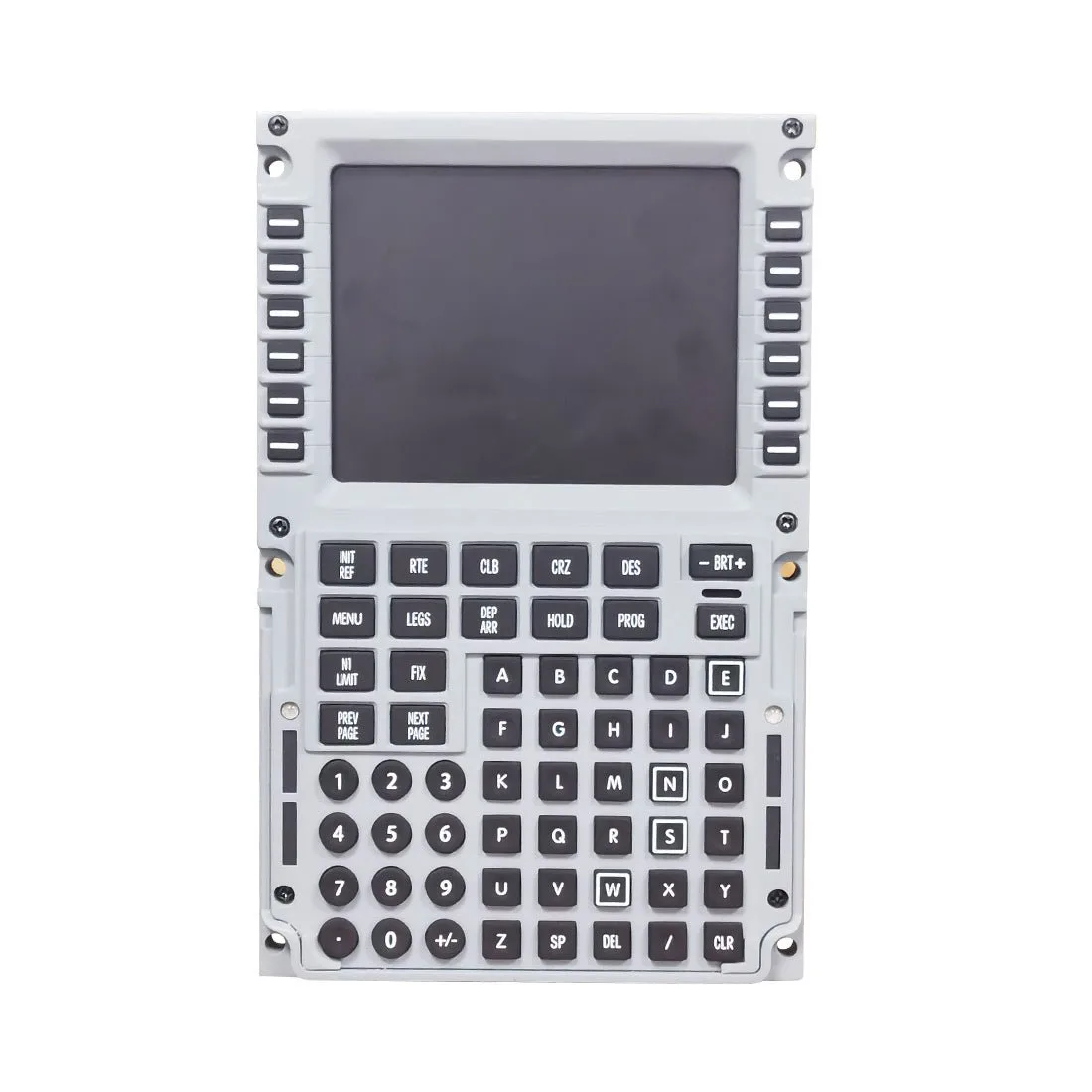
1/1 Scale Metal B737 CDU Home Cockpit Panel Compatible with MSFS 2020/2024, Prepar3D, X-Plane
-
1/1 Scale Metal A320 MCDU Home Cockpit Panel for X-Plane, MSFS 2020/2024, Compatible with Toliss A310/A320, FENIX/FBW/FSL A320: 1:1 metal A320 MCDU with a 5.6-inch 800×600 backlit LCD and 2.4 mm panel. The listed display and thin metal panel suit Airbus flyers who read CDU data closely and want a compact, bright screen in the sim.
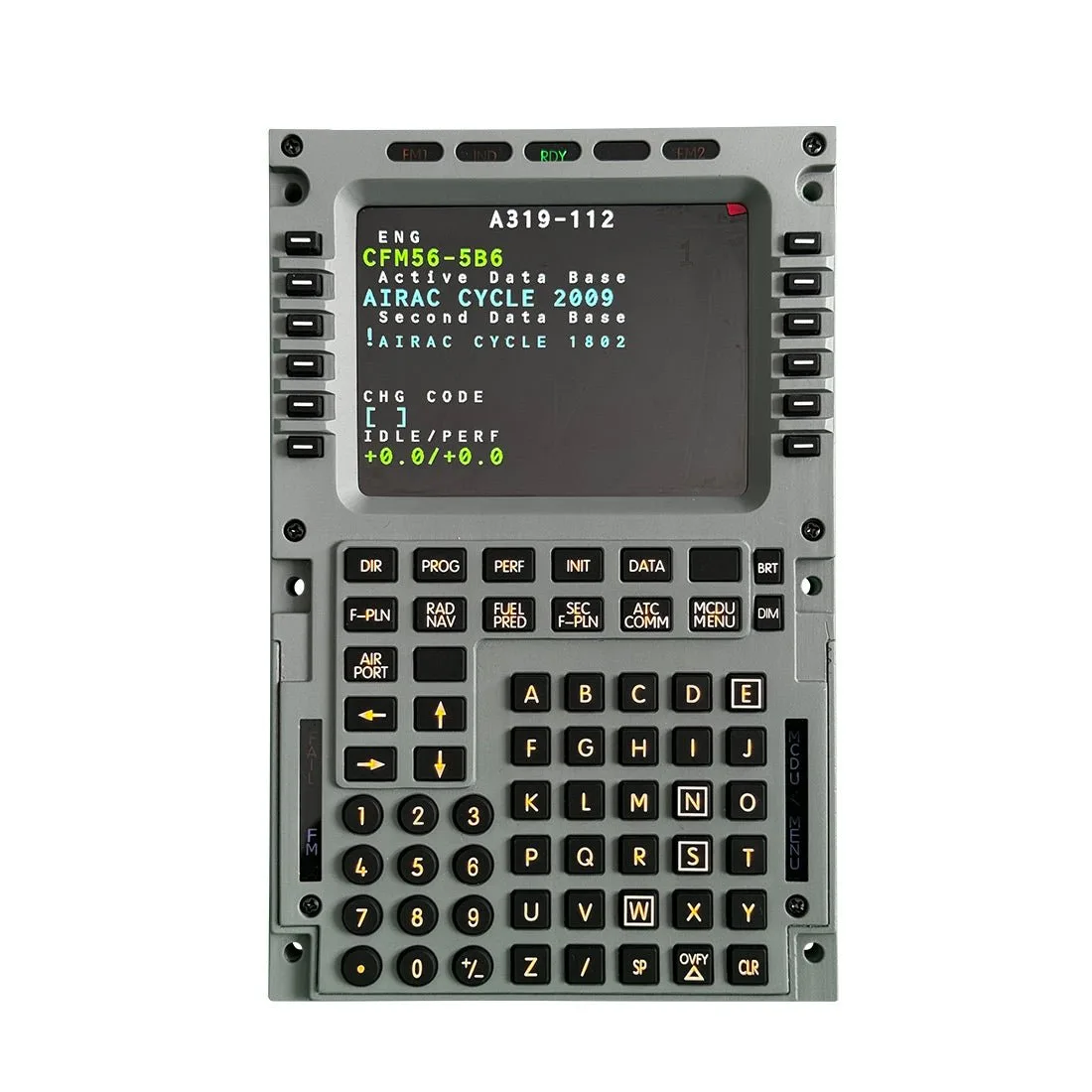
1/1 Scale Metal A320 MCDU Home Cockpit Panel for X-Plane, MSFS 2020/2024, Compatible with Toliss A310/A320, FENIX/FBW/FSL A320
Who should choose which
Best for
- Airbus sim pilots flying Toliss, Fenix, FBW, or FSL A320 in X-Plane or MSFS 2020/2024
- Buyers who want a listed 5.6-inch 800×600 backlit LCD for reading CDU data
- Builders who prefer a 2.4 mm metal panel and a 1:1 A320 layout
Not for
- Boeing-only pilots who need a 737-style keypad and indicator lights
- Buyers who need a confirmed 737 add-on compatibility list from the supplied facts
- Anyone expecting one panel to cover both Airbus and Boeing workflows