What You Get with the Acrylic Mini CD Keychain
The Acrylic Mini CD Keychain & Washi Card is part of the Lil' 90s Nostalgia collection. It's made of three pieces of acrylic: an outer case about 3 inches across, and a removable disc inside that can spin. The disc is single-sided print acrylic with a holographic overlay, designed and illustrated by SumLilThings.
The keychain doubles as a washi card and cutter. The removable disc is the part you can take out, swap, or use separately. This guide focuses on storing and swapping that disc safely, plus a few practical tips for using it as a washi tool.
Key Facts About the Disc and Case
-
Acrylic Mini CD Keychain & Washi Card (Removable Disc): The disc inside can spin and be removed to be used as a washi card. This means the disc is not permanently fixed; you can take it out to swap with another disc or use it separately as a washi cutter.
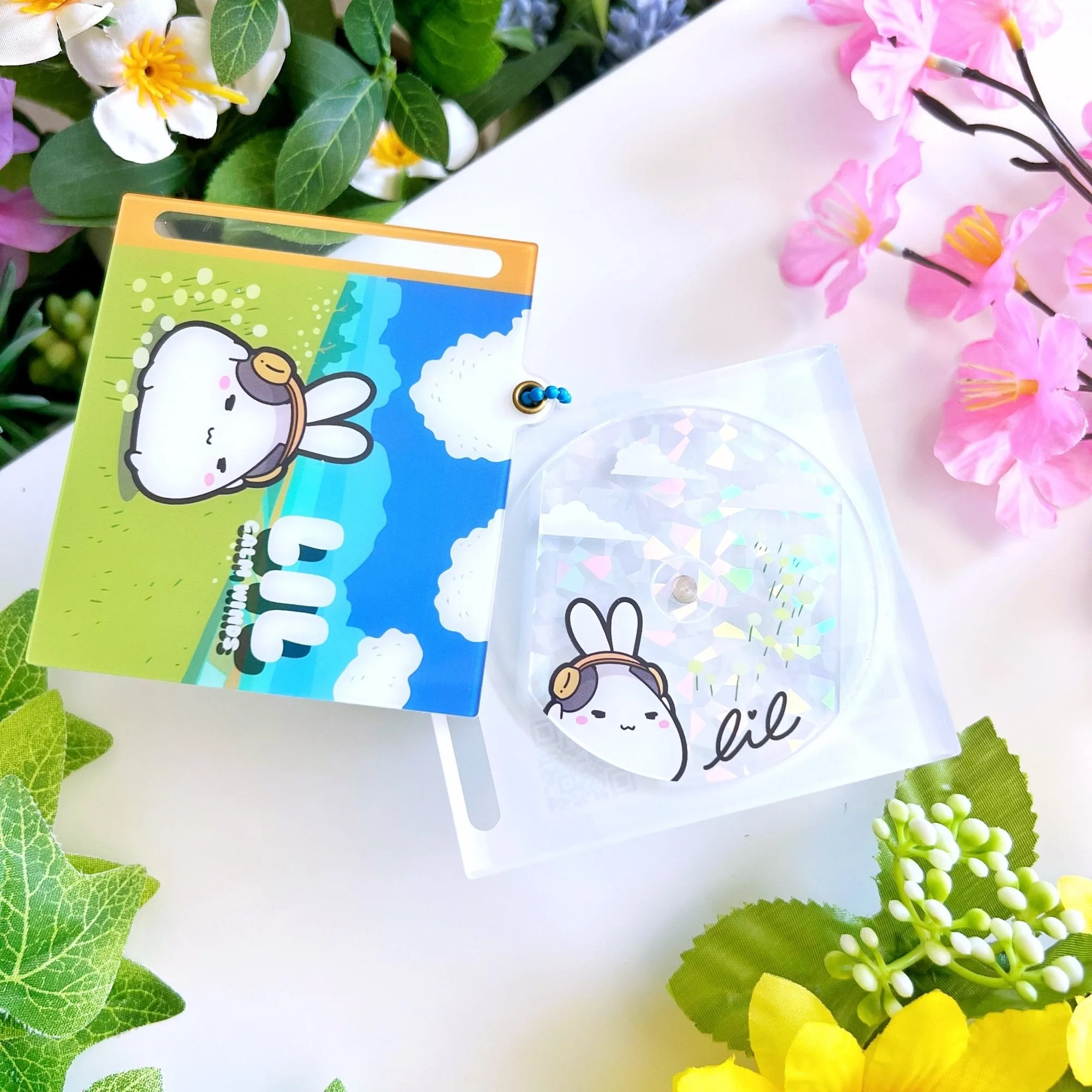
Acrylic Mini CD Keychain & Washi Card (Removable Disc)
-
Acrylic Mini CD Keychain & Washi Card (Removable Disc): Outer acrylic case measures about 3 inches. The case size sets the limit for any disc you might want to swap in. Any replacement disc must fit within that 3-inch diameter.
-
Acrylic Mini CD Keychain & Washi Card (Removable Disc): Made of 3 pieces of acrylic. The three pieces are the outer case (two halves) and the inner disc. Knowing this helps you understand how the disc is held in place.
How to Remove the Disc
The disc is designed to be removable, but the catalog doesn't specify a particular removal method. Based on the construction (three pieces of acrylic), here's a safe approach.
- Hold the keychain outer case: Grip the outer acrylic case firmly but gently. Avoid squeezing the disc itself, as acrylic can scratch.
- Slide the disc out: The disc spins freely inside the case, so you can rotate it to align with the opening. Gently push or tilt the disc out through the gap. Do not force it; if it resists, check that it's aligned with the case opening.
- Store the disc safely: Place the disc in a soft pouch or a compartment where it won't rub against hard surfaces. The holographic overlay is delicate and can scratch.
How to Swap the Disc
Swapping the disc means replacing the original disc with another disc of a similar size. Since the catalog only confirms one disc design, swapping is possible if you have a compatible disc.
- Check disc size: The outer case is about 3 inches. Any replacement disc must be slightly smaller than that to fit and spin freely. Measure the diameter of the replacement disc.
- Remove the original disc: Follow the removal steps above. Keep the original disc safe if you want to swap back later.
- Insert the new disc: Align the new disc with the opening of the outer case. Slide it in gently. It should spin freely without catching. If it doesn't, the disc may be too large or too thick.
Using the Disc as a Washi Card and Cutter
The disc is designed to be used as a washi card and cutter. The catalog says it's "single-sided print acrylic with holographic overlay," which means one side has the design and the other is plain. When using it as a washi cutter, place the disc on top of washi tape and press down to cut. The acrylic edge is sharp enough to cut through tape, but treat it carefully to avoid scratches.
Because the disc is removable, you can use it separately from the keychain. This makes it a portable washi cutter that fits in a pencil case or pocket. Just remember to store it in a protective sleeve when not in use.
What the Catalog Doesn't Settle
The catalog doesn't specify the thickness of the disc or the exact gap in the outer case. This means you should test any replacement disc carefully before committing to a swap. It also doesn't mention whether the disc can be used with washi tape rolls of a specific width, so start with a small strip to confirm it cuts cleanly.
Colors may differ on monitor screens due to different settings, so the actual holographic effect may vary slightly from what you see online.