Quick answer
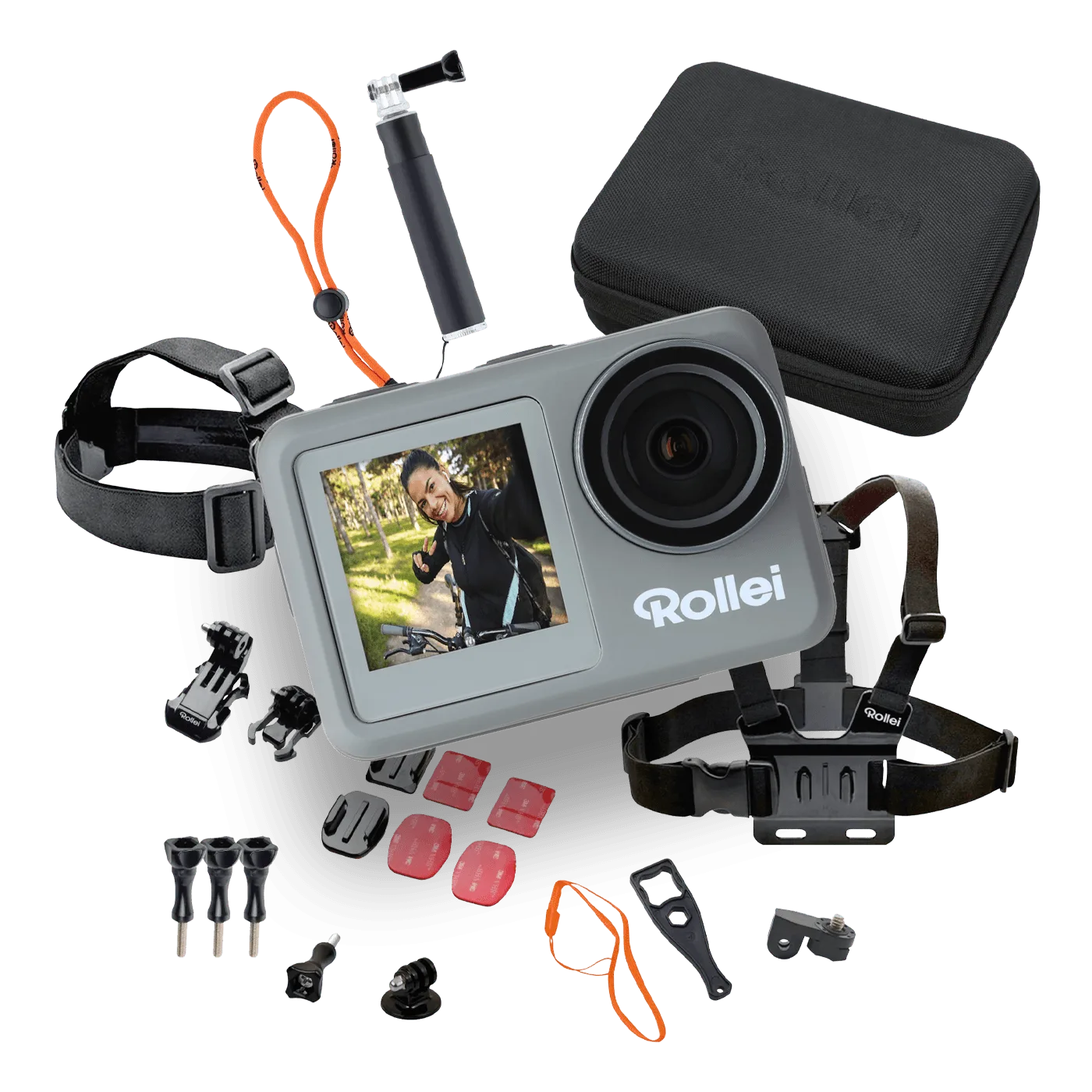
Unpack the Actioncam Essentials Set, charge the camera, format the memory card, and test each mount before your first outing. The 23-piece accessory kit covers most mounting situations, so you can start with the adhesive and clip mounts and add only what your activity demands.
Why the accessory kit matters more than the camera specs
A 4K action camera is only as useful as the mount holding it. The Essentials Set pairs the camera with 23 accessories, which means you spend less time hunting for the right clip or strap and more time filming. Before you leave, sort the accessories by activity: adhesive mounts for helmets and flat surfaces, clip mounts for belts and straps, and tethers for anything that could fall.
What the set does not tell you
The catalog lists a 4K camera and a 23-piece accessory set, but it does not specify memory card requirements, battery life, or water resistance ratings. Check the camera manual for the supported card type and housing depth before using it near water. If you plan to shoot in wet or dusty conditions, confirm the housing seal is intact before every use.
Step-by-step first-use setup
- Unpack and inventory the 23 accessories: Lay out every piece and match it to the activity you plan to film. Common mistake: assuming all clips are interchangeable; check the connector type before forcing a mount. Set aside the mounts you will not use so they do not rattle in your bag.
- Charge the camera and format the memory card: Use the supplied cable or a known-good charger to fully charge the camera. Insert a compatible memory card and format it in the camera menu before recording. Checkpoint: confirm the card is seated and the camera recognizes it. Formatting in-camera avoids file errors later.
- Test each mount indoors before your trip: Attach the camera to the adhesive mount, clip mount, and any strap mount you plan to use. Gently tug each connection to confirm it locks. Common mistake: trusting an adhesive mount on a dirty or curved surface without cleaning it first. If a mount feels loose, switch to a different accessory from the set.
- Choose the right mount for your activity: For hiking or biking, use a chest or helmet mount for a stable point of view. For surfing or water use, confirm the camera is in its waterproof housing and tether it to the mount. Common mistake: mounting the camera where it blocks your view or catches on gear. Do a short test recording in the actual position before the main shoot.
- Record a short test clip and review it: Shoot 30 seconds in your planned setting and play it back on the camera or a phone. Check for shake, framing, and audio. Common mistake: skipping playback and discovering a bad angle after the event. Adjust the mount angle before you start the real recording.
Product facts
-
Actioncam Essentials Set: Includes a 4K Ultra-HD action camera and a 23-piece accessory set. You get the camera and the mounting hardware in one purchase, so you can set up for hiking, surfing, biking, or travel without buying separate mounts.
Actioncam Essentials Set