Quick answer
If your laptop sits on a Tether Table Aero, the Aero SecureStrap is the right pick because it fastens the computer to the table. If your risk is a dangling power brick or tethering cable pulling on a stand, choose the StrapMoore.
Two different jobs, not two versions of one product
The names sound similar, but the Aero SecureStrap and StrapMoore solve different problems on a tethered shoot. The Aero SecureStrap is part of the Tether Table Aero System: it buckles to each side of the table and tightens over the laptop. The StrapMoore is a gripper that attaches to stands, tripods, and light stands to hold power bricks and cables.
That means they are not interchangeable. Buying the StrapMoore will not fasten a laptop to a table, and the Aero SecureStrap is not designed to wrap around a C-stand. Match the product to the object that is actually at risk of moving or pulling.
Where cable strain relief actually comes from
Tethering cable strain relief is about removing tension from the connector and the cable run. The Aero SecureStrap contributes indirectly: by keeping the laptop firmly in place on the Tether Table Aero, it stops the computer from sliding and dragging the tethering cable with it.
The StrapMoore contributes more directly to securing a tethering cable or power brick to a stand. Its elastic and hook-and-loop fasteners are designed to hold items close at hand and release quickly. Neither product is a dedicated cable clamp, so plan the rest of your strain relief around your cable routing.
The trade-off: fixed protection versus portable grip
The Aero SecureStrap only makes sense if you already use the Tether Table Aero System. It is a system-specific accessory, so it adds security on that table but does little for a laptop on a desk or a stand.
The StrapMoore is compact and portable, taking up almost no space in a bag or staying secured to a stand. The trade-off is that it grips accessories and cables rather than a computer, so it will not replace a table-mounted laptop strap.
If you need both outcomes, budget for both: one product to hold the laptop, one to manage the cable and power brick. Neither item includes specifications for load capacity or cable diameter, so check your own gear fit before relying on either for heavy items.
Decision rules for your tethering setup
- Laptop sliding on a Tether Table Aero: Choose the Aero SecureStrap. Buckle it to each side of the table and tighten the stretch fabric over the laptop so the computer stays firmly in place. This only works with the Tether Table Aero System; it is not a general-purpose laptop strap.
- Power brick or cable hanging from a stand: Choose the StrapMoore. Wrap it around the stand or tripod and secure the brick or cable with the hook-and-loop fasteners so the weight is not pulling on the connector. Keep the cable run slack between the StrapMoore and the laptop to avoid transferring tension.
- Both laptop movement and cable pull are risks: Use both products together: the Aero SecureStrap holds the laptop to the table, and the StrapMoore holds the power brick and cable to a nearby stand. Check that your table and stand are positioned so the secured cable still has a gentle bend, not a taut line.
Product facts
-
Tether Tools Aero SecureStrap: Black non-slip industrial-strength stretch fabric with buckles that secure to each side of the Tether Table Aero and tighten over the laptop. This is a table-specific laptop restraint, so it only helps if your setup already uses the Tether Table Aero System.

Tether Tools Aero SecureStrap
-
Tether Tools StrapMoore: Internal gripper and elastic prevent slipping, with strong hook-and-loop fasteners for a secure hold and quick release. It is built to hold power bricks and cables against a stand or tripod, which is the direct cable strain relief job the Aero SecureStrap does not cover.
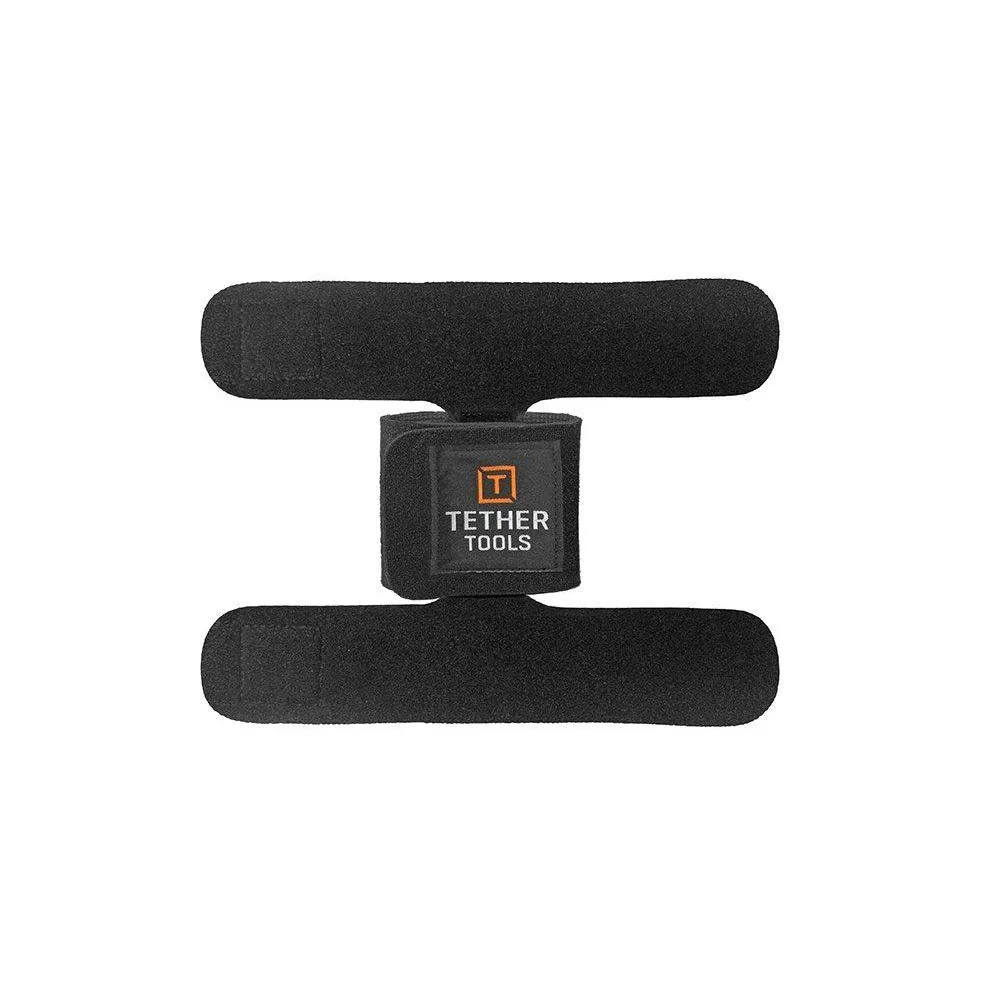
Tether Tools StrapMoore
Who should choose which
Best for
- Photographers and digitechs already using the Tether Table Aero System who want the laptop locked to the table
- Studio or location setups where a power brick or tethering cable needs to be kept off the floor and close at hand
Not for
- Anyone without a Tether Table Aero who needs to secure a laptop
- Users looking for a single product that both holds a computer and manages cables