Quick Answer
For a balanced plate carrier setup, pair the AG3 Placard with the Wide Admin Pouch, mounting the admin pouch above the placard for easy access to maps, pens, and small tools without blocking magazine draws.
Why Combine the AG3 Placard and Wide Admin Pouch?
The AG3 Placard is built to hold magazines, while the Wide Admin Pouch adds organized storage for administrative items like notepads, maps, and writing tools. Together, they create a single front panel that keeps both combat essentials and admin gear within reach.
Mounting the Wide Admin Pouch above the placard keeps the magazine pouches unobstructed, so you can still perform fast reloads. This setup works well for range days, training, or any situation where you need quick access to both ammo and mission documents.
Trade-Offs to Consider
Adding the Wide Admin Pouch increases the front profile of your plate carrier, which can affect prone positioning and add a little weight. If you frequently shoot from the prone, you may want to keep the admin pouch slim and avoid overloading it.
The AG3 Placard is available in Multicam, Ranger Green, and Black, so you can match it to your existing gear. Choose a color that blends with your environment or uniform for a cohesive look.
Step-by-Step Setup Process
- Attach the AG3 Placard to Your Plate Carrier: Align the placard's mounting hardware with the front flap of your plate carrier and secure it firmly. Ensure the buckles or hook-and-loop fasteners are fully engaged to prevent shifting during movement. Check that the placard sits centered and does not interfere with your side releases.
- Mount the Wide Admin Pouch Above the Placard: Position the Wide Admin Pouch on the upper front area of the carrier, just above the placard. Use the available attachment points to secure it, making sure it does not cover the top of the magazine pouches. Verify that you can still access the placard's magazine retention without obstruction.
- Organize Your Admin Items: Place frequently used items like pens, maps, and a small notepad in the admin pouch. Keep heavier items toward the back to maintain balance and prevent sagging. Avoid overstuffing the pouch—if it bulges, it may catch on gear or affect your mobility.
- Test Your Loadout: Perform dry draws and movement drills to confirm that the setup does not hinder your reach or comfort. Adjust the pouch position or redistribute items if needed. A quick function check before use can prevent issues in the field.
Product Facts
-
AG3 Placard + Wide Admin Pouch: The AG3 Placard + Wide Admin Pouch includes both components for a complete setup and is available in Multicam, Ranger Green, and Black. You get a ready-to-mount combination that matches your gear color scheme, saving you the hassle of sourcing parts separately.
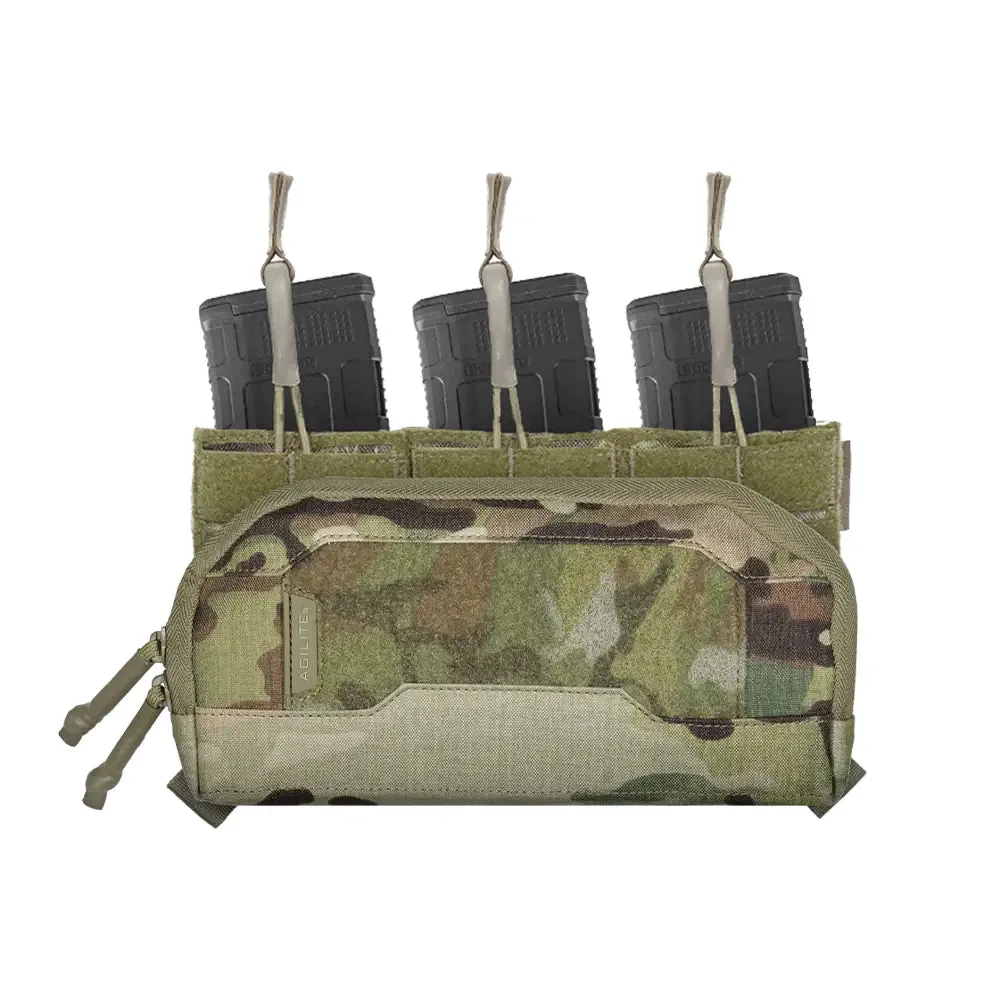
AG3 Placard + Wide Admin Pouch