What the AGM FUZION LRF TM50-640 Offers
The AGM FUZION LRF TM50-640 is a handheld thermal and optical bi-spectrum monocular that combines a 640×512 12μm thermal detector with an ultra-low light optical detector. It displays images on a 1024×768 OLED display and includes a laser rangefinder for distance measurement. The device supports three viewing modes: thermal, visible light, and fusion, which you can switch between depending on conditions.
This guide covers the initial setup steps based on the supplied features, including battery installation, display adjustment, recording setup, and image mode selection. Because the catalog does not provide step-by-step operating instructions, the following steps are derived from the known hardware features and typical use of similar devices.
Key Supplied Specifications
-
AGM FUZION LRF TM50-640 Fusion Imaging - Monoculars: The monocular uses one 18650 rechargeable Lithium battery for up to 5 hours of operating time. Knowing the battery type and runtime helps you plan power management and carry spares for extended use.
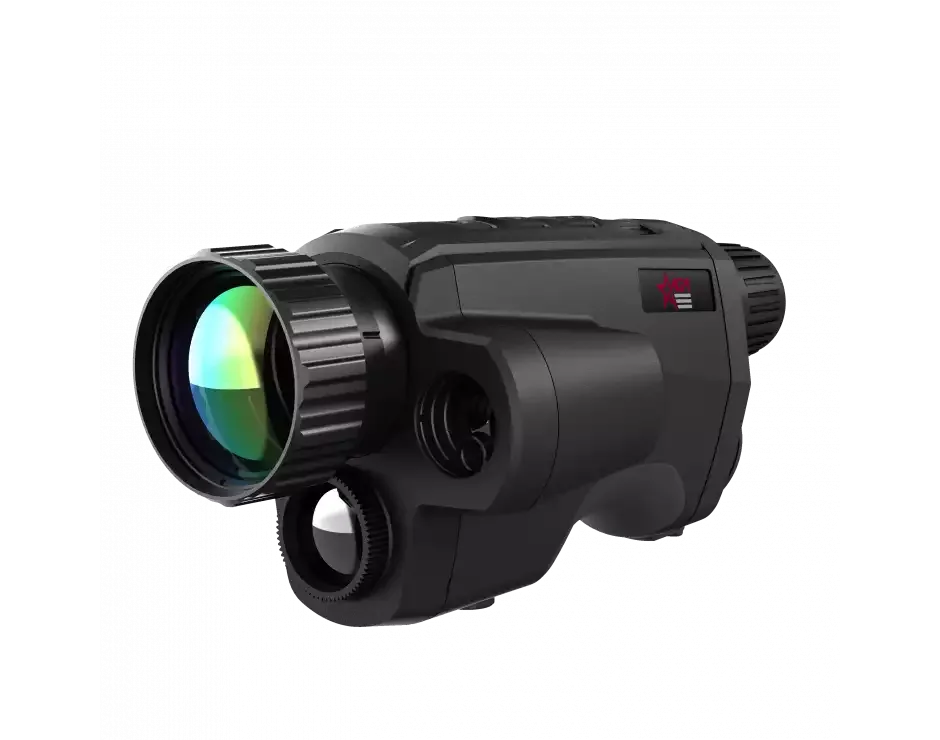
AGM FUZION LRF TM50-640 Fusion Imaging - Monoculars
-
AGM FUZION LRF TM50-640 Fusion Imaging - Monoculars: The device features a 1024×768 resolution, 0.39-inch OLED display. The display size and resolution affect image clarity and eye comfort during prolonged observation.
-
AGM FUZION LRF TM50-640 Fusion Imaging - Monoculars: Built-in EMMC (16 GB) supports video recording and snapshot capture. You can record footage or take still images without needing an external memory card.
Initial Setup Steps
- Install the Battery: Insert one 18650 rechargeable Lithium battery into the battery compartment. Ensure correct polarity. The monocular can also be powered via an external power supply to extend operating time beyond the standard 5 hours.
- Power On and Check Display: Press and hold the power button to turn on the device. The 0.39-inch OLED display should light up. Use the diopter adjustment ring (if present) to sharpen the image for your eyesight. The display shows thermal, visible, or fusion views depending on the selected mode.
- Select an Image Mode: Use the mode selection control to cycle through thermal view, visible light channel, or both combined (fusion). Choose the mode that best suits current lighting and environmental conditions. The device can detect hidden objects in smoke, fog, rain, or snow.
- Use the Laser Rangefinder: Activate the eye-safe laser rangefinder to measure distance to a target. This feature is useful for patrol, search and rescue, or suspect apprehension scenarios.
- Record Video or Capture Snaps: Press the recording/snapshot button to start or stop video recording, or to capture a still image. Footage and images are saved to the internal 16 GB EMMC storage. Review files later via the device's playback function or transfer them using a USB connection.
- Adjust Digital Zoom: Use the zoom control to select 1x, 2x, 4x, or 8x digital zoom. Higher zoom levels reduce field of view but help identify distant objects.
Using Wi-Fi and Standby Mode
The FUZION LRF includes a Wi-Fi hotspot feature, which allows you to connect a smartphone or tablet for remote viewing or file transfer. Activate Wi-Fi from the device menu and connect your mobile device to the network. Standby mode conserves battery when you need to pause observation without fully powering off.
Care and Maintenance Notes
The monocular is waterproof and performs well in severe weather. However, the catalog does not specify exact immersion ratings or cleaning procedures. To protect the device, keep the lens covers on when not in use, store it in a dry case, and avoid exposing it to extreme temperatures beyond normal outdoor use. For detailed cleaning and storage instructions, refer to the manufacturer's manual.