Quick answer
The AIR 5400 LX-R RGB is a three-chamber mid-tower built for a 360 mm AIO and reverse-connector motherboards, so it fits most high-end air and liquid builds. Measure your GPU length and confirm your motherboard's connector layout before ordering. If you need a smaller footprint or a budget case, look elsewhere.
What the three-chamber layout changes for your build
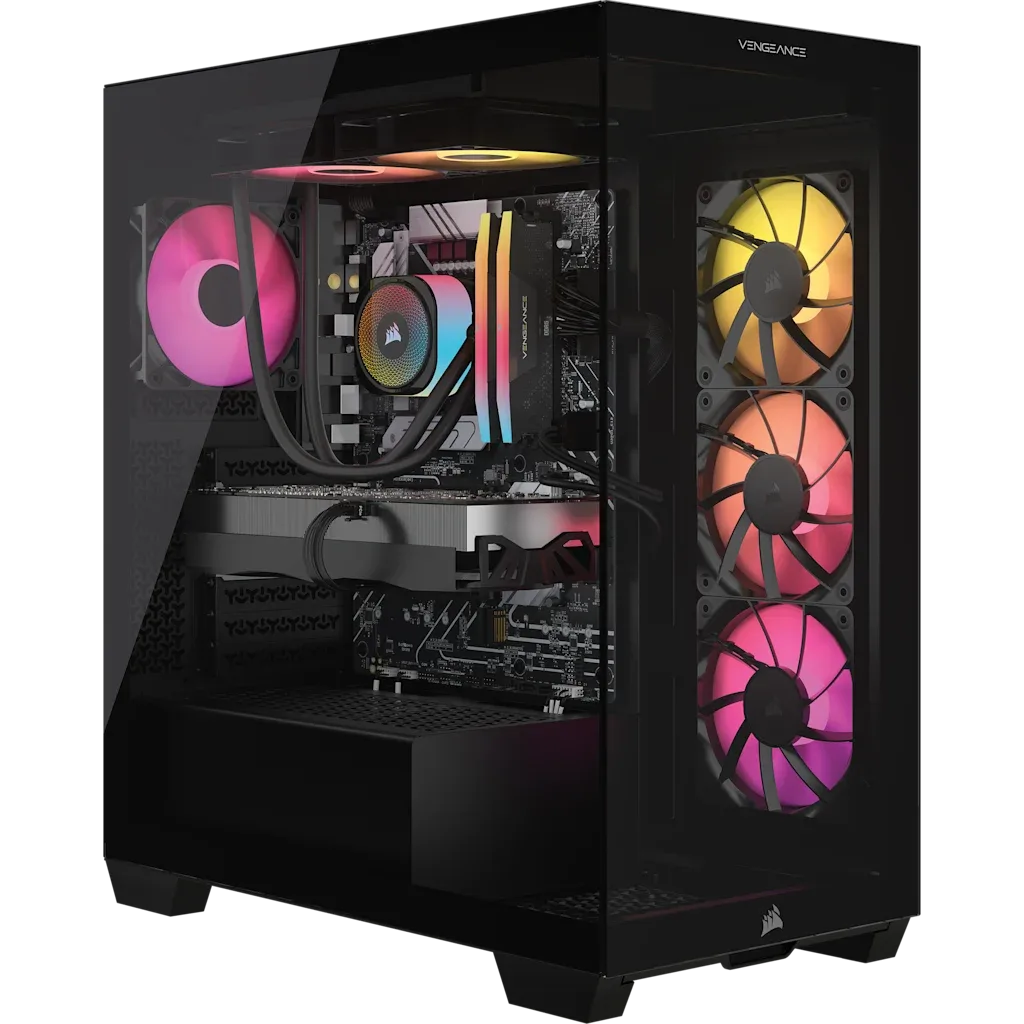
The AIR 5400 LX-R RGB splits the interior into three zones: a main chamber for the motherboard and GPU, a dedicated 360 mm AIO chamber, and a separate area for cable routing and storage. This separation keeps heat and cable clutter away from the components that matter most. The wrap-around glass panels show off the build, but they also mean you need to plan cable management carefully because everything is visible.
Dual airflow channels run through the case to feed the GPU and CPU cooler independently. That design helps when you run a high-wattage graphics card alongside a top-mounted radiator, but it also means fan placement matters more than in a simple mesh box. Plan your intake and exhaust before you install anything.
GPU clearance: measure length, thickness, and power cables
GPU clearance is the most common reason a build fails in any mid-tower case. The AIR 5400 LX-R RGB does not publish a maximum GPU length in the supplied catalog, so treat that as a decision limitation: measure your card and compare it to the physical space in the main chamber before you buy. Leave room for the power cables, especially on cards with recessed connectors or thick backplates.
A three-chamber case gives you more room than a traditional mid-tower, but the AIO chamber and cable routing area take up volume. If you run a card longer than about 320 mm, check the clearance to the front fans and the AIO chamber wall. Also confirm the card's thickness: a 3-slot GPU can crowd the bottom intake and block airflow to the lower chamber.
Radiator support: where a 360 mm AIO actually goes
The AIR 5400 LX-R RGB includes a dedicated 360 mm AIO chamber, which is the main reason to choose it over a standard mid-tower. That chamber keeps the radiator and fans separate from the GPU, so you do not have to choose between cooling the CPU and cooling the graphics card. It also makes iCUE LINK case setup cleaner because the AIO tubing and fan cables route through a dedicated path instead of crossing the main chamber.
If you plan to use a 240 mm or 280 mm AIO, the dedicated chamber is more space than you need, but it still simplifies cable routing. If you plan a custom loop, confirm pump and reservoir placement in the main chamber before buying; the case is designed around an AIO, not a large custom loop.
Motherboard and connector compatibility
The case is compatible with reverse-connector motherboards, which move power and front-panel headers to the back of the board. That compatibility matters because it lets you hide cables behind the motherboard tray and keep the glass side clean. If you use a standard motherboard, you can still build in the case, but you will route cables through the grommets and may need to work harder to keep the main chamber tidy.
Check your motherboard's form factor and connector layout before ordering. The case supports ATX mid-tower builds, but reverse-connector boards vary in where they place headers, so confirm your board is on the case's compatibility list.
iCUE LINK setup: what to plan before installation
iCUE LINK simplifies fan and RGB wiring by daisy-chaining components through a single hub. In the AIR 5400 LX-R RGB, the three-chamber layout gives you a natural path for LINK cables: route them through the cable-routing chamber and keep the main chamber free of extra wires. Plan your fan groups before you install the motherboard, because adding fans later means removing panels.
The case does not include a full list of LINK components in the supplied catalog, so check which fans and AIO you plan to use and confirm they are iCUE LINK compatible. If you mix LINK and non-LINK fans, you will need separate controllers, which adds cost and wiring.
Decision rules for the AIR 5400 LX-R RGB
- You plan a 360 mm AIO: The dedicated AIO chamber keeps radiator heat away from the GPU and makes iCUE LINK routing cleaner. Choose this case if liquid cooling is central to your build.
- You run a GPU longer than 320 mm: Measure the card against the main chamber and leave room for power cables; the catalog does not list a maximum GPU length. If your card is near the limit, consider a larger case or a shorter GPU.
- You use a reverse-connector motherboard: The case is designed for boards that move headers to the back, which keeps the glass side clean. This combination gives the cleanest build; standard boards work but need more cable planning.
- You want a compact or budget build: The three-chamber design adds volume and cost compared with a simple mesh mid-tower. Choose a smaller case if desk space or price matters more than AIO separation.
Product facts
- AIR 5400 LX-R RGB iCUE LINK Dreikammer-Mid-Tower PC-Gehäuse: Three-chamber mid-tower ATX case with wrap-around glass, dual airflow channels, a 360 mm AIO chamber, and reverse-connector motherboard compatibility. The dedicated AIO chamber and reverse-connector support are the main reasons to choose this case over a standard mid-tower; they simplify liquid cooling and hidden cable routing.
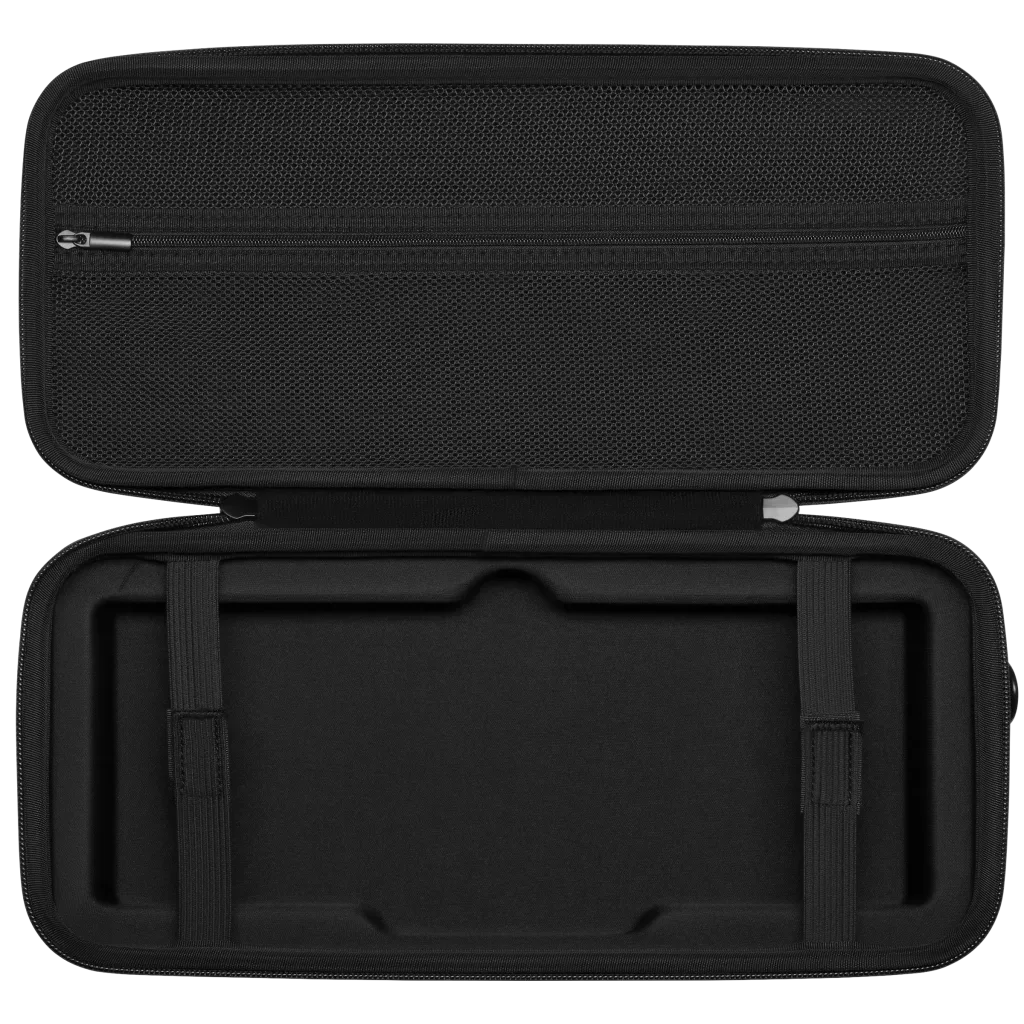
- Keyboard Protector Case: Keyboard Protector Case designed for CORSAIR K65 and K70 Mini keyboards, providing a barrier against dust, dirt, and minor bumps. If you transport your keyboard to LAN events or store it between builds, this case protects it without adding bulk.
Who should buy it
Best for
- Builders planning a 360 mm AIO and a high-end GPU who want separate cooling zones.
- Users with reverse-connector motherboards who want a clean glass-side build.
Not for
- Budget builds where a simple mesh mid-tower costs less and fits the same components.
- Small-form-factor builds or desks with limited depth, because the three-chamber layout adds volume.