What this cable does and who it fits
The AISLPC Handheld to TV HDMI Cable is a braided Mini HDMI to standard HDMI cable made for compatible AISLPC retro handheld consoles. It lets you send the handheld's picture and sound to a TV, monitor, or projector for big-screen play.
The supplied compatibility list covers the AISLPC RG52 PRO MAX, RG52 MINI, RG43V PRO, RG43H PRO, and other AISLPC handheld consoles with HDMI output. Check that your model has an HDMI output before buying; the cable cannot add a video output your handheld does not have.
There is no software, driver, or configuration step. The cable is plug and play, so setup is mostly about the physical connection and the display's input selection.
Connect your handheld to the TV, step by step
Work through these steps in order. Each one matches the supplied operating information for the cable.
- 1. Plug the Mini HDMI end into the handheld: The handheld side uses the smaller Mini HDMI connector. Seat it fully in the handheld's HDMI output port.
- 2. Plug the standard HDMI end into the display: Connect the larger end to a free HDMI input on your TV, monitor, or projector.
- 3. Switch the display to the correct HDMI input: Use the TV or monitor's input or source control to select the port you used. This is the step most often missed when the screen stays blank.
- 4. Start playing: With the cable connected and the input selected, video and audio travel over the Mini HDMI to HDMI connection. No extra setup is required.
Cable facts worth knowing before you buy
-
AISLPC Handheld to TV HDMI Cable for RG Series: Mini HDMI to standard HDMI connection with stable video and audio transmission. Confirms the two connector types you need to match against your handheld and display.
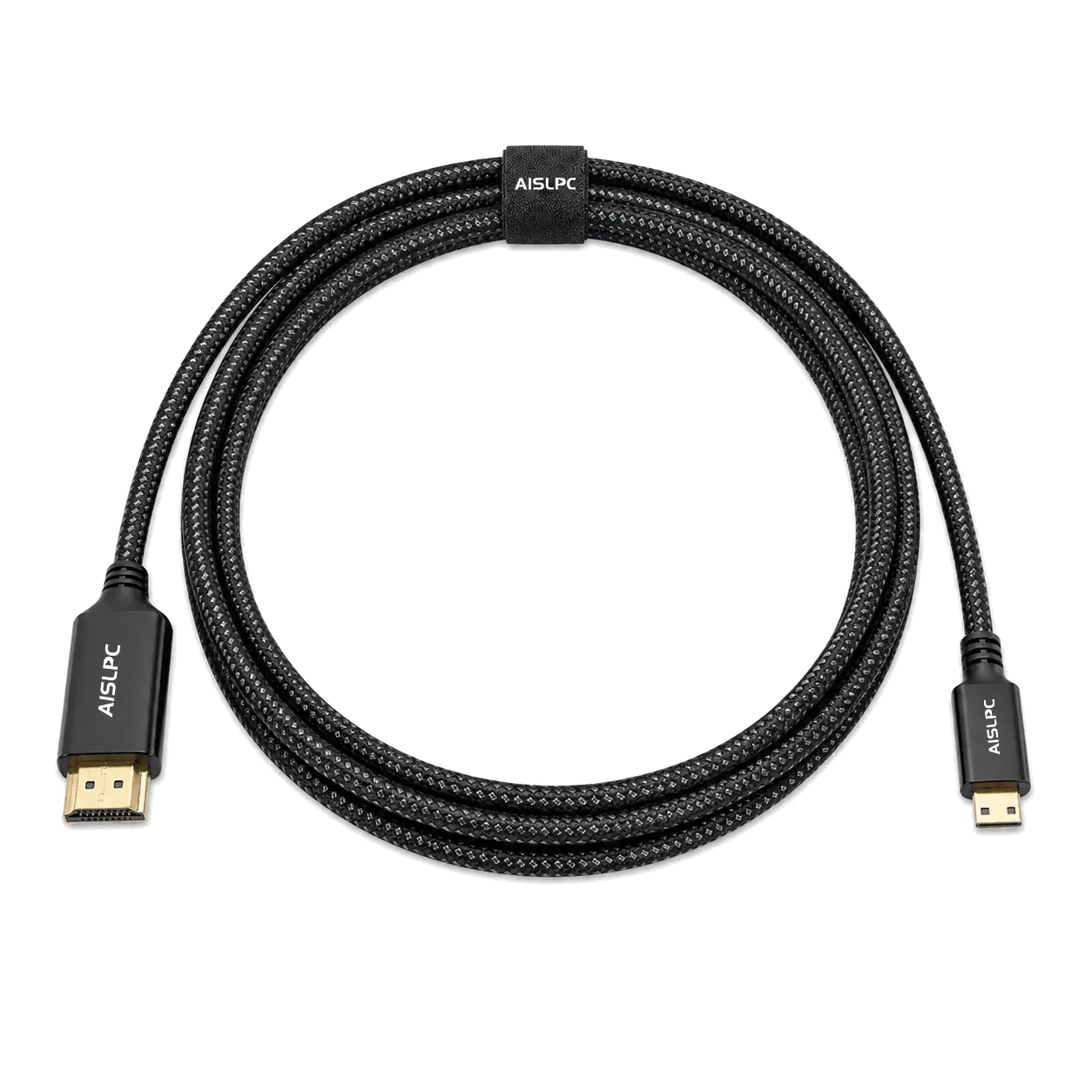
AISLPC Handheld to TV HDMI Cable for RG Series
-
AISLPC Handheld to TV HDMI Cable for RG Series: Durable braided cable design for better daily wear resistance and a more premium feel than standard plastic cables. Useful if the cable will be plugged and unplugged often or packed for travel.
-
AISLPC Handheld to TV HDMI Cable for RG Series: Official AISLPC accessory, plug and play with no software, drivers, or configuration. Sets expectations: setup is physical, not software-based.
Choose the right length before you order
The cable is offered in three lengths: 1 m / 3.3 ft, 2 m / 6.6 ft, and 3 m / 9.8 ft. The main product listing also states a 4.9 ft / 1.5 m cable length, so confirm the variant you are ordering rather than assuming one figure covers every option.
For a handheld held close to a TV on the same stand, the shortest option keeps things tidy. If you sit farther back or want slack to move around, the longer variants give you room. Measure the distance from your usual seat or handheld position to the TV's HDMI port before choosing; a cable that is too short forces awkward positioning, and a much longer one can add clutter.
When the TV shows no picture
The supplied information supports a short, practical check sequence. Start with the simplest causes before assuming the cable is faulty.
- Recheck the display input: Make sure the TV, monitor, or projector is set to the exact HDMI port the cable is plugged into. A different input will show no signal even when everything is connected correctly.
- Reseat both connectors: Push the Mini HDMI end fully into the handheld and the standard HDMI end fully into the display. A partly inserted connector can interrupt video and audio.
- Confirm your handheld is on the compatibility list: The cable is designed for AISLPC handhelds with HDMI output, including the RG52 PRO MAX, RG52 MINI, RG43V PRO, and RG43H PRO. A model without HDMI output will not work with this cable.
- Try another HDMI port: If your display has more than one HDMI input, move the cable to a different port and select that input. This separates a port issue from a cable issue.
- Test the cable on another display: If you have a second TV or monitor, connect there. If the picture appears, the original display or its input setting is the likely cause.
What the supplied information does not cover
The product information does not include display resolution settings, audio output menus, or handheld-side video settings. If you have worked through the connection and input checks above and still see nothing, those are the areas to explore in your handheld and display manuals rather than steps this guide can confirm.
Likewise, no cleaning, storage, or warranty instructions are supplied for this cable. Treat the braided jacket as you would any cable: avoid sharp bends at the connectors and coil it loosely between uses.
Product reference
- AISLPC Handheld to TV HDMI Cable for RG Series: AISLPC Handheld to TV HDMI Cable, catalog price USD 12.39 (comparison price USD 19.99), available in 1 m / 3.3 ft, 2 m / 6.6 ft, and 3 m / 9.8 ft variants. Gives you the buying details in one place after you have confirmed compatibility and length.