Before You Open the Controller
A trigger that doesn't respond on your AISLPC RGPad02 2.4GHz Wireless Game Controller can often be resolved with a few simple checks before any disassembly. The controller is designed with automatic sleep and quick reconnection features, so the issue may be related to power or connection rather than a hardware fault.
Start by ensuring the controller is awake. Press the MODE or START button to wake the controller and quickly reconnect. If the trigger remains unresponsive, move to the next steps.
Basic Troubleshooting Steps
- Check the batteries: The RGPad02 is powered by two AAA batteries. If the batteries are low or depleted, the controller may not function properly. Replace them with fresh batteries and test the trigger again.
- Verify the wireless connection: Ensure the included USB receiver is firmly connected to a compatible AISLPC handheld console. The controller uses a stable 2.4GHz connection, so interference is unlikely, but re-seating the receiver can help.
- Test with a different game or emulator: Compatibility, multiplayer support, and button mapping may vary depending on the game, emulator, operating system, and connection method. Try a different title to rule out software-specific issues.
- Wake from sleep mode: The controller automatically enters sleep mode after approximately five minutes of inactivity. Press the MODE or START button to wake it and quickly reconnect before testing the trigger again.
When the Trigger Still Doesn't Work
If the trigger remains unresponsive after the basic steps, the issue may be mechanical. The RGPad02 features shoulder buttons and triggers as part of its control layout. Without opening the controller, you can try gently pressing the trigger multiple times to see if it frees up any debris or sticking.
If you are comfortable with DIY repair, you may open the controller to inspect the trigger mechanism. However, the supplied information does not include internal repair instructions or disassembly steps. Proceed at your own risk, and note that opening the controller may void any warranty.
What the RGPad02 Evidence Tells Us
-
AISLPC RGPad02 2.4GHz Wireless Game Controller: The controller is powered by two AAA batteries and automatically enters sleep mode after approximately five minutes of inactivity. Low batteries or sleep mode are the most common causes of unresponsive controls, including triggers. Checking these first can save time.
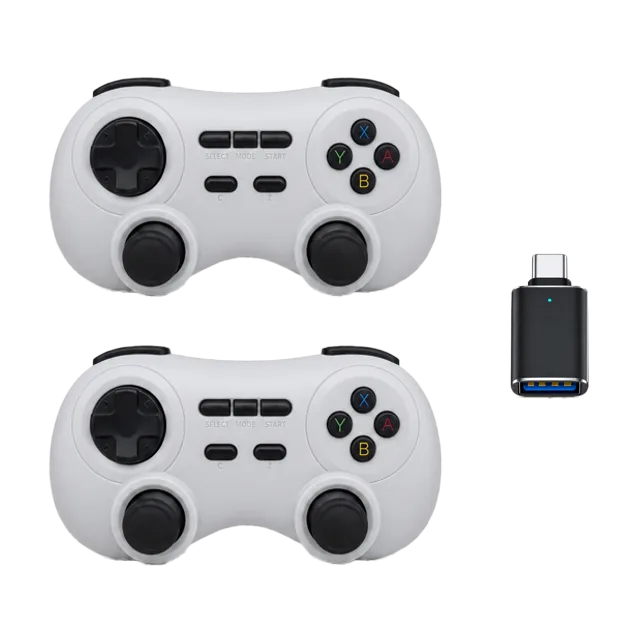
AISLPC RGPad02 2.4GHz Wireless Game Controller
-
AISLPC RGPad02 2.4GHz Wireless Game Controller: Press the MODE or START button to wake the controller and quickly reconnect. This is the official method to restore wireless connection after sleep. If the trigger doesn't work, the controller may simply be asleep.
-
AISLPC RGPad02 2.4GHz Wireless Game Controller: Compatibility, multiplayer support, and button mapping may vary depending on the game, emulator, operating system, and connection method. A trigger that works in one game but not another is a software compatibility issue, not a hardware defect.
When to Consider a Replacement
If the trigger remains unresponsive after checking batteries, connections, and software, and you are not comfortable with internal repair, replacing the controller is a practical option. The AISLPC RGPad02 is available in Gray with pack sizes of 1 or 2 controllers, offering an affordable path to restore full functionality.