Quick Answer
To set up the Anbernic RG35XX Plus magnetic charging base, place the dock on a flat surface, connect the power cable, align the console's charging contacts with the dock's magnetic connector, and let it snap into place.
Why a Magnetic Charging Base Is Convenient
The Anbernic RG35XX Plus magnetic charging base eliminates the need to repeatedly plug and unplug the charging cable. This reduces wear on the console's charging port and makes it easy to grab the device and go.
The 3D-printed design is customized for the RG35XX Plus, ensuring accurate positioning and a proper fit. It also works as a display stand when not charging, keeping your handheld tidy on a desk.
What to Know Before You Start
This accessory is a 3D-printed product, so delivery may take 7–10 days. Plan accordingly if you need it by a specific date.
The dock requires a power source (USB cable and adapter, not included). Make sure you have a compatible charging cable and adapter that can supply enough power for the RG35XX Plus.
Step-by-Step Setup and Usage
- Unbox and inspect: Remove the charging base from its packaging and check for any visible damage or defects. Since it's 3D-printed, handle it gently to avoid dropping or bending. If anything looks off, contact support before using.
- Place the base on a stable surface: Set the dock on a flat, dry desk or table. Ensure there's enough space around it for the console to sit without obstruction. Avoid placing it near liquids or on uneven surfaces.
- Connect power: Plug a USB-C cable (or the cable that came with your console) into the dock's input, then connect the other end to a power adapter. The dock should indicate it's powered (if it has an LED). Use a reliable adapter; a low-power adapter may charge slowly.
- Align the console: Hold the RG35XX Plus vertically and lower it onto the dock so the magnetic connector aligns with the console's charging contacts. The magnets should pull it into place. If it doesn't snap in, flip the console or check alignment—don't force it.
- Confirm charging: Check the console's screen for a charging indicator (battery icon or LED). If it doesn't show, lift the console and realign. If charging still fails, try a different cable or adapter.
- Daily use and removal: To remove, gently lift the console straight up. When not charging, you can leave it on the dock as a display stand. Avoid twisting or pulling at an angle to prevent stress on the connector.
Product Facts
-
Anbernic RG35XX Plus 3D Printed Magnetic Charging Base: This 3D-printed magnetic charging base is designed specifically for the Anbernic RG35XX Plus, featuring accurate positioning and an appropriate size. The precise fit ensures the charging contacts align correctly every time, so you don't have to fiddle with the cable or worry about a loose connection.
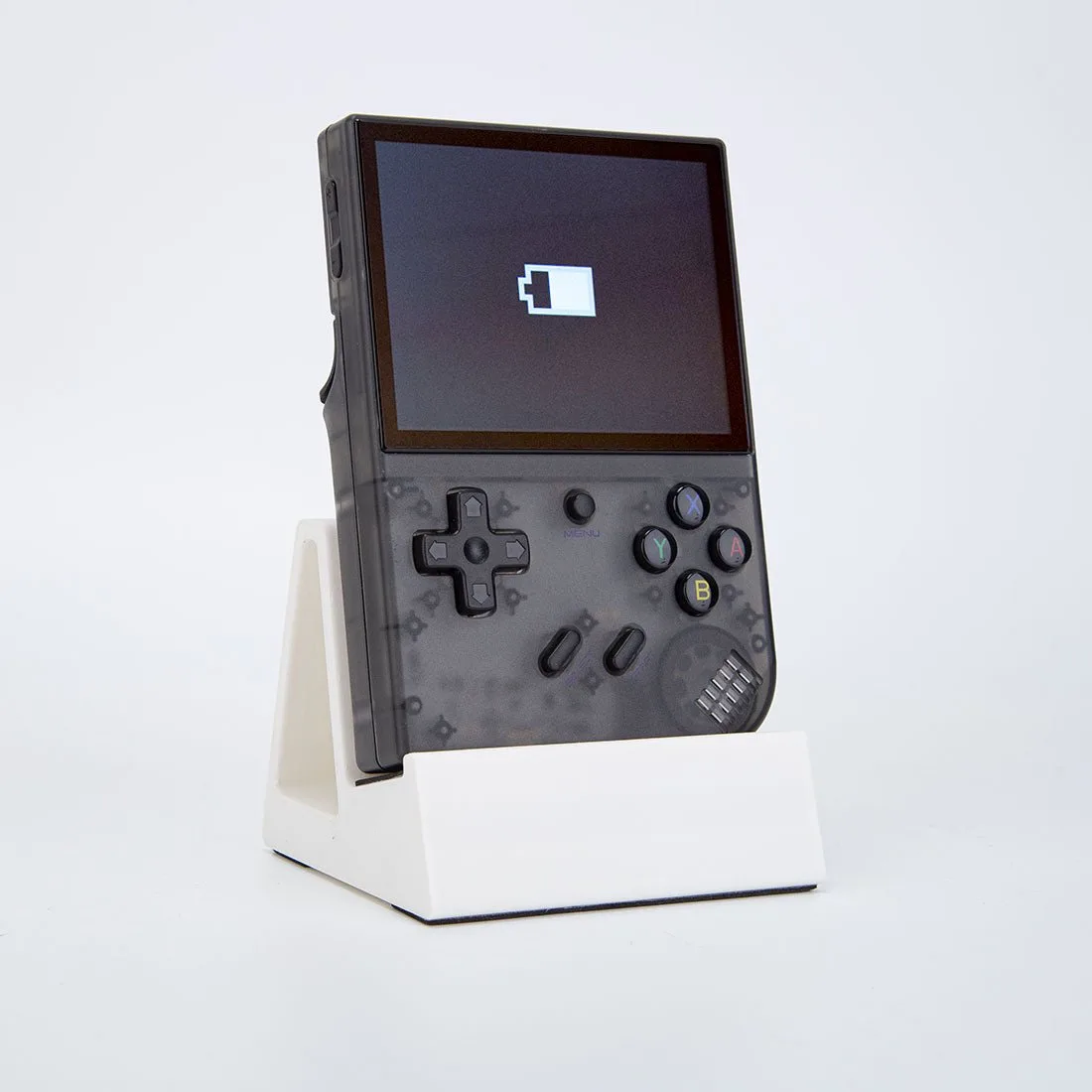
Anbernic RG35XX Plus 3D Printed Magnetic Charging Base