Quick Answer
If your desk is cluttered and you need fast USB-C charging, the Anker Nano power strip is the clear winner. However, if you mainly plug in standard appliances and want maximum outlets for the price, a classic power strip is still a practical choice.
When your desk is a tangle of chargers, cables, and adapters, the power strip you choose can make or break your workflow. Anker's Nano power strips bring modern USB-C convenience to the table, while classic strips offer simplicity and raw outlet count. Here's how they compare for everyday desk use.

cables
We'll weigh the trade-offs between the two: the Nano's compact design and charging smarts versus the classic strip's affordability and familiar layout. By the end, you'll know which one deserves a spot under your monitor.
What Makes the Anker Nano Power Strip Different?
The Anker Nano power strip is built around USB-C and GaN technology, which lets it deliver higher power in a smaller footprint. It often includes a clamp or mount so you can attach it to your desk, freeing up surface space. With up to 70W of USB-C output, it can fast-charge laptops, tablets, and phones from one compact unit.
Classic power strips, by contrast, focus on providing multiple AC outlets. They lack built-in USB ports and are usually larger and less flexible in placement. For a desk with only a few devices that all use wall adapters, a classic strip can be perfectly adequate—and it's often cheaper.
- Look for a strip with a clamp if you want to reclaim desk space.
- Check the USB-C wattage to ensure it can charge your laptop.
USB-C Charging: The Nano Advantage
The biggest difference is charging. A classic power strip gives you AC outlets, but you still need your own chargers. The Anker Nano integrates USB-C ports directly, so you can plug in your phone or laptop without a bulky adapter. This reduces cable clutter and makes it easier to keep your desk tidy.
The trade-off is that the Nano's USB-C ports may not match the exact wattage of a dedicated charger, and you're limited to the ports on the strip. If you need to charge multiple high-power devices simultaneously, you might still want a separate charger.
Clamp and Placement Options
Many Anker Nano power strips come with a clamp or mount that lets you attach them to the edge of your desk. This keeps the strip off the floor and within easy reach, which is great for small workspaces. Classic strips usually sit on the floor or on top of the desk, taking up space and often collecting dust.
The clamp design is a clear win for ergonomics and cable management. However, not all desks have edges that can accommodate a clamp, and the clamp may limit where you can position the strip. If your desk has a solid top or a grommet, a classic strip might be simpler.
Power Output and Capacity
The Anker Nano power strip can deliver up to 70W over USB-C, which is enough to charge a MacBook or a high-end ultrabook. Classic strips, on the other hand, are rated in amps and provide AC power—your devices' chargers do the conversion. This means a classic strip can handle large appliances, but it offers no direct fast-charging convenience.
If you regularly plug in power-hungry devices like monitors or desktop computers, a classic strip's AC capacity is essential. The Nano is better suited for laptops, phones, and tablets that charge over USB-C.
Trade-Offs to Consider
- USB-C convenience vs. AC flexibility: Nano strips integrate USB-C for direct charging, but classic strips offer more AC outlets for varied devices. Choose based on whether your desk is mostly USB-C devices or a mix of appliances.
- Clamp design vs. placement freedom: A clamp saves space but may not fit every desk; classic strips can go anywhere but take up floor space. Measure your desk edge before opting for a clamp model.
- 70W fast charging vs. raw power capacity: 70W USB-C is great for laptops, but classic strips can handle higher total wattage for monitors and desktops. Assess your highest-power device to avoid overloading.
Related Anker Products to Consider
- Refurbished PowerExpand USB-C to Dual HDMI Adapter: This refurbished adapter lets you connect dual HDMI displays via USB-C, expanding your workspace. Pair it with a USB-C power strip to create a clean, multi-monitor setup without extra wall warts.
- Refurbished Anker PowerLine Select+ USB-C Cable with Lightning connector: This cable features a USB-C connector on one end and a Lightning connector on the other, making it a convenient choice for charging and syncing compatible Apple devices. Use it with your Nano power strip's USB-C port to fast-charge your iPhone without needing an extra adapter.
- Nano USB-C Hub (8-in-1, Dual Display): The Anker Nano USB-C Hub (8-in-1, Dual Display) is a compact solution designed to expand your connectivity, offering dual display support and a versatile set of ports. Combine it with a Nano power strip to turn a single USB-C port into a full desk hub with charging and display output.
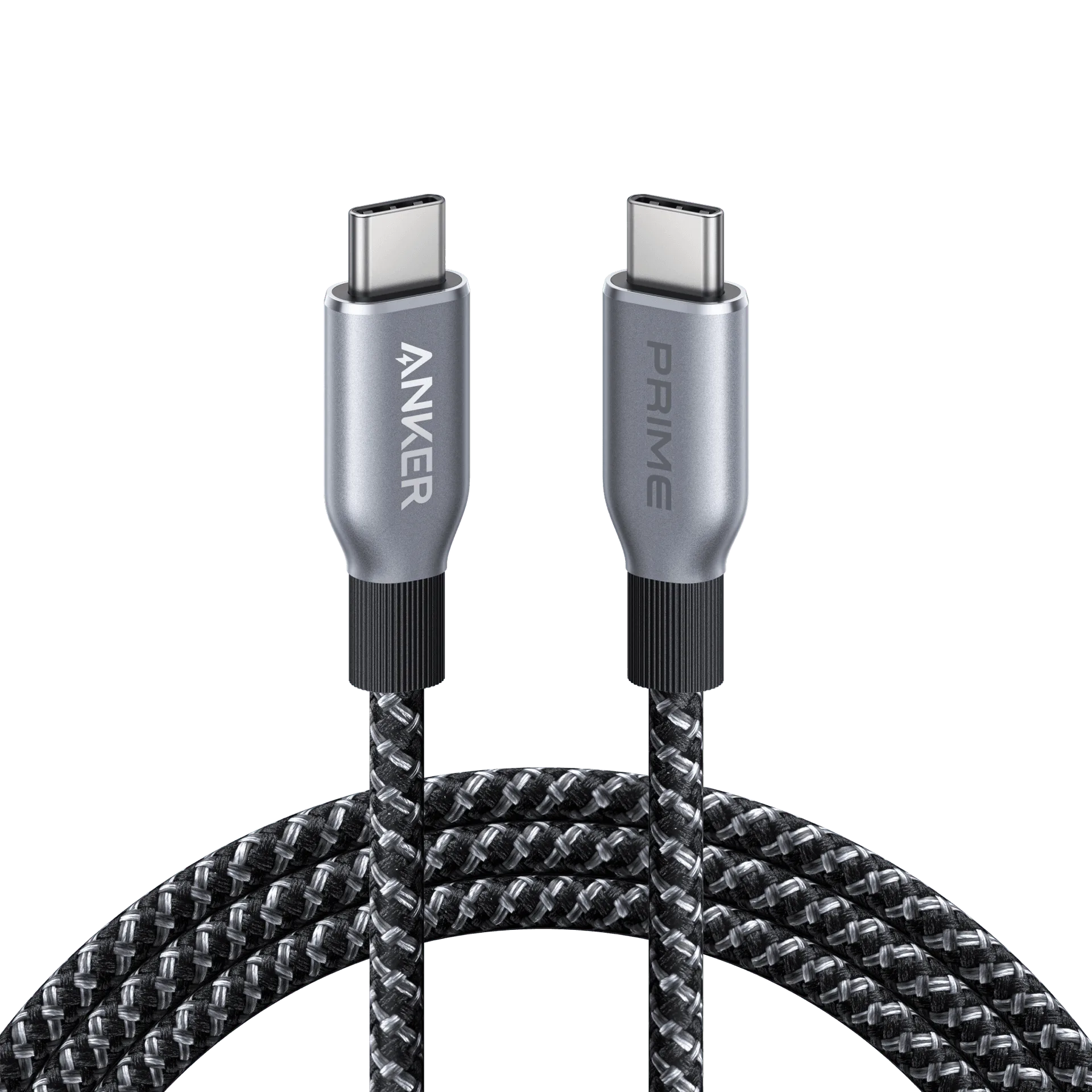
- Prime USB-C to USB-C Cable (240W, Upcycled-Braided): This Prime cable supports up to 240W charging and features an upcycled braided design for durability. If your Nano power strip delivers 70W, this cable ensures you're not bottlenecking the charging speed for future high-power devices.
Which One Fits Your Desk?
Best for
- Tech-savvy users with USB-C laptops and phones who want to reduce cable clutter.
- People with small desks who need a clamp-mounted strip to free up space.
Not for
- Users who need many AC outlets for large appliances or monitors without USB-C.
Your choice comes down to how you use your desk. If fast USB-C charging and a tidy, space-saving design are priorities, the Anker Nano power strip is the modern pick. But if you need raw outlet capacity and don't mind extra adapters, a classic strip remains a reliable, budget-friendly option.