What the Another Day Platelight Acrylic Is For
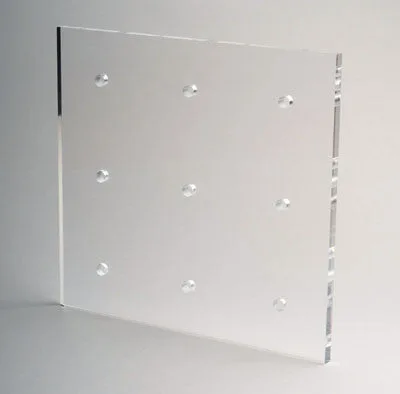
The Another Day Platelight Acrylic is a themed panel from the Apothecary Diaries series. It is made of high-quality, durable acrylic and is designed to be used with a Platelight light source. When placed inside your computer, the panel diffuses light from the Platelight, creating a backlit piece of art. This article covers practical placement and lighting ideas to help you get the most out of your panel.
Catalog Facts for the Another Day Platelight Acrylic
-
Another Day - The Apothecary Diaries Platelight Acrylic: Made of high quality, durable acrylic, these panels allow light from our Platelight to diffuse through, creating a gorgeous backlit piece of art, right inside of your computer. The panel is designed for internal PC use with a dedicated Platelight. The acrylic construction ensures durability and even light diffusion.

Another Day - The Apothecary Diaries Platelight Acrylic
-
Another Day - The Apothecary Diaries Platelight Acrylic: Bundle with a Platelight below to complete the set. The panel requires a separate Platelight to function. Make sure you have a compatible Platelight before setting up the acrylic.
Where to Place the Another Day Platelight Inside Your PC
The catalog confirms that the Another Day Platelight Acrylic is intended for placement inside your computer case. The most common spot is on the side panel or inside the case where the Platelight can shine through the acrylic. Because the panel is made of acrylic, it is lightweight and can be mounted using the included hardware or adhesive strips. Ensure the panel is positioned so that the Platelight is directly behind it for even illumination.
Before mounting, check that your case has enough clearance and that the panel does not obstruct airflow or cable management. The catalog does not specify exact mounting instructions, so you may need to adapt based on your case layout. A clean, flat surface inside the case works best.
Lighting Tips for a Clean Anime Acrylic Look
- Use a compatible Platelight: The panel is designed to work with a Platelight. Using a different light source may not produce the same even backlight effect and could cause hotspots.
- Position the light behind the panel: For the best diffusion, place the Platelight directly behind the acrylic panel. This ensures the light spreads evenly across the artwork.
- Consider ambient lighting: If your PC case has other RGB lighting, coordinate the colors so the Platelight complements the overall look without washing out the acrylic art.
- Avoid direct sunlight: Prolonged exposure to direct sunlight can fade the print over time. Keep the panel inside the case, away from windows.
What the Catalog Does Not Confirm
The catalog does not specify the exact dimensions of the Another Day Platelight Acrylic, nor does it provide detailed mounting instructions or compatibility with specific PC cases. It also does not mention whether the panel is compatible with all Platelight models. If you have a non-standard case or a different light source, you may need to test fit and illumination before finalizing your setup.