Understanding the 330° Oscillation Range
The Antarctic Star 12 Inch 4-in-1 Desktop Fan stands out with its 330° automatic oscillation. This wide sweep covers almost the entire room, pushing air into corners and across open spaces, unlike typical fans that only swing 90° or 120°. The fan also offers manual vertical adjustment up to 90°, so you can direct the airflow exactly where you need it—whether you're sitting at a desk or lounging on the couch.
4 Speeds and 2 Modes for Custom Cooling
This fan gives you four speed levels and two operating modes: Standard Wind for consistent daily cooling, and Natural Wind for a gentle, breeze-like effect. The combination lets you fine-tune the airflow to match your comfort level. When you want broad, even circulation, use Standard Wind with the oscillation on. For a softer feel—especially during sleep or while reading—switch to Natural Wind and reduce the speed.
Key Specs for Oscillation and Airflow
-
Antarctic Star 12 Inch 4-in-1 Desktop Fan, 16.4ft/s Quiet Airflow | 330° Oscillating: 330° wide oscillation for whole-room coverage. The fan oscillates automatically at 330° to circulate air evenly across the room. This wide sweep is the fan's main advantage for cooling an entire room, not just a single spot. It's especially useful in bedrooms, living rooms, or open-plan offices.
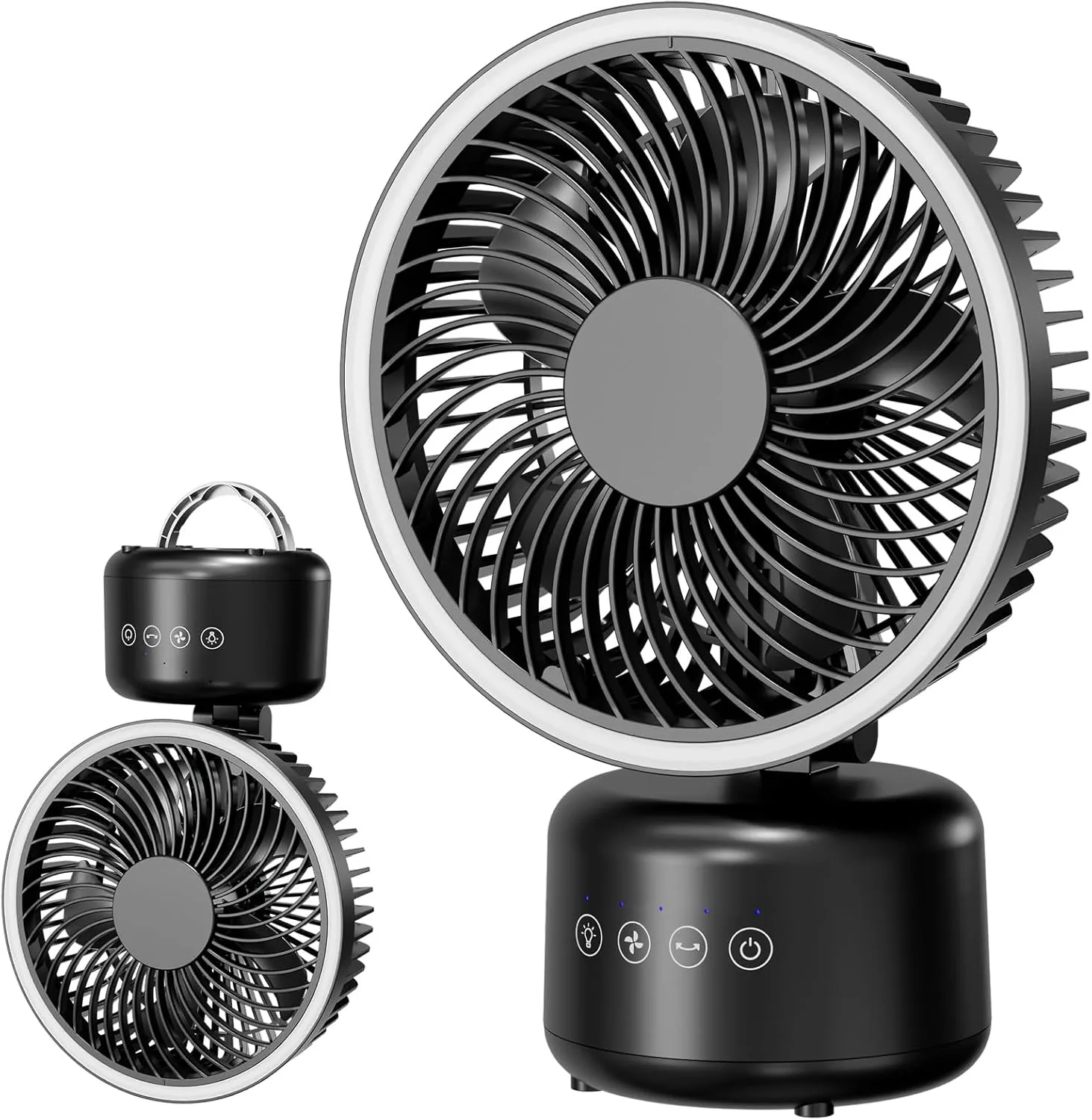
Antarctic Star 12 Inch 4-in-1 Desktop Fan, 16.4ft/s Quiet Airflow | 330° Oscillating
-
Antarctic Star 12 Inch 4-in-1 Desktop Fan, 16.4ft/s Quiet Airflow | 330° Oscillating: Delivers maximum airflow of 16.4ft/s while keeping noise as low as 22dB – quiet enough for bedrooms and nurseries. Despite the strong airflow, the fan operates at a whisper-quiet 22dB, so you can run it overnight or during a conference call without distraction.
-
Antarctic Star 12 Inch 4-in-1 Desktop Fan, 16.4ft/s Quiet Airflow | 330° Oscillating: 4 speeds, 2 modes & 2-10 hour timer. Choose from four wind speeds and two modes – Standard Wind or Natural Wind. Set the timer from 2 to 10 hours for automatic shut-off. The timer and mode options let you program the fan to run only as long as needed, saving energy and preventing overcooling.
Tips for Using Oscillation Effectively
- Position for best coverage: Place the fan in a central location, such as a corner or the middle of a wall, to let the 330° sweep reach all parts of the room. Avoid blocking the fan with furniture.
- Combine with vertical tilt: Use the manual vertical adjustment (up to 90°) to tilt the fan upward when you want to circulate air near the ceiling, or downward for direct body cooling.
- Use the timer for overnight cooling: Set the timer to 2–10 hours before sleeping. The fan will run quietly at low speed with oscillation, then shut off automatically.
- Switch modes for different activities: Use Standard Wind during work or exercise for steady airflow. Switch to Natural Wind for a more relaxing, variable breeze during reading or meditation.
4-in-1 Mounting Options Expand Placement
Beyond the desktop, this fan can be mounted on a wall or ceiling, or used outdoors with the included tripod stand. The 4-in-1 design means you can install it where a floor fan won't fit—above a workbench, in a tent, or on a patio. The oscillation works in every mounting position, so you get the same room-wide coverage whether the fan is on a table or mounted high.
Controlling the Fan from Across the Room
The fan comes with a remote control, so you can adjust speed, mode, oscillation, and the built-in night light without getting up. The timer is also accessible via remote, making it easy to set the fan to turn off after you've fallen asleep. The night light adds a soft glow for camping or nighttime use, and can be turned on or off independently.