Why the Camera Control button matters in a case
The iPhone 16 Pro Max Camera Control is more than a shutter button—it responds to tap, touch, and swipe gestures. A case can either block those gestures or make them feel natural. The Limitless case with Camera Control button takes the latter approach: a physical glass button that integrates with Apple's Camera Control feature, so you can use the same gestures you would on the bare phone.
Unlike a simple cutout, this button is designed to be responsive and durable. It's made from high-grade, scratch-resistant glass with a metal frame and silicone surround, and it's shielded by a raised silicone edge to guard against scratches and impacts. The button is also removable—a friction-fitted design that reduces wear and tear and allows for easy replacement if needed.
What the Limitless case adds for Camera Control
-
Aramid Fibre Protective Phone Case with Camera Control Button - Limitless: New Camera Control Button made from high-grade, scratch-resistant glass. A glass button feels crisp and resists scratches, so gestures stay smooth over time.
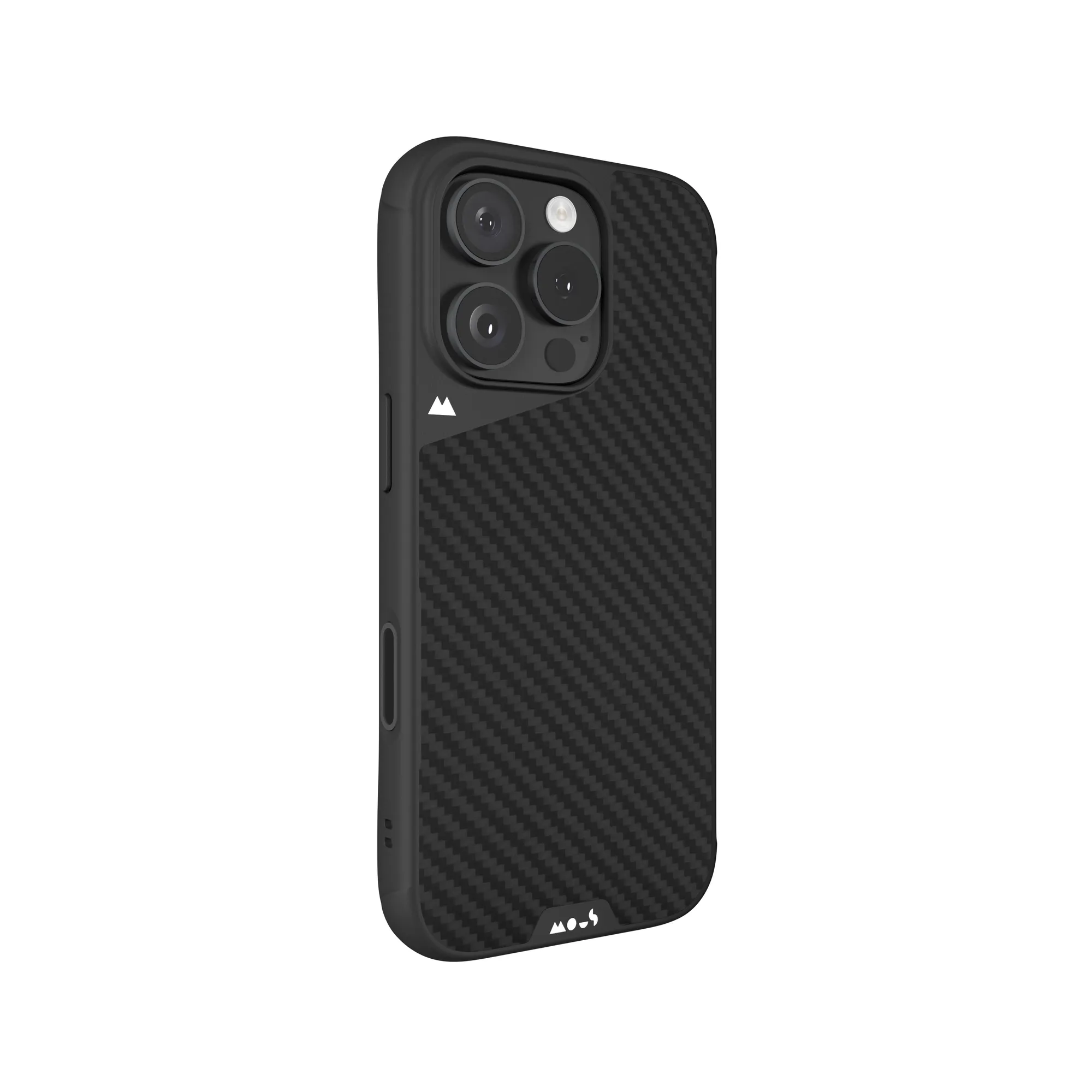
Aramid Fibre Protective Phone Case with Camera Control Button - Limitless
-
Aramid Fibre Protective Phone Case with Camera Control Button - Limitless: Removable, friction-fitted button reduces wear and tear for flexible, durable performance. You can remove the button for cleaning or replacement without damaging the case.
-
Aramid Fibre Protective Phone Case with Camera Control Button - Limitless: Engineered for total compatibility with Apple's Camera Control feature. You get full tap, touch, and swipe functionality without a cutout.
Setting up the Camera Control button
The button arrives fitted in the case. These steps assume you're using the Limitless case with the button already installed; if you've removed it, reinstall before use.
- Check the button is seated: The friction-fitted button should sit flush with the case edge. If it feels loose, press it gently into place.
- Install your iPhone 16 Pro Max: Slide your phone into the case as usual. The button aligns with the Camera Control on the phone's edge.
- Test the gestures: Open the Camera app and try a light press, a swipe, and a tap. The button should respond like the bare phone's control.
- Adjust if needed: If the button feels sticky, remove it and check for debris, then reinstall. The removable design makes this easy.
Daily use: getting the most from the button
Once set up, the Camera Control button works with the same gestures you use on the phone itself. A light press opens the Camera app or takes a photo, a swipe adjusts settings like zoom or exposure, and a tap confirms. Because the button is physical, it gives a satisfying click that many users prefer over a cutout.
The button's raised silicone edge protects it from accidental scratches, but it's still worth keeping the area clean. Wipe the button with a soft, dry cloth if it feels less responsive. Avoid using sharp objects or abrasive cleaners, which could damage the glass or the silicone surround.
MagSafe and accessory compatibility
- Aramid Fibre Protective Phone Case with Camera Control Button - Limitless: Integrated MagSafe compatible magnetic array ensures a strong connection to Mous chargers and accessories. You can use MagSafe chargers and mounts without removing the case.
- Aramid Fibre Protective Phone Case with Camera Control Button - Limitless: Compatible with Apple's MagSafe Charger; may not be compatible with all third-party wireless chargers. Check your third-party charger's compatibility before relying on it with this case.
Design details that affect daily handling
The Limitless case is 25% thinner than its predecessor while delivering the same trusted Mous-grade protection. It measures 2.1mm thick and weighs 54g, so it adds minimal bulk. AiroShock-reinforced corner bumps and rigid materials protect against drops, while raised edges guard the screen and camera lenses.
The back is lined with heat-stamped microfibre to shield your phone from scratches, and the sides have rippled grip ribs for a secure hold. There are also side eyelets for wrist straps or phone slings if you like to carry your phone that way.
When to remove or replace the button
- Cleaning: Remove the button to clean dust or lint from the button and the case opening. Use a soft, dry cloth.
- Replacement: If the button breaks or becomes unresponsive, it can be replaced. The friction fit is designed for easy removal and reinstallation.
- Switching cases: The button is specific to this case, so keep it with the case when swapping.