Quick answer
Choose the Uno R4 Minima compatible board when you want next-generation 32-bit performance and R3-style compatibility at a low cost, and stay with a classic Uno R3 if your project depends on legacy 5 V-only shields or exact R3 behavior.
What the R4 Minima-compatible design changes for day-to-day builds
The headline difference is the Renesas RA4M1 32-bit Arm Cortex-M4 core. In practice, that means more headroom for code that would feel cramped on an 8-bit R3-class board, while the board still targets the Arduino ecosystem so familiar libraries and workflows remain the starting point.
The trade-off is that 'compatible' is not the same as identical. Before you commit a project, check the specific shield, library, and voltage assumptions you rely on rather than assuming every R3 tutorial transfers unchanged.
Uno R4 Minima vs Uno R3: where the decision actually turns
For most new builds, the R4 Minima-compatible board is the more future-facing choice: it is positioned as a high-performance alternative to the classic R3 Uno. The R3 remains the safer pick when you need the exact behavior of an older, well-worn platform or when a shield was designed strictly around it.
Do not treat the comparison as a simple 'newer is better' call. If your project is already working on an R3 and you have no performance pressure, migrating adds risk without a clear payoff.
Setup expectations before you buy
Budget time for a first-run check: install or update your Arduino tooling, confirm the board is recognized, and upload a minimal sketch before wiring a full circuit. This separates board-recognition problems from wiring problems.
Because the catalog does not list option types for this board, confirm the exact variant and any included headers or accessories with the store listing before ordering. That is a decision limitation, not a reason to guess.
Decision rules for buying the R4 Minima-compatible board
- New project with room to adapt: Buy the R4 Minima-compatible board if you are starting fresh and want 32-bit Renesas performance with Arduino-ecosystem familiarity. Verify your key libraries against the R4 platform before finalizing the design. List your must-have libraries first; if any are R3-only, treat that as a stop signal.
- Existing R3 project that already works: Stay with the R3 if the build is stable and you have no performance bottleneck. Migrating introduces compatibility checks without a guaranteed gain.
- Shield-heavy build: Check each shield's voltage and pin expectations against the R4 Minima-compatible board before ordering. A shield that assumes exact R3 behavior may need rework. Test one shield at a time on a minimal sketch before stacking the full set.
- Budget-sensitive first board: The compatible board's lower catalog price makes it a reasonable entry point, but confirm what is included in the listing, since option types are not specified in the catalog.
Product facts
-
Uno R4 Minima Compatible Development Board: Built around the Renesas RA4M1 32-bit Arm Cortex-M4, positioned as a high-performance alternative to the classic R3 Uno. It gives you more processing headroom for new projects while keeping an Arduino-ecosystem starting point.
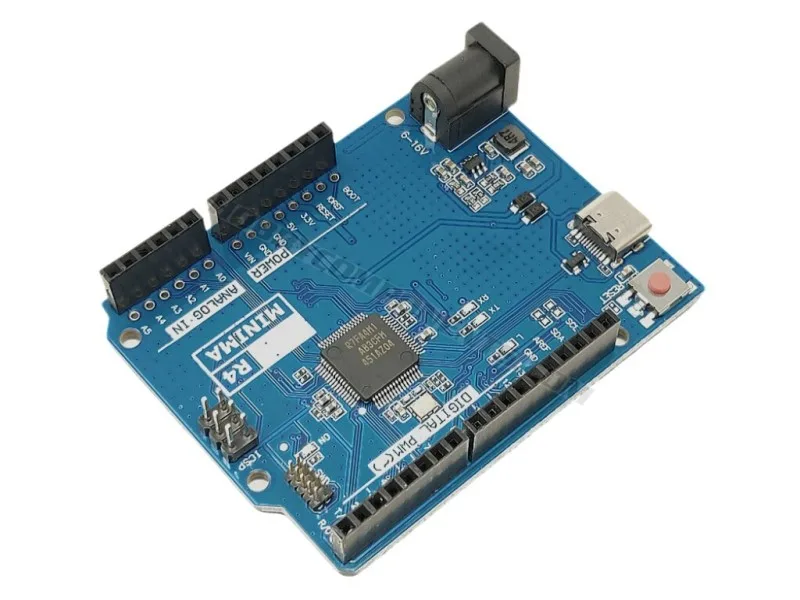
Uno R4 Minima Compatible Development Board
-
Uno R4 Minima Compatible Development Board: Offered as a compatible alternative to the official Arduino UNO R4 Minima at a more accessible catalog price. It lowers the cost of trying the R4 platform, but you should still verify shield and library compatibility for your specific build.
Who should choose this board
Best for
- Makers starting a new project who want 32-bit Renesas performance at a low cost
- Educators and engineers who need an Arduino-ecosystem board with more headroom than an R3-class design
Not for
- Projects locked to legacy R3-only shields or libraries that cannot be adapted
- Builds that are already stable on an R3 and have no performance pressure