What the Asuna Hydraulic Air Walker Offers
The Asuna Hydraulic Air Walker is a low-impact cardio machine designed for smooth, total-body movement. Unlike traditional band-resistance walkers, it uses adjustable hydraulic resistance for a more responsive and fluid stride. The machine simulates walking or light jogging while reducing joint strain, making it suitable for all fitness levels.
The digital monitor tracks time, step count, and calories, helping you keep workouts focused and effective. The foldable design saves space when not in use.
Assembly Steps for the Asuna Hydraulic Air Walker
The following steps are based on typical assembly for this type of machine. Always refer to the manufacturer's manual for your specific unit.
- Unpack and identify parts: Remove all components from the box. Lay out the main frame, hydraulic cylinders, pedals, handlebars, hardware kit, and tools. Confirm you have all parts listed in the manual.
- Attach the front and rear stabilizers: Secure the stabilizer bars to the main frame using the provided bolts and washers. Tighten them firmly to ensure the machine sits flat on the floor.
- Install the hydraulic cylinders: Each cylinder connects between the pedal arm and the frame. Align the cylinder ends with the mounting brackets and insert the pins or bolts. Make sure the adjustment knob is accessible for later use.
- Attach pedals and handlebars: Slide the pedals onto the pedal arms and tighten the fasteners. Attach the handlebars to the upright posts, adjusting height if possible. Secure with the locking knobs.
- Mount the digital monitor: Connect the sensor wire from the frame to the monitor. Snap the monitor onto the bracket. Test that the display lights up when you move a pedal.
- Final checks: Double-check all bolts are tight. Place the machine on a level surface. Adjust the hydraulic resistance knobs to a low setting before your first use.
Adjusting Hydraulic Resistance
The Asuna Hydraulic Air Walker uses adjustable hydraulic resistance, which is a key difference from band-resistance walkers. Each hydraulic cylinder has a knob that lets you increase or decrease the resistance level.
Start with the lowest setting to get a feel for the stride. As you build endurance, turn the knobs clockwise to increase resistance. The adjustment is smooth and responsive, allowing you to fine-tune the intensity mid-workout without stopping.
Using the Digital Monitor
The built-in digital monitor tracks time, step count, and calories burned. To use it, simply start moving the pedals. The monitor activates automatically and begins recording your session.
Use the display to keep your workouts focused. For example, aim for a certain step count or time duration. The monitor resets when you stop moving for a few seconds, so you can track each session separately.
Product Evidence: Asuna Hydraulic Air Walker
-
Asuna Hydraulic Air Walker: The Asuna Hydraulic Air Walker uses adjustable hydraulic resistance for a responsive and fluid stride. This is the core feature that differentiates it from band-resistance walkers, giving you control over workout intensity.
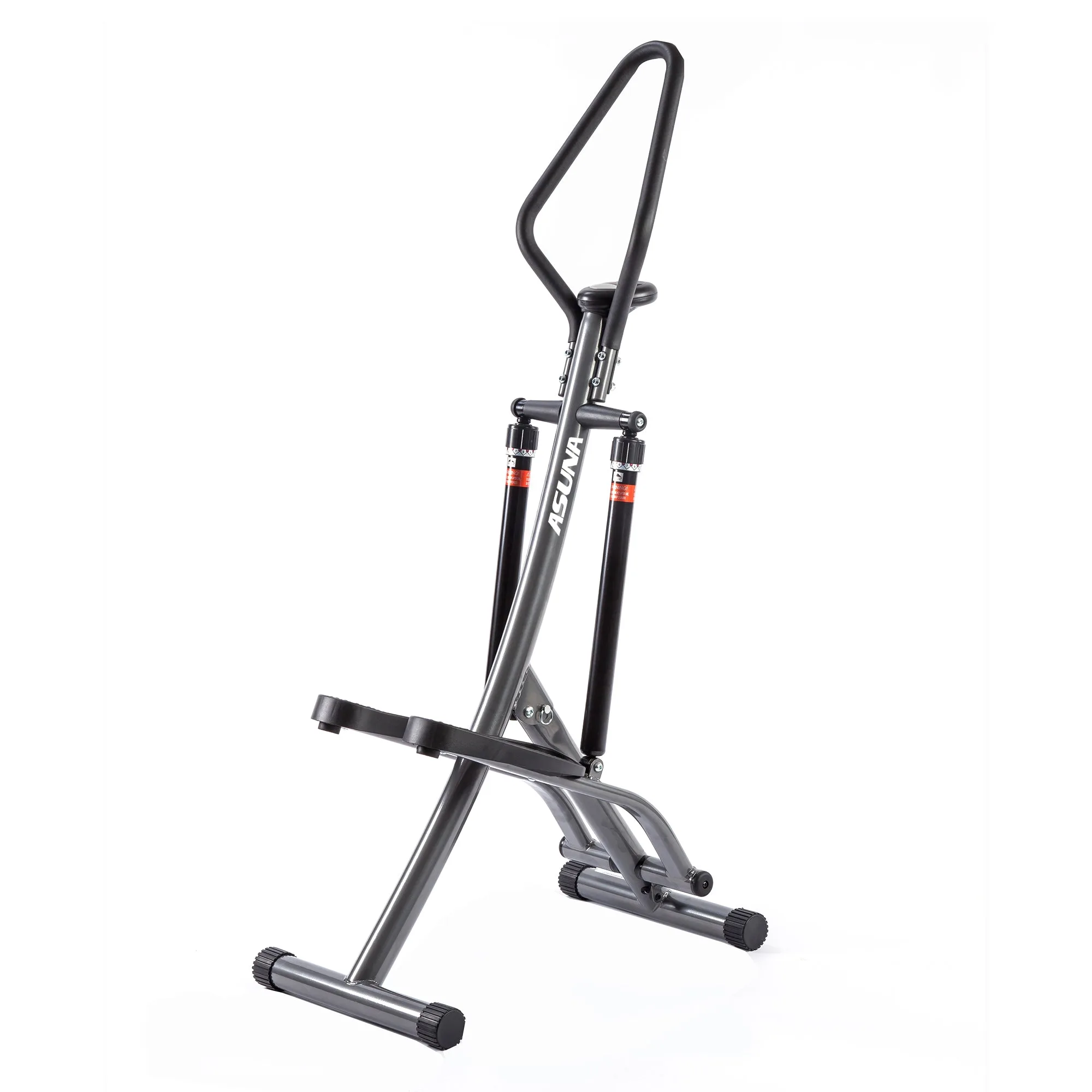
Asuna Hydraulic Air Walker
-
Asuna Hydraulic Air Walker: The digital monitor tracks time, step count, and calories. It provides real-time feedback so you can measure and adjust your effort during each session.
-
Asuna Hydraulic Air Walker: The machine has a space-saving foldable design. You can fold and store the air walker when not in use, which is helpful for home gyms with limited space.
Workout Tips for the Asuna Hydraulic Air Walker
Because the Air Walker simulates walking or light jogging with low joint impact, it works well for warm-ups, active recovery, or steady-state cardio. Start with a resistance level that lets you maintain a natural stride without straining.
To increase challenge, adjust the hydraulic resistance higher or increase your step rate. The machine is quiet, so it won't disturb others during use. For a full-body workout, keep your posture upright and engage your arms by holding the moving handlebars.
The supplied product facts do not specify a maximum user weight or stride length. If these details matter for your training, check the manufacturer's documentation or contact support before purchase.