Quick answer
If you need a right-handed ergonomic shape with higher DPI and IP56 protection, choose the ASUS TUF Gaming M3 Gen II. If you prefer a symmetrical, ultralight design for claw or fingertip grips and want to save money, the Roccat Burst Core is your best budget pick.
Ergonomics: right-handed vs symmetrical
The ASUS TUF Gaming M3 Gen II is built specifically for right-handed gamers, with a shell that supports a comfortable palm or claw grip. The Roccat Burst Core uses a symmetrical shape, making it a safer choice for left-handed players or those who switch hands.
If you play long sessions, the ergonomic contour of the ASUS mouse can reduce fatigue, but it won't suit left-handed use. The symmetrical Burst Core is more versatile but lacks the tailored support of the TUF design.
Weight and sensor performance
Both mice are lightweight, but the ASUS TUF Gaming M3 Gen II edges out at 59 grams versus the Roccat Burst Core's 68 grams. The difference is noticeable during fast flicks and prolonged use, though both are far lighter than typical office mice.
The ASUS offers an 8000 DPI optical sensor with four on-the-fly sensitivity levels, while the Burst Core's sensor details are not specified in our catalog. If high DPI and quick sensitivity switching matter to you, the ASUS has a clear advantage on paper.
Durability and hygiene extras
The ASUS TUF Gaming M3 Gen II includes IP56 dust and water resistance and ASUS Antibacterial Guard, which inhibits bacterial growth on the surface and buttons. These features are rare at this price and add peace of mind for daily use or shared setups.
The Roccat Burst Core does not list similar protection, so if you eat at your desk or worry about germs, the ASUS is the more hygienic option.
Trade-offs at a glance
- Right-handed ergonomics vs symmetrical versatility: Choose the ASUS TUF Gaming M3 Gen II if you're right-handed and want a contoured grip. Choose the Roccat Burst Core if you need a symmetrical shape for left-handed use or frequent hand switching.
- Higher DPI and on-the-fly switching vs lower price: The ASUS offers 8000 DPI with four sensitivity levels, which is great for high-sensitivity players. The Roccat Burst Core is cheaper and still lightweight, but its sensor specs are not detailed, so it may not meet the same performance ceiling. If you play competitive shooters, prioritize the ASUS for its DPI flexibility.
- Durability extras vs minimal design: The ASUS has IP56 resistance and Antibacterial Guard, making it more durable and hygienic. The Roccat Burst Core lacks these features but offers a cleaner, simpler design at a lower cost. If you're prone to spills or share your mouse, the ASUS's protection is worth the extra spend.
Product facts
-
ASUS TUF Gaming M3 Gen II: Weighs just 59 grams and features an 8000 DPI optical sensor with a DPI button for four sensitivity levels. This makes it one of the lightest budget mice, with precise tracking and quick sensitivity changes for fast-paced games.
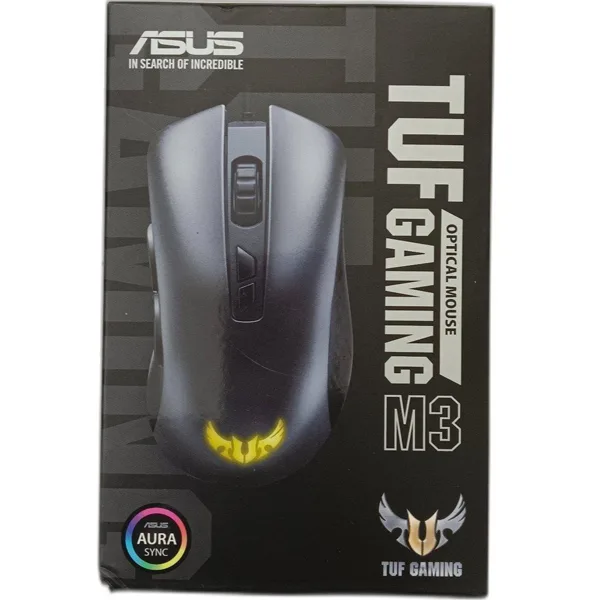
ASUS TUF Gaming M3 Gen II
-
Roccat Burst Core Mouse - Black: Extreme lightweight 68g design with a symmetrical ergonomic shape crafted from scratch. The symmetrical shape suits both left- and right-handed users, and the light weight reduces fatigue during long gaming sessions.
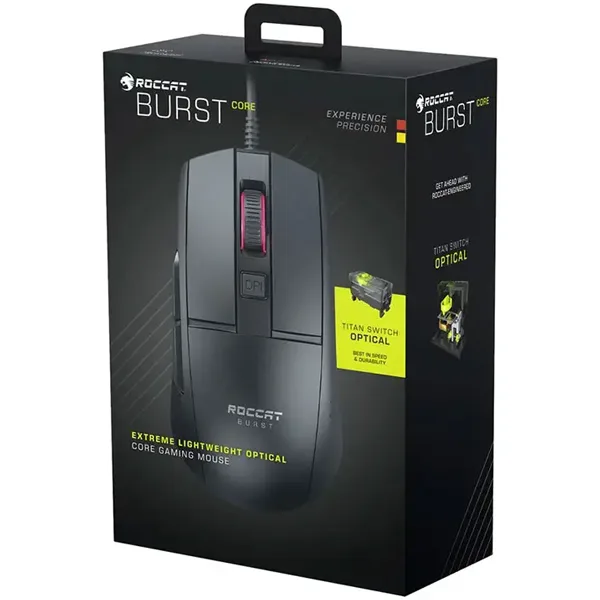
Roccat Burst Core Mouse - Black
Which mouse fits you?
Best for
- Right-handed gamers who want an ergonomic, ultralight mouse with high DPI and durability extras like IP56 and Antibacterial Guard.
- Competitive players who need on-the-fly sensitivity switching and precise tracking.
Not for
- Left-handed gamers who need a symmetrical shape – the Roccat Burst Core is a better fit.
- Budget shoppers who want the absolute lowest price – the Roccat Burst Core offers a lighter wallet impact.