Start with the cage-to-monitor connection
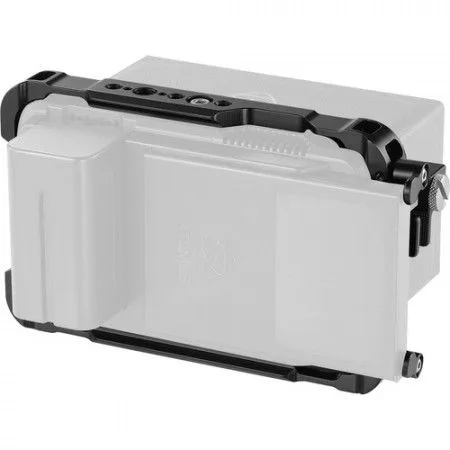
The SmallRig AtomX 5" Ninja V Cage is a formfitting exoskeleton for the Atomos Ninja V. It secures to the monitor with an included 1/4"-20 screw on the top and two M3 screws on the left side. Those three points are the foundation of the whole setup, so tighten them before you add rails, arms or storage.
The cage is made from aluminum alloy and weighs 6.9 oz / 196 g. Its dimensions are 7 x 4.2 x 1" / 17.7 x 10.7 x 2.5 cm, so it adds a defined frame around the monitor without changing the screen size.
Mounting points the cage provides
-
Atomos AtomX 5" Ninja V Cage by SmallRig ATOMX5NVCA: NATO rails on top and bottom; 1/4"-20 and 3/8"-16 mounting threads and anti-twist ARRI locating holes across the top and bottom. These are the attachment points for arms, clamps and other support accessories. Check that your accessory uses the same thread or rail type before you buy.
Atomos AtomX 5" Ninja V Cage by SmallRig ATOMX5NVCA
-
Atomos AtomX 5" Ninja V Cage by SmallRig ATOMX5NVCA: An HDMI cable clamp is included, and an optional second clamp (SmallRig 1693) is supported. A clamp reduces strain on the HDMI port. If you need a second cable run, the cage is designed to accept the optional clamp.
-
Atomos AtomX 5" Ninja V Cage by SmallRig ATOMX5NVCA: Neck strap slots and attachment points for the Atomos Ninja V Sun Hood Frame. These let you carry the monitor or add a sun hood without extra brackets, provided you use the matching Atomos frame.
Add the SSDmini without forcing the caddy
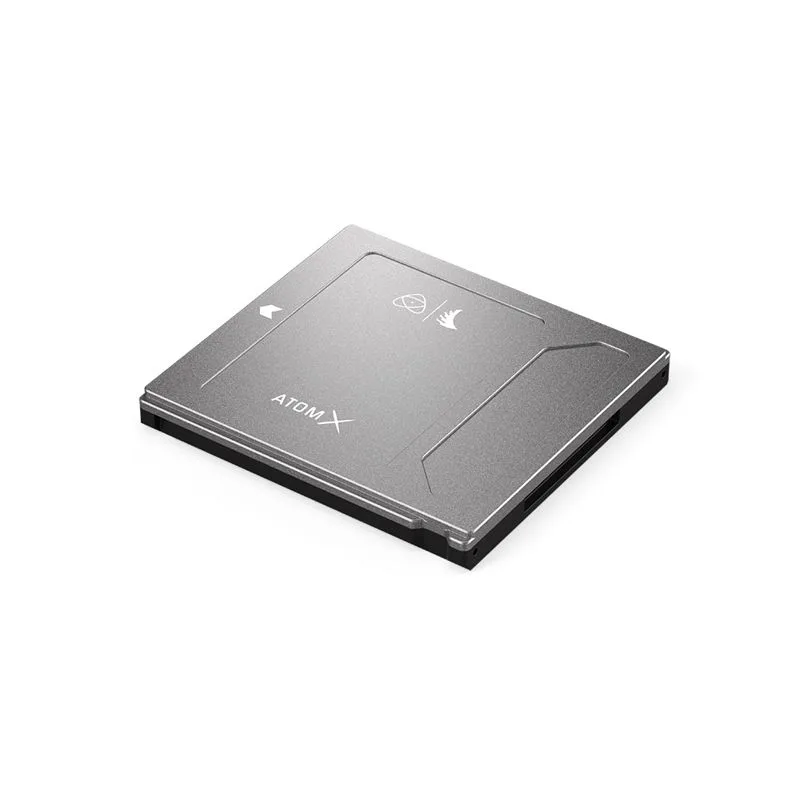
The Angelbird AtomX SSDmini is custom made for the Atomos Ninja V and is also compatible with other Atomos recorders, including the Ninja and Shogun range. The 1TB version is 20 percent smaller than the average SSD, which suits the Ninja V's small footprint. It uses a SATA III connector and the Atomos Master Caddy guide rail system to dock with the SATA port.
The cage design allows a 2.5" Atomos Master Caddy II drive to be attached to the Ninja V. That means the SSDmini, once mounted in the caddy, can sit within the cage's supported layout. Line up the guide rails before pushing the caddy home; the connector is not designed to be forced.
Storage performance to plan around
-
Angelbird ATOM X SSDmini 1Tb: Sustained read speeds of 550 MB/s and write speeds of 500 MB/s; captures CDNG up to 4K 30p, ProRes RAW HQ 5.7K up to 30p, plus 4K 60p and 2K 240p. These figures describe the drive's rated performance, not a guarantee for every Ninja V recording mode. Use them to judge whether the SSDmini fits the formats you plan to shoot.
Angelbird ATOM X SSDmini 1Tb
-
Angelbird ATOM X SSDmini 1Tb: Supports Stable Stream technology and includes overload protection. Stable Stream is intended to help maintain consistent write performance. Treat it as one part of a reliable recording setup, not a substitute for testing your own card and cable combination.
-
Angelbird ATOM X SSDmini 1Tb: CNC-worked aluminum casing; described as shock, temperature, X-ray and magnetic proof. These are the manufacturer's durability claims for the drive. They do not replace safe handling or a backup workflow.
A practical assembly order
- Fit the cage to the monitor: Attach the included 1/4"-20 top screw and the two left-side M3 screws. Check that the cage sits flush and the monitor's ports remain accessible.
- Mount the SSDmini in the caddy: Use the Atomos Master Caddy guide rail system to dock the drive. Confirm the SATA connector is fully seated before sliding the caddy into the Ninja V.
- Route and clamp the HDMI cable: Connect the HDMI cable and secure it with the included clamp. If you need a second clamp, the cage supports the optional SmallRig 1693.
- Add support accessories: Use the NATO rails or 1/4"-20 and 3/8"-16 threads for arms or clamps. The bottom rails are designed to work with SmallRig articulating arms that have NATO clamps.
- Attach the sun hood frame or strap: If you use the Atomos Ninja V Sun Hood Frame, connect it to the cage's attachment points. The neck strap slots are available if you prefer to carry the monitor.
What the supplied information does not confirm
The supplied records do not include a step-by-step procedure for formatting the SSDmini, recommended recording settings for specific codecs, or battery-life figures for the Ninja V. They also do not state whether every Atomos recorder accepts the SSDmini without an adapter; the records mention an adapter handle for the Sumo19, Sumo19M and Shogun Studio, but do not list every model.
Before a paid shoot, test your exact cage, drive and cable combination with the recording format you intend to use. The catalog facts give you the mounting points and rated drive speeds, but they do not replace a short trial run with your own Ninja V.