What You Need to Know About the C01PRO
The ATTACK SHARK C01PRO is a custom coiled keyboard cable designed to add a clean, textured look to your desk setup while providing reliable data and power delivery. It features a Type-C interface and a detachable metal aviator connector, making it a flexible choice for many USB-C mechanical keyboards.
Before you buy or set up, it helps to understand exactly what this cable offers and what the supplied information confirms about its compatibility and performance.
Key Specs at a Glance
-
ATTACK SHARK C01PRO Coiled Cable: The C01PRO coiled cable consists of two parts: a 0.84-inch inner diameter coiled section and a 39.4-inch straight cable. Total length is approximately 65 inches, extendable to 85 inches. The coiled section keeps your desk tidy while the straight portion reaches your computer. The extendable length gives you flexibility in placement.
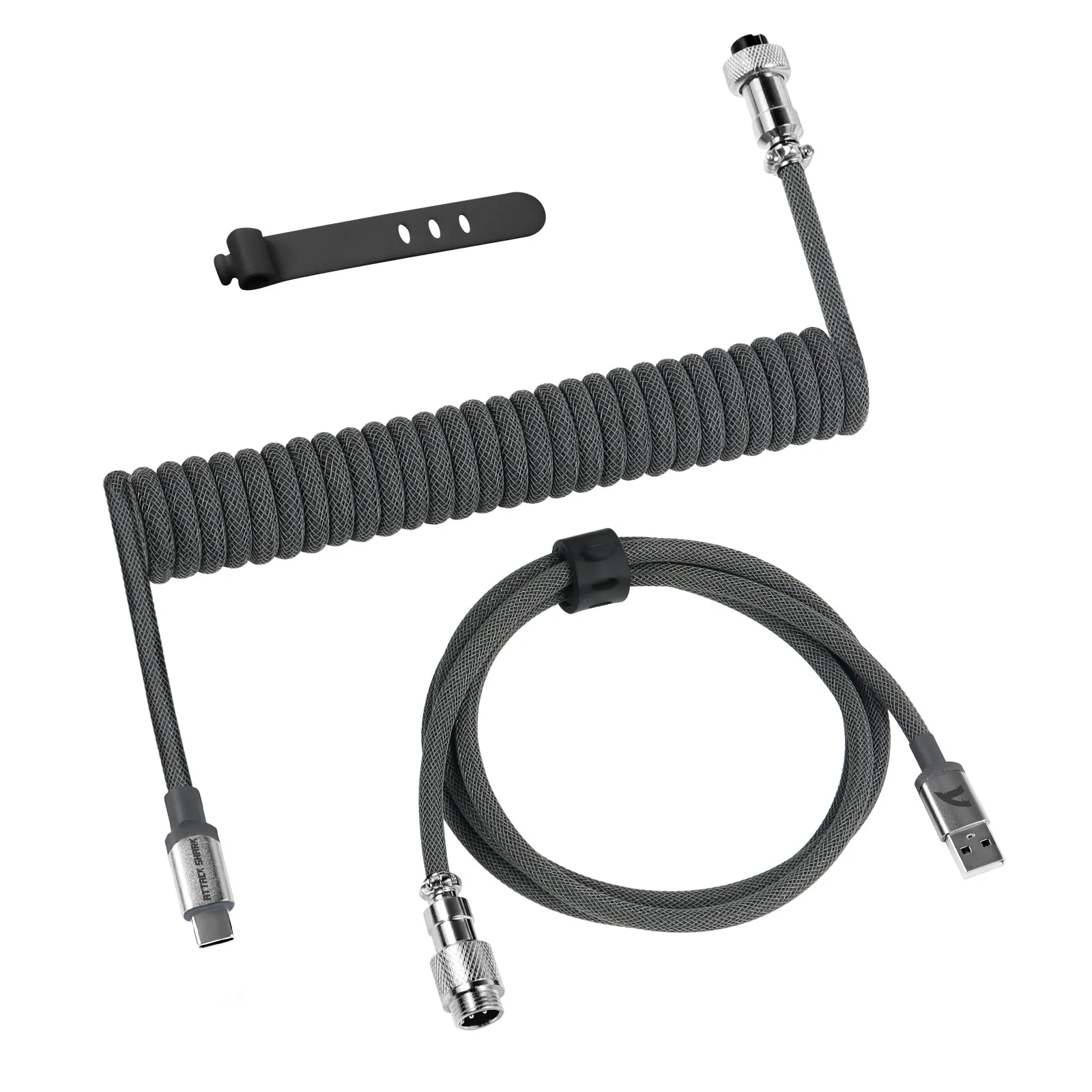
ATTACK SHARK C01PRO Coiled Cable
-
ATTACK SHARK C01PRO Coiled Cable: Uses four high-quality copper wires and aluminum shielding foil as the core. The surface has a double-layer weave of woven mesh + PET mesh. This construction resists bending and breaking, and the matte nylon material helps the cable keep its shape over time.
-
ATTACK SHARK C01PRO Coiled Cable: The cable supports safe fast charging and data sync through its Type-C interface. You can use it both for charging and for data transfer, making it a practical upgrade for your keyboard's original cable.
Compatibility: Which Keyboards Work?
The C01PRO uses a standard USB-C connector, so it works with any keyboard that has a USB-C port. This includes many 60% and TKL mechanical keyboards, as well as full-sized models that use USB-C. The supplied information confirms it is designed to "perfectly meet all USB-C keyboard powered and connect needs."
If your keyboard uses a different connector (such as Micro-USB or Mini-USB), the C01PRO is not compatible without an adapter. The cable's Type-C interface is fixed, and there is no evidence of interchangeable tips in the supplied records. For keyboards with a detachable cable that uses USB-C, this is a straightforward drop-in replacement.
Setting Up the C01PRO Coiled Cable
Setting up the C01PRO is simple and requires no tools. Follow these steps for a clean installation.
- 1. Unbox and inspect: Remove the cable from the packaging. You will see two parts: the coiled section with the aviator connector and the straight USB-C to USB-A section. Check that the metal aviator connector is clean and undamaged.
- 2. Connect the aviator connector: The aviator connector is a 4-pin detachable plug. Align the pins and push the two halves together until they click. This connection allows you to swap cables or disconnect quickly.
- 3. Plug into your keyboard: Insert the USB-C end into your keyboard's port. The fit should be snug. The cable's coiled section will sit near the keyboard, and the straight portion runs toward your computer.
- 4. Connect to your computer: Plug the USB-A end into an available USB port on your computer. The cable should be recognized immediately for both power and data. No driver installation is needed.
- 5. Arrange the cable: Position the coiled section so it sits naturally without tension. The super-tight 25mm coils have a springy rebound effect that helps prevent damage from overstretching. Let the straight cable route to your computer without sharp bends.
Durability and Build Quality
The C01PRO uses high-quality metal aviator connectors that resist oxidation and interference, making connections stable even after repeated unplugging. The cable core uses four copper wires and aluminum shielding foil, which the supplied information says is "not afraid of bending or breaking."
The surface uses a new matte nylon material with a double-layer weave. This helps the cable stay tangle-resistant and maintain its shape. The cable has also passed technical tests for data transmission stability, heavy load on connectors, and swing tests, according to the supplied records.
What the Supplied Information Does Not Cover
The supplied records do not specify maximum data transfer speed, charging wattage, or exact cable gauge. If these details are critical for your setup, check your keyboard's manual or contact the manufacturer. The cable is designed for standard USB-C keyboard use, but specific performance beyond basic data sync and charging is not confirmed.
Similarly, there is no information about compatibility with keyboards that have non-standard USB-C port shapes or recessed ports. In most cases, the standard Type-C plug will fit, but very deep or angled ports may require a low-profile connector.
Color Options to Match Your Setup
The C01PRO is available in five colors: Grey, White, Black, Red, and Pink. This variety lets you match the cable to your keyboard, desk, or overall theme. The color is applied to the outer woven mesh, so it stays visible even when the cable is coiled.