Quick answer
Deploy BattleTech Support Emplacements by first securing your base perimeter with turrets, then integrating battlefield support cards to coordinate fire. Place turrets to cover approach routes and use cards to adapt to enemy movements.
Why emplacements change defensive planning
Emplacements turn static defense into an active layer of your force. Unlike mobile units, turrets can hold key terrain and free your BattleMechs and vehicles to maneuver. The included support cards add flexibility, letting you react to threats without repositioning models.
When to hold back or commit
If your campaign scenario emphasizes mobility or rapid objective grabs, emplacements may become a liability if over-committed. Use them to anchor a fallback line rather than as your primary offense. In defensive scenarios, they can be the backbone of your plan.
Deployment steps
- Assess the battlefield: Before placing any turret, identify key approach routes, chokepoints, and objectives. Decide which areas must be protected and where turrets can cover multiple threats. Common mistake: placing turrets too far forward where they can be easily flanked.
- Position turrets for overlapping fire: Place turrets so their fields of fire overlap, creating kill zones. Avoid spreading them too thin; concentrate on covering the most likely enemy paths. Checkpoint: ensure each turret can support at least one other turret or friendly unit.
- Integrate support cards: Review your battlefield support cards and assign them to turrets or sectors. Use cards that enhance turret accuracy, add extra attacks, or provide defensive bonuses. Common mistake: hoarding cards for later instead of using them to shape the battle early.
- Coordinate with mobile units: Use your BattleMechs and vehicles to screen turrets or lure enemies into their fire. Keep a rapid-response force ready to plug gaps if a turret is destroyed. Checkpoint: maintain at least one mobile unit near your emplacement line for flexibility.
- Adapt and rotate: As the battle evolves, don't hesitate to abandon a destroyed turret and shift support cards to another sector. Emplacements are tools, not monuments. Common mistake: over-committing to a single turret instead of treating them as a network.
Product facts
-
BattleTech: ForcePack: Support Emplacements: Includes 5 weapon turrets, 19 battlefield support cards, and 19 Alpha Strike cards. The turrets provide physical models for your emplacements, while the cards give you in-game options to customize their effects.
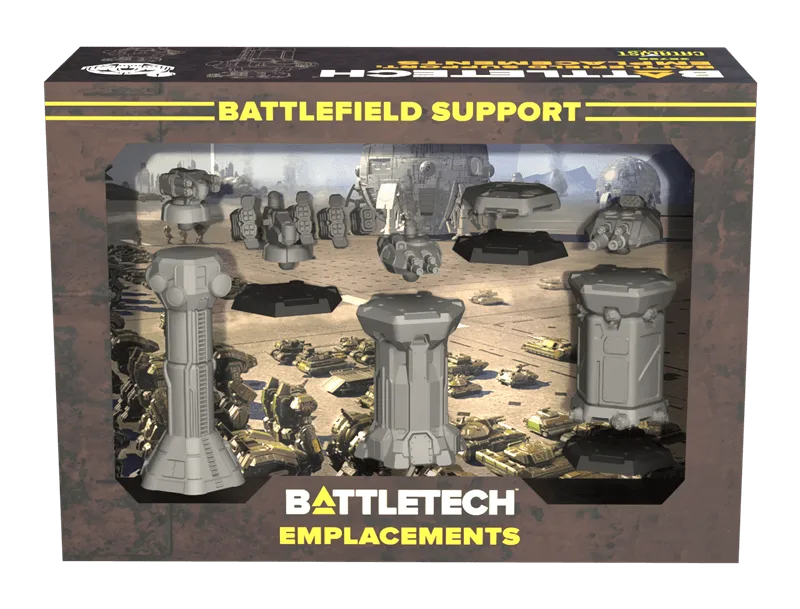
BattleTech: ForcePack: Support Emplacements