Quick answer
Start by setting the Bern Hudson's Compass Fit dial for a snug, level fit, then clean the pads with mild soap and water and inspect the shell, straps, and light before each season. A few minutes of adjustment and care keeps the helmet comfortable and ready for eBike rides.
Why the Hudson's fit system changes your adjustment routine
The Bern Hudson uses a Compass Fit dial rather than a simple rear strap tensioner. That means you can fine-tune the fit with one hand, but you still need to set the helmet level and adjust the straps first. Riders who only twist the dial often end up with a helmet that sits too high or too low.
The Hudson also includes an integrated LED light on the back. Because the light is built into the fit system area, check that the dial and light housing are not pressing into the back of your head after adjustment. A small gap here prevents pressure points on longer rides.
When to replace pads or the helmet
Pads compress over time and can lose their grip, especially if you ride frequently in hot weather. Replace them when the helmet starts to feel loose even after dialing in the fit, or when the pads no longer stay in place. The Hudson's pads are removable for cleaning, so inspect them each time you wash them.
Helmets also have a service life. If the shell is cracked, the straps are frayed, or the helmet has taken a significant impact, replace it even if it looks fine. The Hudson passes CPSC and EN 1078 standards when new, but those standards apply to an undamaged helmet.
Step-by-step fit and care routine
- Set the helmet level: Place the Hudson on your head with the front edge just above your eyebrows and the rear lightly touching the base of your skull. Common mistake: tilting it back to fit over a ponytail or hat, which exposes your forehead. Check in a mirror: the helmet should look level, not tipped back.
- Adjust the straps: Slide the side straps so the front and rear sections meet just below your ear. Buckle the chin strap and tighten until you can fit one finger under it. Common mistake: leaving the buckle off-center or the strap twisted. Open your mouth wide; the helmet should pull down slightly, confirming a snug strap.
- Dial in the Compass Fit: Twist the dial clockwise until the helmet feels secure but not tight. You should be able to shake your head gently without the helmet shifting. Common mistake: over-tightening the dial to compensate for loose straps. If the dial is maxed out, try a different pad thickness or size before riding.
- Clean the pads: Remove the pads and hand-wash them in warm water with mild soap. Rinse thoroughly and air-dry completely before reinstalling. Common mistake: putting pads in a washing machine or dryer, which can deform them. While pads dry, wipe the shell and straps with a damp cloth.
- Run a safety check: Inspect the shell for cracks, the straps for fraying, and the buckle for smooth operation. Press the LED light to confirm all three settings work and charge it if needed. Common mistake: ignoring small cracks or a flickering light. If you find damage, replace the helmet or contact the manufacturer before your next ride.
Product facts
-
Bern Hudson Adult Helmet - Large: Compass Fit system allows riders to find the perfect fit with a simple twist of the dial. You can adjust tension on the go, but start with the helmet level and straps set correctly for the dial to work as intended.
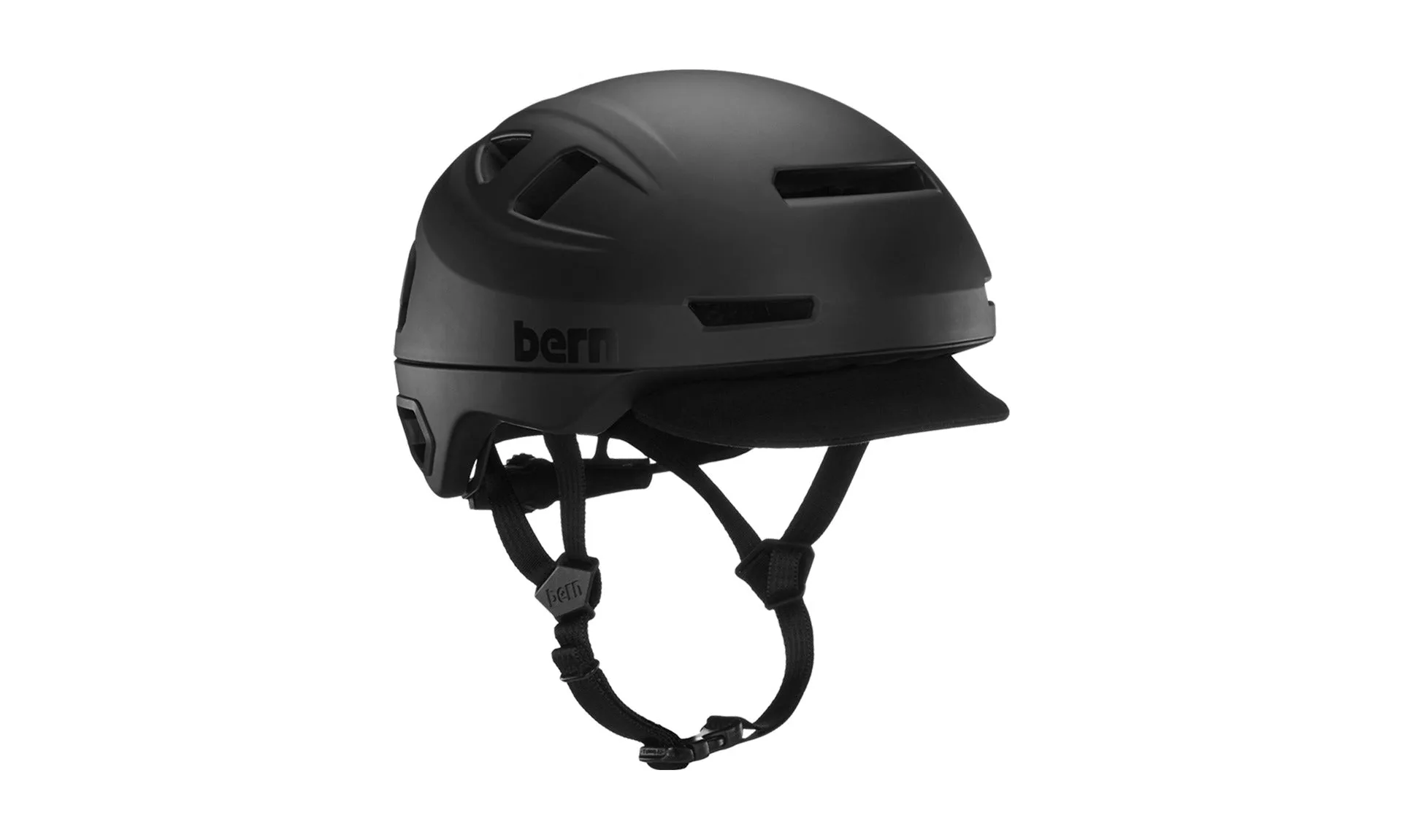
Bern Hudson Adult Helmet - Large
-
Bern Hudson Adult Helmet - Large: Integrated MIPS for impact management. The MIPS layer sits between the pads and shell, so keep pads properly seated and avoid pulling them loose during cleaning.
-
Bern Hudson Adult Helmet - Large: Custom-integrated LED light brings 6.6 lumens, is micro-USB rechargeable, lasts up to 10 hours, and has three light settings. Charge the light before rides and check that the fit dial does not block the light or press it against your head.