Quick answer
Setting up a BiWire COMBO system means running separate cables to the bass and treble inputs of your biwireable speakers. This guide walks through the process with the Lone Ranger + BigFoot BiWire Combo.
Why BiWire COMBO matters
BiWiring separates the bass and treble signals, reducing distortion compared to a single cable with jumpers. The Lone Ranger + BigFoot BiWire Combo is designed for this: the Lone Ranger ZERO-Tech cable handles treble, and the BigFoot Bass-Only cable covers bass. This separation can reveal more detail and tighter low-end control.
Before you start
Make sure your speakers have separate binding posts for bass and treble. If they don't, this setup won't work. Also, check that your amplifier has enough speaker outputs — you'll connect both cables to the same amp channel.
Step-by-step setup
- Identify your cable pair: Take the Lone Ranger + BigFoot BiWire Combo. The Lone Ranger cable is for treble (usually marked), and the BigFoot cable is for bass. Unravel them fully to avoid tangles. Never force a cable into a terminal — if it doesn't fit, check the termination type you ordered.
- Connect to the amplifier: At the amplifier end, both cables are joined. Connect this combined end to the speaker output for the left or right channel. Tighten the binding post securely. A loose connection can cause intermittent sound or damage. Double-check tightness.
- Connect to the speaker — treble: Route the Lone Ranger cable to the treble (high-frequency) binding posts on your speaker. Usually, these are the top pair. Connect positive to positive, negative to negative. Mixing polarity will cancel frequencies. Mark the cables if they aren't color-coded.
- Connect to the speaker — bass: Route the BigFoot cable to the bass (low-frequency) binding posts, typically the bottom pair. Again, match polarity. Ensure the cable lies flat without sharp bends. Avoid running cables parallel to power cords — it can introduce hum.
- Remove any jumpers: If your speakers had jumper plates or wires connecting the bass and treble posts, remove them. BiWiring replaces the jumper with the second cable. Leaving jumpers in place can short the signal path and negate the benefits of bi-wiring.
- Test and adjust: Power on your system at low volume. Play a familiar track and listen for balance. If sound is thin or missing, check all connections and polarity. If the bass sounds weak, verify the BigFoot cable is connected to the bass terminals, not the treble.
Product facts
-
Lone Ranger + BigFoot BiWire Combo: Designed specifically to optimize the performance of biwireable loudspeakers, Lone Ranger + BigFoot BiWire Combo speaker cables comprise a Lone Ranger ZERO-Tech cable for Treble and BigFoot Bass-Only cable for Bass, conveniently joined at the amp end. This means you get a purpose-built cable pair that's already matched for bi-wiring, saving you the guesswork of mixing separate cables.
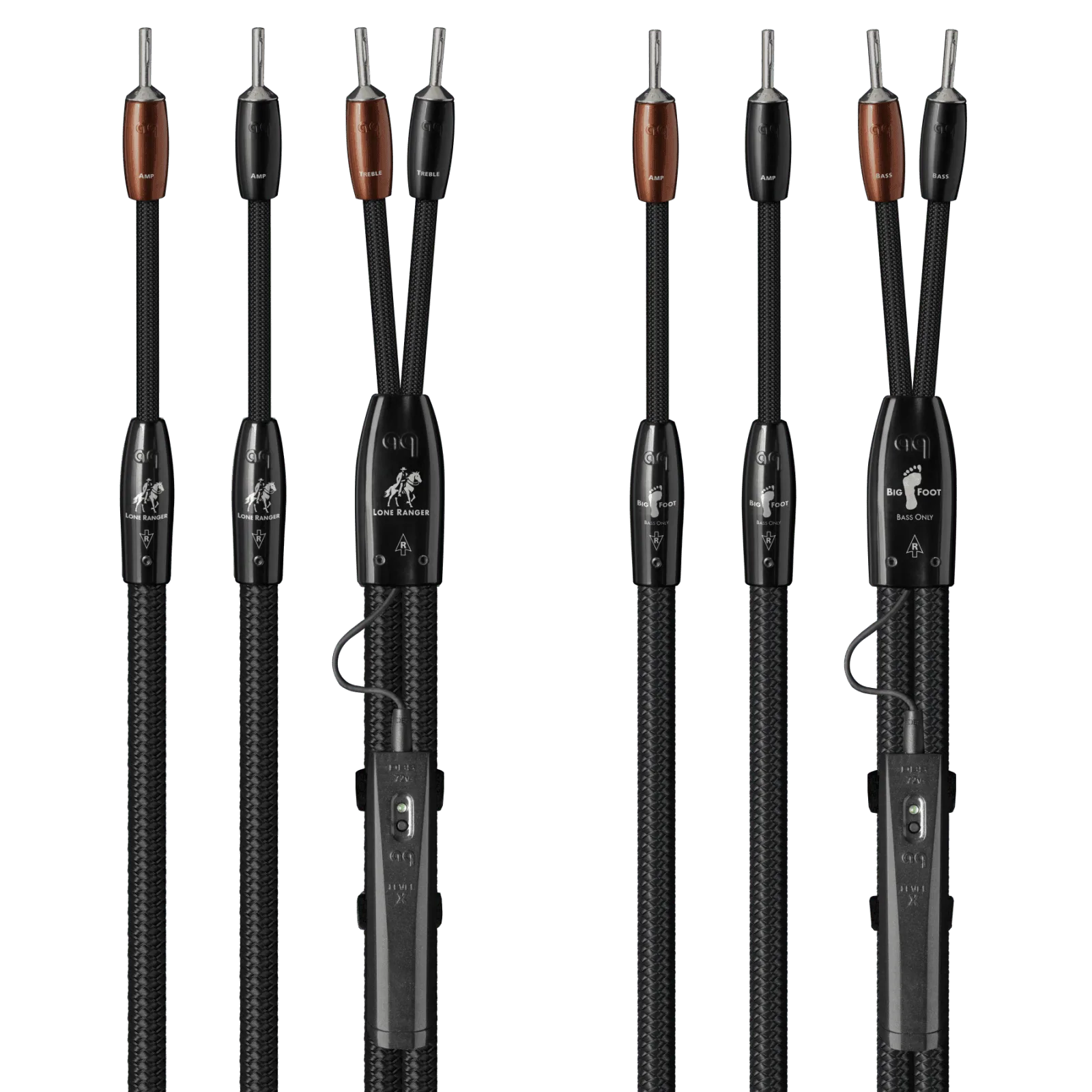
Lone Ranger + BigFoot BiWire Combo