Quick Answer
If you need to send audio from a non-Bluetooth device like a TV or turntable to wireless headphones or speakers, choose a Bluetooth audio transmitter. If you want to add Bluetooth to a wired speaker or car stereo, choose a Bluetooth audio receiver.
What Each Device Does
A Bluetooth audio transmitter takes an audio signal from a source that doesn't have Bluetooth (like a TV, CD player, or portable music player) and sends it wirelessly to Bluetooth-enabled headphones, earbuds, or speakers. It makes your non-wireless gear compatible with modern wireless audio.
A Bluetooth audio receiver does the opposite: it receives a Bluetooth signal from your phone, tablet, or laptop and outputs it to a device that only has a wired audio input, such as an older stereo, powered speakers, or a car's auxiliary jack. It lets you stream from your phone to gear that lacks Bluetooth.
Why the Direction of Audio Flow Matters
The key difference is which direction the audio travels. A transmitter sends audio out; a receiver brings audio in. Buying the wrong one means your devices simply won't connect, even if they look similar and cost about the same.
For example, the Osmo Bluetooth Audio Transmitter (BAT001-CXXX) is a compact transmitter designed to send audio wirelessly over Bluetooth. That means it's the right choice when your source is wired and your listening device is wireless.
If your source is wireless (your phone) and your listening device is wired (an old amplifier), you need a receiver instead. There's no universal adapter that does both in one compact unit, so knowing your audio direction is the first step.
Compatibility and Setup Considerations
Before buying, check what ports your source and output devices have. Transmitters and receivers typically use a 3.5mm auxiliary jack, RCA, or optical input/output. The Osmo Bluetooth Audio Transmitter's compact format is convenient for travel, but make sure it has the right input for your TV or music player.
Also consider range and battery life. If you're using a transmitter with a TV, you'll likely want one that can stay plugged in. If you're using a receiver with a portable speaker, battery operation might matter more. Since the exact specifications of the Osmo transmitter aren't listed beyond its compact size, check the product listing for configuration and compatibility details before purchase.
Transmitter vs Receiver: Decision Trade-offs
- Source is wired, listening device is wireless: Choose a Bluetooth audio transmitter. Connect it to your TV, CD player, or portable music player, then pair it with your Bluetooth headphones or speakers. Check that the transmitter has the right input (aux, RCA, or optical) for your source.
- Source is wireless, listening device is wired: Choose a Bluetooth audio receiver. Pair it with your phone or laptop, then connect it to your old stereo, powered speakers, or car aux input. Make sure the receiver has the output port your wired device needs.
- You're unsure which one you need: Identify the device that lacks Bluetooth. If it's the source (TV, turntable), you need a transmitter. If it's the output (speaker, stereo), you need a receiver. Draw a simple line from your source to your speakers; the missing Bluetooth link tells you which adapter to buy.
Product Facts
-
Bluetooth Audio Transmitter: The Osmo Bluetooth Audio Transmitter is a compact audio accessory designed to help send audio wirelessly over Bluetooth. It's a transmitter, so it's the right tool when you need to make a non-Bluetooth source like a TV or music player send audio to wireless headphones or speakers.
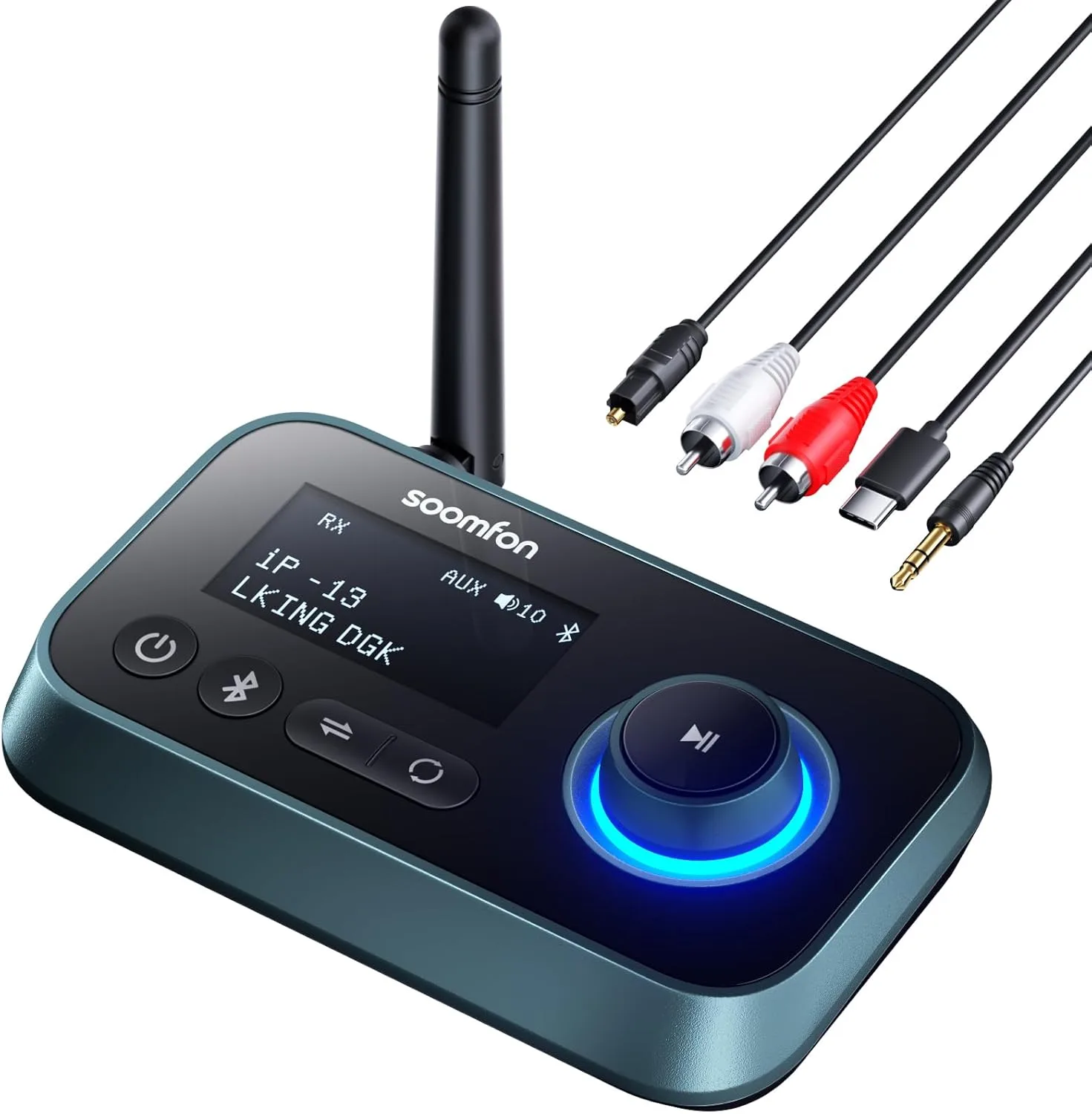
Bluetooth Audio Transmitter
Who Should Buy What
Best for
- A Bluetooth audio transmitter if you want to watch TV with wireless headphones without disturbing others
- A Bluetooth audio receiver if you want to stream music from your phone to an older wired stereo or car audio system
Not for
- A transmitter is not for adding Bluetooth to a wired speaker or amplifier
- A receiver is not for sending audio from a TV to wireless headphones