Quick Recommendation
Use full‑page journaling paper stickers as visual anchors in your planner; they make tasks stand out and help you track habits with minimal effort.
Journaling stickers aren't just decorative—they're powerful productivity tools. By assigning a distinct sticker to each project, habit, or daily task, you create a visual cue that sparks motivation and clarifies priorities at a glance.
In this guide we'll show how to combine full‑page background stickers with simple habit‑tracking methods, turning your planner into a dynamic dashboard that fuels daily momentum.
Create a Sticker‑Based Productivity System
Start by deciding which areas of your life need the most visual reinforcement. Common categories include work tasks, personal habits, fitness goals, and creative projects. Choose stickers that match the theme—fantasy landscapes for creative brainstorming, or bright candy‑colored designs for wellness habits. This alignment makes the system intuitive and enjoyable, so you reach for your planner without hesitation.
Next, map each sticker to a specific action or habit. For example, place a "Power Reader" sticker on pages where you log reading minutes, and a "Fantasyland" background behind a weekly goal spread. When the sticker appears, it signals the brain to focus on that activity, reinforcing the habit loop and boosting completion rates.
- Tip: Reserve one sticker per day to avoid visual clutter; too many cues can dilute focus.
Step‑by‑Step Process
- 1. Choose and Prepare Stickers: Select the journaling stickers that match your productivity categories and peel them off a clean surface. Test one on a scrap page to ensure the adhesive holds without tearing. Common mistake: applying stickers on a wet or glossy page can cause bubbling—always use a dry, matte surface.
- 2. Place Stickers Strategically: Position each sticker at the top of a daily or weekly spread where the related task or habit is listed. Press firmly to secure, then add any additional notes or color‑coding underneath. Checkpoint: Verify that the sticker doesn’t cover essential writing space; adjust placement before committing.
- 3. Review and Adjust Daily: At the end of each day, glance at the stickers to confirm completed tasks and note any missed habits. Move or replace stickers as goals evolve to keep the system fresh. Pitfall to avoid: letting stickers become static. Regularly refresh them to maintain motivation and relevance.
Product Recommendations
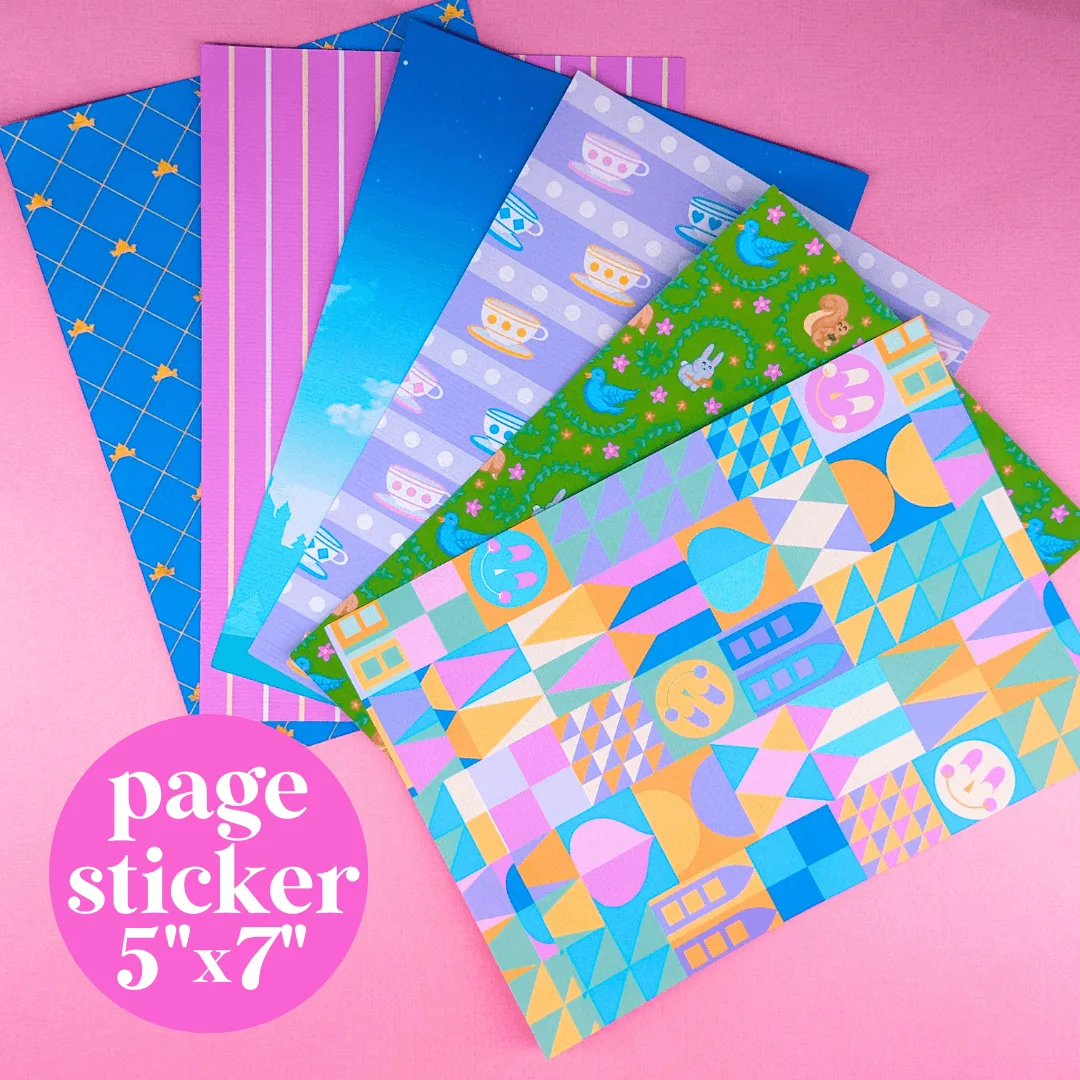
- Journaling Paper Sticker - 5x7 Full Page Background Stickers (Fantasyland): Stickers are printed on STANDARD MATTE, Sticker Paper. Full Page Stickers are the perfect option as a fun background to fill your journal/page! You can layer more stickers or photos on top. Just peel and stick in your book. The matte finish reduces glare, making the stickers easy to read under any lighting, while the full‑page size gives you a large visual anchor for each planner spread.
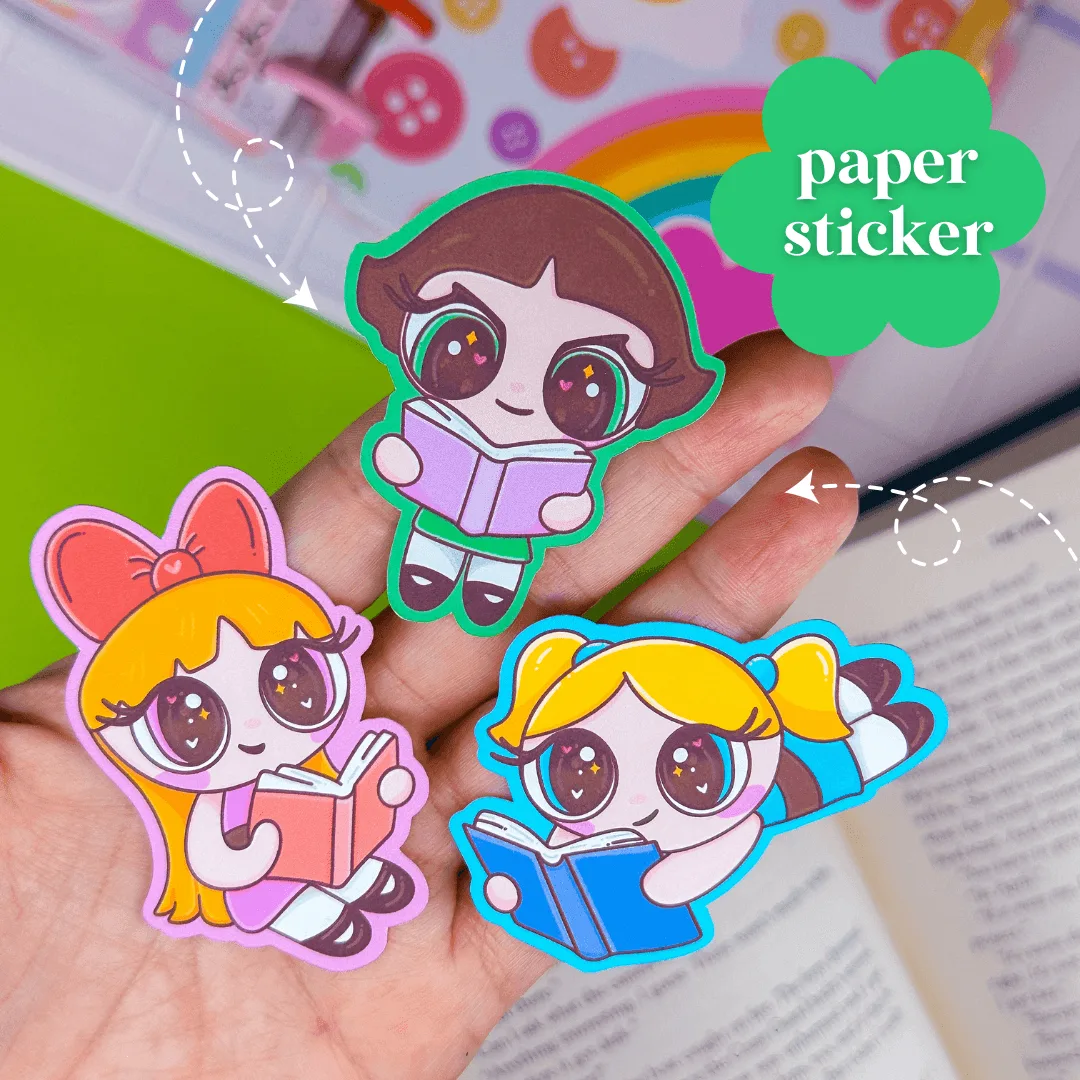
- Journaling Paper Sticker - Power Reader SET: Stickers are printed on STANDARD MATTE, Sticker Paper. Size is approx. 2". These stickers are meant for junk journals, paper planners, scrapbooks & more! At about 2 inches, these compact stickers are ideal for marking specific habit‑tracking boxes without overwhelming the page layout.
By integrating journaling stickers into your planner, you turn ordinary pages into vibrant productivity hubs. The visual cues keep you motivated, help track habits, and make daily tasks feel rewarding—so you can achieve more, one sticker at a time.