When to Replace Your BP20R Battery
If your Dogtra receiver no longer holds a charge or the operating range has dropped, the BP20R battery is the likely culprit. This 3.6V 345mA rechargeable battery powers several popular Dogtra models, including the 175NCP and 200NCP. Replacing it restores full performance without buying a new receiver.
Which Receivers Use the BP20R Battery?
The BP20R is compatible with the following Dogtra receiver models:
- 175NCP:
- 180NCP:
- 200NCP GOLD:
- 202NCP GOLD:
- 210NCP:
- 212NCP:
- 280NCP:
- 282NCP:
- 300M:
- 302M:
- 7000M:
- 7002M:
- DOGTRA M PLUS:
BP20R Battery at a Glance
-
BATTERY BP20R (3.6V 345mA)_175NCP, 200NCP: 3.6V 345mA rechargeable battery Matches the original power specification for the listed receivers, ensuring proper fit and performance.
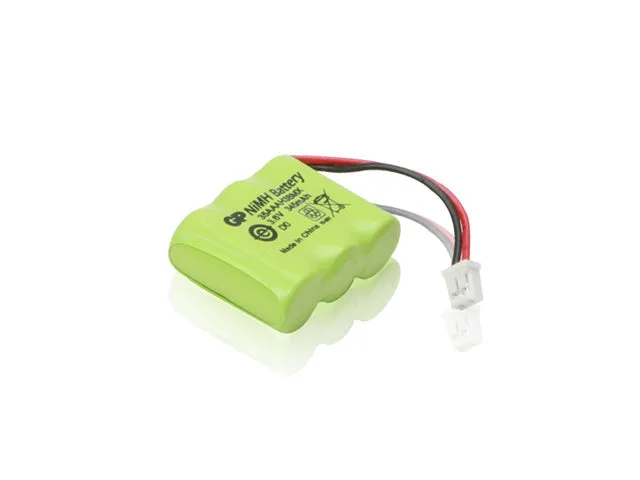
BATTERY BP20R (3.6V 345mA)_175NCP, 200NCP
-
BATTERY BP20R (3.6V 345mA)_175NCP, 200NCP: Compatible with 175NCP, 180NCP, 200NCP GOLD, 202NCP GOLD, 210NCP, 212NCP, 280NCP, 282NCP, 300M, 302M, 7000M, 7002M, DOGTRA M PLUS Confirms this battery works with a wide range of Dogtra receivers, so you can use one replacement part for multiple devices.
How to Replace the BP20R Battery
Dogtra provides a step-by-step video guide to walk you through the battery replacement process. You can watch it here: ▶️ How to Replace a Dogtra Battery. The video covers the necessary tools and procedure for your specific receiver model.
- Watch the video first: Before starting, view the official Dogtra replacement video to understand the steps and avoid damaging the receiver.
- Gather your tools: The video shows the tools you need. Typically a small screwdriver is required to open the battery compartment.
- Remove the old battery: Open the receiver case and carefully disconnect the old BP20R. Dispose of it according to local regulations.
- Install the new BP20R: Connect the new battery, ensuring the connector is fully seated. Close the case and test the receiver.
What the Supplied Information Does Not Cover
The supplied product details include compatibility and a link to the installation video but do not specify battery disposal instructions, charging times, or warranty terms. For those details, refer to your receiver’s manual or contact Dogtra support.