Quick Answer
Set up your BRAUN Black400 WiFi 8K by inserting batteries and an SD card, powering it on, connecting to the BRAUN Scouting Cam app via WiFi, and configuring the detection and recording settings for your specific scouting location.
Before You Start: What You Need
The Black400 WiFi 8K uses 8 AA batteries (not included). Use lithium batteries for best cold-weather performance and longer field life. You also need a Class 10 or UHS-I SD card (up to 32 GB recommended) and the BRAUN Scouting Cam app on your smartphone. The camera's 4MP CMOS sensor and 120° PIR sensor work best when you understand the trigger distance and detection zone before mounting.
Step-by-Step Setup Guide
- 1. Insert Batteries and SD Card: Open the side compartment. Insert 8 AA batteries following the polarity markings. Insert a Class 10 SD card (up to 32 GB) into the slot until it clicks. A common mistake is using a slow or non-Class 10 card, which can cause recording errors at 8K resolution. Use lithium AA batteries and a Class 10 SD card to avoid power or recording issues.
- 2. Power On and Set Date/Time: Slide the power switch to ON. The screen will prompt you to set the date and time. Use the navigation buttons to enter the correct values. This is critical because your photos and videos will be timestamped incorrectly if skipped, making it hard to track animal activity patterns. Always set the correct date and time before deploying the camera.
- 3. Connect to the BRAUN Scouting Cam App: Download the BRAUN Scouting Cam app on your smartphone. On the camera, go to the WiFi menu and select 'Enable WiFi'. A network named 'BRAUN_XXXX' will appear. Connect to it using the default password printed on the camera's sticker. A common mistake is forgetting to disable WiFi after setup, which drains the battery faster. Disable WiFi in the camera menu after the initial setup to save battery life.
- 4. Configure Detection and Recording Settings: Use the app or the camera's menu to set: PIR sensitivity (Low/Medium/High), trigger interval (1-60 seconds), photo burst (1-9 shots), and video length (5-60 seconds). For a busy game trail, use Medium sensitivity and a 10-second interval to avoid filling the SD card with false triggers. For a feeder, use High sensitivity and a 30-second video. Match your PIR sensitivity and trigger interval to the specific activity level of your scouting location.
- 5. Mount and Test the Camera: Mount the camera on a sturdy tree or post 3-5 feet off the ground. Angle it slightly downward to avoid sky triggers. Clear any vegetation in front of the sensor. Walk in front of the camera to test the detection zone. A common mistake is mounting it too high or at an angle that misses the target area entirely. Always perform a walk test to confirm the detection zone covers your target area.
Product Facts
-
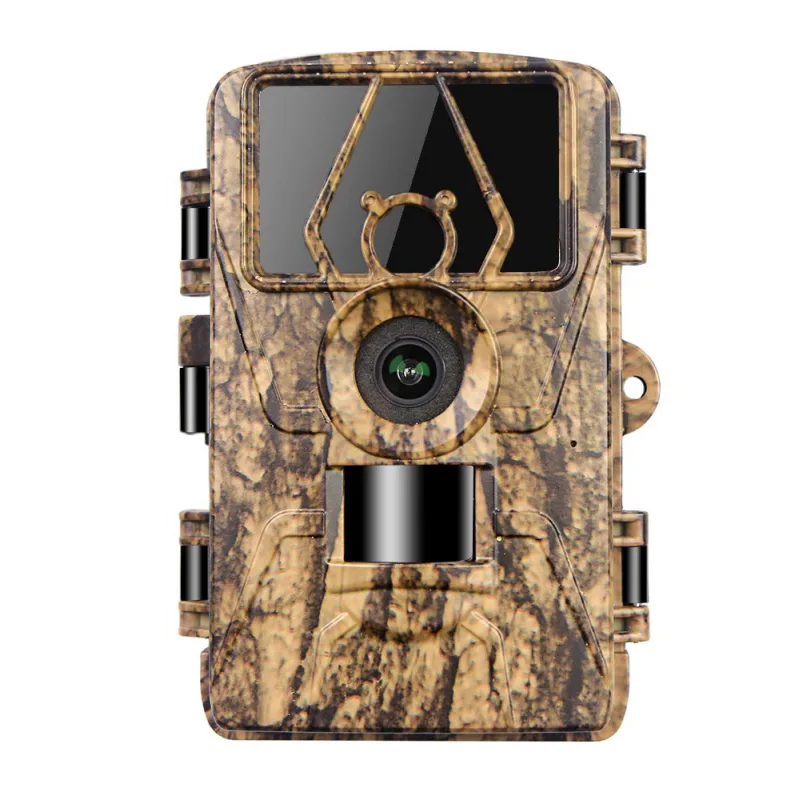
BRAUN Scouting Cam BLACK400 WiFi 8K: The BRAUN Black400 WiFi 8K delivers 8K video recordings and uses a 4MP CMOS image sensor for day and night shots. Its 8K video resolution captures fine detail like animal markings, but requires a fast SD card to avoid recording interruptions.