What the Bright² Smart Air Purifier Offers
The Bright² Smart is a compact air purifier designed for rooms up to 42 m². It uses a three-layer filter system—a pre-filter, HEPA H13 filter, and activated carbon filter—to remove up to 99.97% of airborne contaminants, including ultrafine particles, PM2.5, and odors.
Its smart features include WiFi connectivity for control via the free Duux app, compatibility with Amazon Alexa and Google Assistant, and an automatic mode that adjusts fan speed based on real-time air quality readings.
Key Specifications at a Glance
-
Bright² Smart: Removes up to 99.97% of contaminants in rooms up to 42 m². This confirms the Bright² Smart is suitable for medium-sized living spaces or open-plan areas, not just small bedrooms.
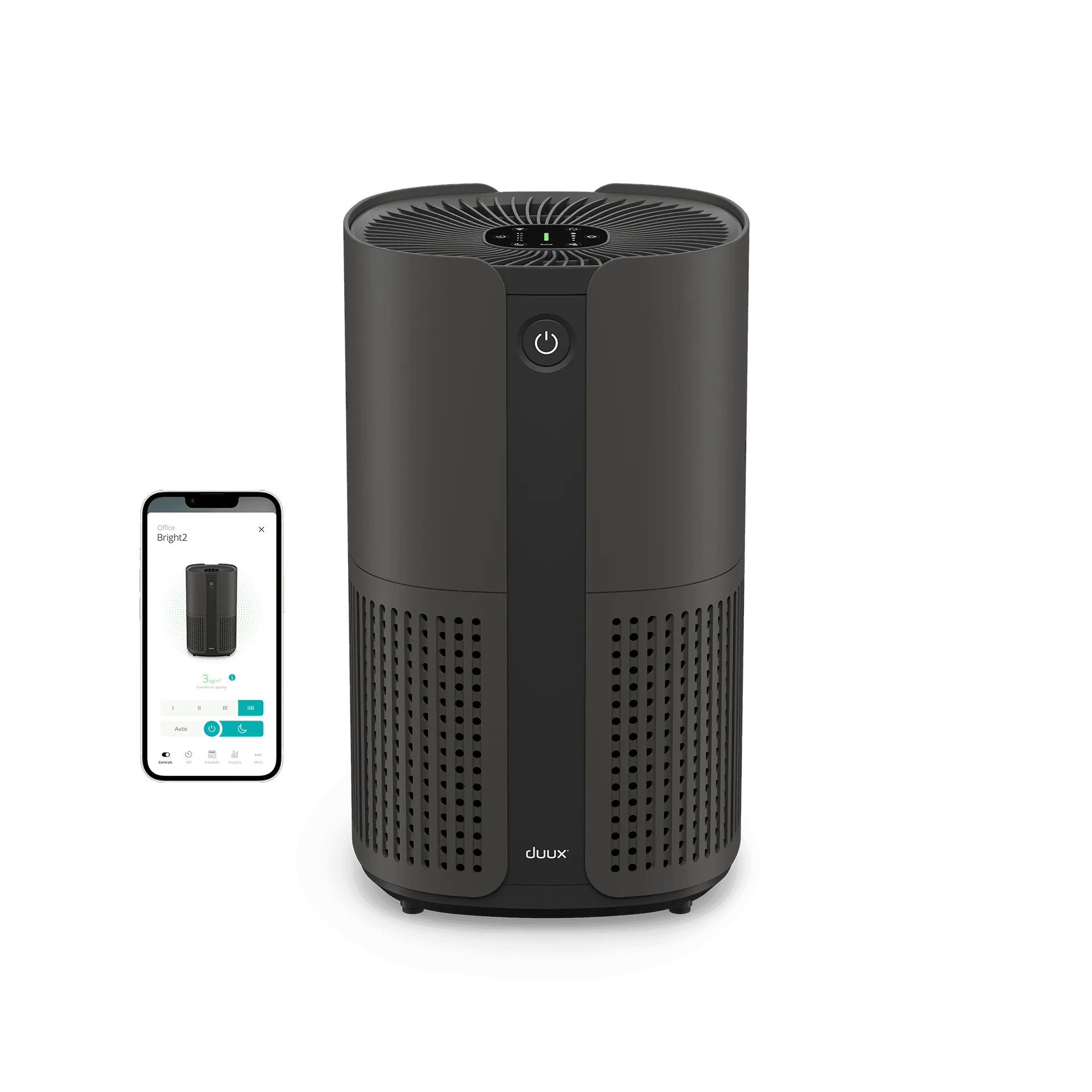
Bright² Smart
-
Bright² Smart: Certified by IUTA with a CADR of at least 210 m³/hr. The independent certification provides confidence in the purifier's actual cleaning speed, not just its filter efficiency.
-
Bright² Smart: Three-layer filter: Pre-filter, HEPA H13, activated carbon. The combination tackles both particles (dust, pollen, smoke) and odors (cooking, pets), making it a versatile choice for allergy sufferers and urban residents.
Room Size and Placement Considerations
The Bright² Smart is rated for rooms up to 42 m². In larger open spaces, you may need multiple units or a higher-CADR model. The purifier's compact, portable design means you can move it between rooms, but the supplied information does not specify optimal placement distances from walls or furniture.
For best results, place the unit in the room you use most and keep doors and windows closed during operation. The automatic air quality sensor will adjust fan speed as needed, so you do not have to manually tweak settings.
Smart Features Worth Considering
- Duux App Control: Monitor air quality, change settings, and set timers from your smartphone. The app acts as a remote control, which is useful when the purifier is across the room.
- Voice Assistant Compatibility: Works with Amazon Alexa and Google Assistant for hands-free adjustments. This adds convenience but requires a separate smart speaker setup.
- Automatic Mode with Air Quality Sensor: The built-in sensor detects PM2.5 levels and automatically adjusts fan speed. This reduces the need for manual intervention but may be less responsive in very large rooms.
- Night Mode and Timer: Silent operation and a darkened display make it suitable for bedrooms. The timer allows auto shutoff after a set period, saving energy when you are asleep or away.
Setup Steps: What to Expect
Setting up the Bright² Smart involves a few straightforward steps, though the supplied information does not include a detailed installation manual. Based on the evidence, here is the general process:
1. Unbox the purifier and remove any packaging from the filter. 2. Place it on a flat, stable surface in the desired room. 3. Plug it into a power outlet. 4. Download the free Duux app and follow the in-app instructions to connect the purifier to your WiFi network. 5. The purifier should start in automatic mode; you can adjust settings via the touch screen or app.
The filter replacement indicator will blink when the filter needs changing, but the supplied information does not specify filter lifespan or replacement intervals. For routine maintenance, vacuum the pre-filter occasionally to extend its life.
Color Options and Aesthetic Fit
The Bright² Smart is available in Black or White, both with a matte finish and round, minimalist design. This makes it unobtrusive in most interiors. The compact footprint means it can sit on a side table or floor without dominating the room.
If you plan to move the purifier between rooms, consider choosing a color that matches your most-used space. The supplied information does not mention any other color options or special editions.
What the Supplied Information Does Not Cover
The catalog does not provide specific filter replacement costs, exact noise levels in decibels, energy consumption figures, or warranty details. These factors can affect long-term ownership costs, so you may want to check the product packaging or contact Duux directly for more precise data.
Additionally, while the purifier is confirmed to work with voice assistants, the setup process for those integrations is not detailed. The app should guide you through voice assistant pairing once the purifier is connected to WiFi.