Quick answer
Most BRM-1 issues come down to pairing or power. Start by confirming the remote is paired to the correct MOON component, then check the battery before assuming a fault.
Why the BRM-1 feels different from a standard remote
MOON presents the BRM-1 as a rethink of the handheld remote rather than a button swap. That matters for troubleshooting: treat it as a paired device, not a universal remote you point and hope. If you expect infrared-style behavior, you may misread a pairing problem as a dead remote.
When the remote is not the problem
Before you reset anything, rule out the component. A MOON preamplifier or network player that is still booting, in standby, or on the wrong input will ignore valid commands. Test the same command from the front panel or the app if available. If that also fails, the remote is fine and the issue is upstream.
BRM-1 everyday questions, answered
How do I pair the BRM-1 with my MOON component?
Put the target component into its pairing mode first, then follow the BRM-1 pairing procedure. Pair one component at a time and confirm each works before adding another. Exact button sequences vary by component, so check the manual for your specific model. Pair to one component at a time so you can isolate a failure immediately.
Why does the remote stop responding after working fine?
Check three things in order: the component is powered on and awake, the remote is still paired to that component, and the battery has charge. If all three are good, re-pair the remote. Most 'dead remote' reports are one of these three. Power, pairing, battery — in that order, before any reset.
What should I know about battery and range?
The BRM-1 is a wireless handheld remote, so battery condition and distance from the component both affect reliability. Replace or recharge the battery at the first sign of sluggish response, and operate within normal room distance rather than from another room. Detailed battery type and rated range are not specified in the supplied catalog information, so confirm those in the BRM-1 manual. Sluggish response is usually a battery warning, not a pairing fault.
Can I use the BRM-1 with more than one MOON component?
Yes, if each component supports pairing with the BRM-1. Pair each one separately and label or note which is which. If a command reaches the wrong component, re-pair that component and remove any stale pairing. Multiple components are fine; stale pairings are not.
The remote works but some buttons do nothing. Why?
That usually means the command is not mapped for the selected component or input. Switch to the correct input or source first, then retry. If only one button fails across all inputs, note it and contact support rather than repeatedly re-pairing. One dead button across all inputs is a hardware question, not a setup question.
How do I reset the BRM-1 without losing everything?
Try a battery pull first — remove power for a short period, then reinsert and test. Only clear pairings if that fails. After any reset, re-pair one component and confirm it works before adding the rest. Battery pull before pairing wipe; re-pair one device at a time afterward.
Product facts
-
BRM-1 Inteligentny pilot: The BRM-1 is part of MOON's Collection North line and is described by the brand as a revolution in remote control design, combining form and function. Its design-first approach means you should learn its pairing and power behavior rather than assume standard remote habits will apply.
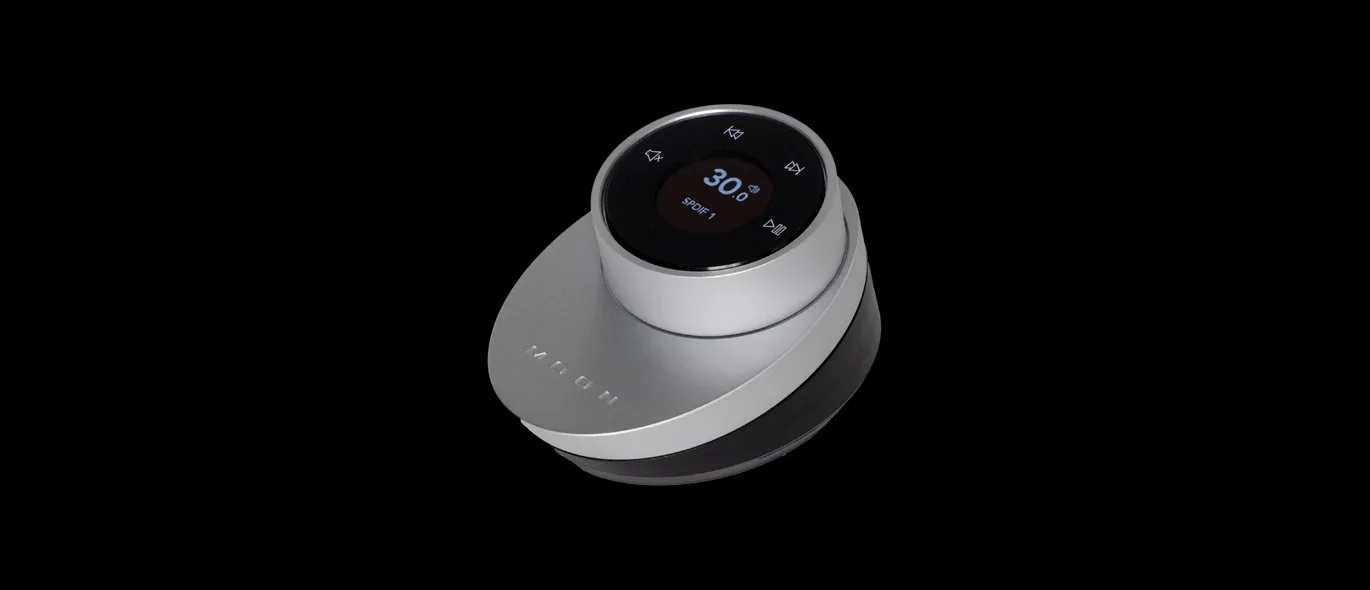
BRM-1 Inteligentny pilot