What Are Brother Foil Transfer Sheets Gold?
Brother Foil Transfer Sheets Gold (CAFTSGLD1) let you add shiny metallic accents to paper projects like greeting cards, gifts, and party decorations. These sheets work with your Brother cutting machine to create custom foil patterns using your own designs or built-in machine designs. The gold finish adds a touch of elegance to most paper craft projects without requiring special tools beyond your compatible Brother machine.
Compatible Brother Machines for Foil Transfer
-
Brother Foil Transfer Sheets Gold CAFTSGLD1: For use with: CM100DM, CM250, CM300AR, CM300CL, CM350, CM350H, CM350R, CM550, CM550DX, CM650W, CM650WX, DC200, DC200BR, DC200ULE, SDX125, SDX125E, SDX225 These are the only Brother machines confirmed to work with this foil transfer sheet. Using a different machine may not produce good results or could damage the sheet.
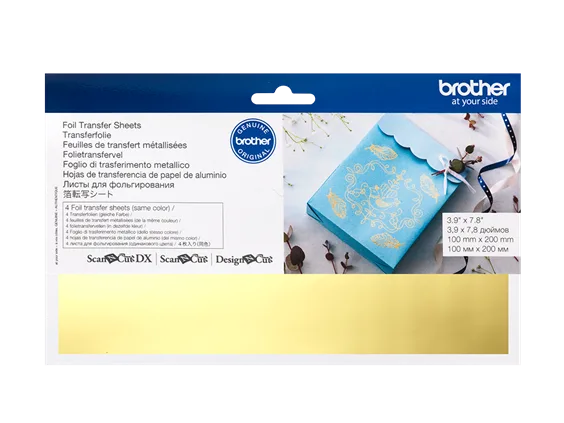
Brother Foil Transfer Sheets Gold CAFTSGLD1
How to Apply Foil Transfer Sheets
The exact steps depend on your specific Brother cutting machine model. The following general process is based on the product’s description and typical foil transfer workflow. Always refer to your machine’s manual for precise settings and foil attachment instructions.
- 1. Prepare your design: Open your Brother cutting machine software and select or create a design. You can use built-in machine designs or import your own. Mirror the design if required by your machine’s foil process.
- 2. Load the foil transfer sheet: Place the Brother Foil Transfer Sheet Gold (CAFTSGLD1) onto the cutting mat with the gold side facing up, following your machine’s guidelines for foil media. Secure the edges with tape if needed.
- 3. Set the machine for foil transfer: Select the foil transfer setting on your Brother machine. If your model does not have a dedicated foil setting, choose the appropriate material setting for thin specialty media. Insert the foil attachment if your machine requires one.
- 4. Run the transfer process: Send the design to the machine. The machine will apply pressure and heat (if supported) to transfer the gold foil onto your paper. Do not remove the sheet until the process is complete.
- 5. Peel and reveal: Carefully peel away the foil transfer sheet to reveal the shiny gold pattern on your paper project. If any foil did not transfer, repeat the process with a fresh sheet or adjust your machine settings.
Project Ideas for Gold Foil Accents
Use Brother Foil Transfer Sheets Gold to elevate everyday paper crafts. Add gold lettering to handmade greeting cards, create elegant gift tags, or embellish party decorations like banners and place cards. The foil works on most paper surfaces, including cardstock and scrapbook paper. Because you can use your own designs, the possibilities are limited only by your creativity and your machine’s capabilities.
What the Product Listing Does Not Specify
The product listing does not provide specific temperature, pressure, or speed settings for foil transfer. These details depend on your Brother cutting machine model and the paper you are using. For best results, start with the foil transfer preset on your machine, if available, and test on a scrap piece of paper before working on your final project. The listing also does not indicate how many sheets are included in a single pack or the exact dimensions of each sheet. If these details matter for your project, check the packaging or contact the seller.