What the BuggyBoard Maxi+ Does
The BuggyBoard Maxi+ is a ride-on stroller board that turns a single stroller into a double in minutes. It combines Lascal's popular Maxi board with a Saddle seat, giving your child the choice to stand forward-facing or sit rear-facing. No tools are needed for attachment, and it fits 99% of strollers on the market.
Product at a Glance
-
BuggyBoard Maxi+ Black With Grey Saddle Seat: Suitable for children ages 2-5 years (up to 66 lbs). The Maxi+ allows you to push your younger child or newborn in the stroller while the older sibling rides along on the BuggyBoard. This age and weight range helps you decide if the board works for your family. It is designed for the older sibling, not the stroller's main passenger.
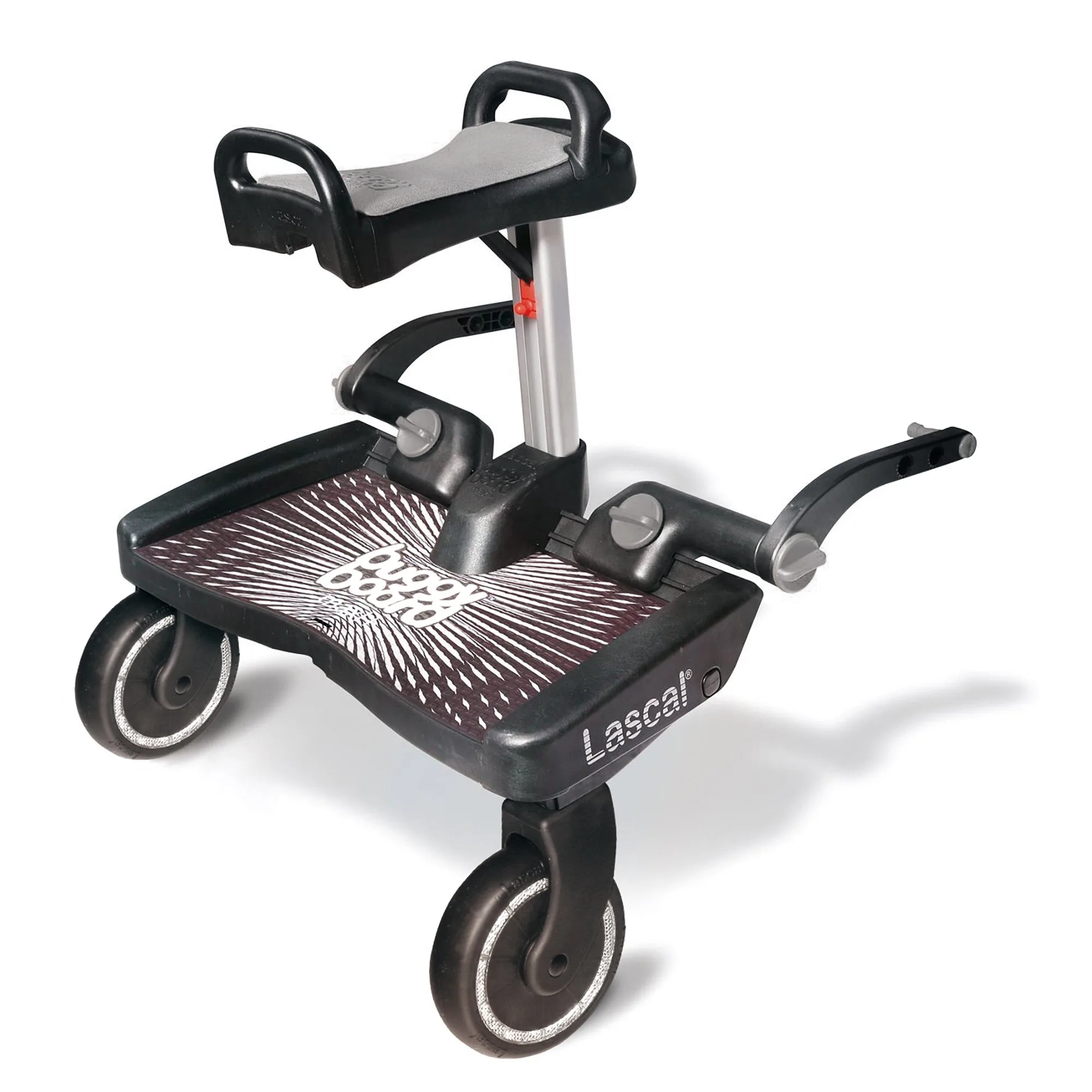
BuggyBoard Maxi+ Black With Grey Saddle Seat
-
BuggyBoard Maxi+ Black With Grey Saddle Seat: The Saddle gives your child the choice to stand forward-facing on the board, or sit rear-facing on the Saddle. The Saddle folds out of the way when not in use, so there is no need to remove it for standing. The folding design means you don't have to choose one mode permanently. Your child can switch between standing and sitting during the same walk.
-
BuggyBoard Maxi+ Black With Grey Saddle Seat: Compatible with 99% of all strollers on the market. Attaches to your stroller's frame, no tools required. Most families can use this board without worrying about stroller compatibility. The tool-free attachment makes setup fast.
Step-by-Step Setup
The supplied information confirms the process is straightforward. Here is how to attach and use the BuggyBoard Maxi+.
- Install the connectors: The BuggyBoard Maxi+ comes with Universal Connectors that stay on your stroller once installed. Attach them to your stroller's frame following the included instructions (not provided in this article's data).
- Click the board into place: When you are ready to use the board, simply click your BuggyBoard into the connectors attached to the stroller and go. No tools are needed for this step.
- Choose standing or sitting: Your child can stand forward-facing on the wide, anti-slip platform with side bumpers for foot security. If they want to sit, fold out the Saddle so they can sit rear-facing and hold the secure-grip handle.
- Push normally: Simply push the stroller as you normally would. There is no need to shorten or adjust your stride. Large wheels on the board provide sufficient clearance so you are unlikely to hit it with your feet.
- Detach and store: To remove the board, push the release buttons on the connectors. Disconnect the board, and you are ready to fold the stroller and put it away.
Using the Saddle Seat
The Saddle seat gives your child a comfortable place to sit when they get tired of standing. Since it folds out of the way when not in use, you do not need to remove it between uses. The secure-grip handle lets children hold on while sitting, adding stability.
Using with Multiple Strollers
If your family uses or owns more than one stroller, you can purchase additional sets of Universal Connectors (Model LBB001) to use your BuggyBoard Maxi+ with each stroller. This way, you only need one board for all your strollers.
What to Check Before Each Use
Before each walk, ensure the connectors are securely attached to the stroller frame and that the board clicks firmly into place. Confirm that your child is within the 2-5 year age range and under 66 lbs. The wide platform and side bumpers help keep little feet positioned safely while standing.