Quick answer
Setting up a Burger Time arcade machine at home requires choosing a stable, level floor location near a standard wall outlet, then carefully positioning the cabinet and powering it on. The machine is heavy and tall, so you'll want help moving it and a plan for its final spot.
Why location matters for a classic arcade cabinet
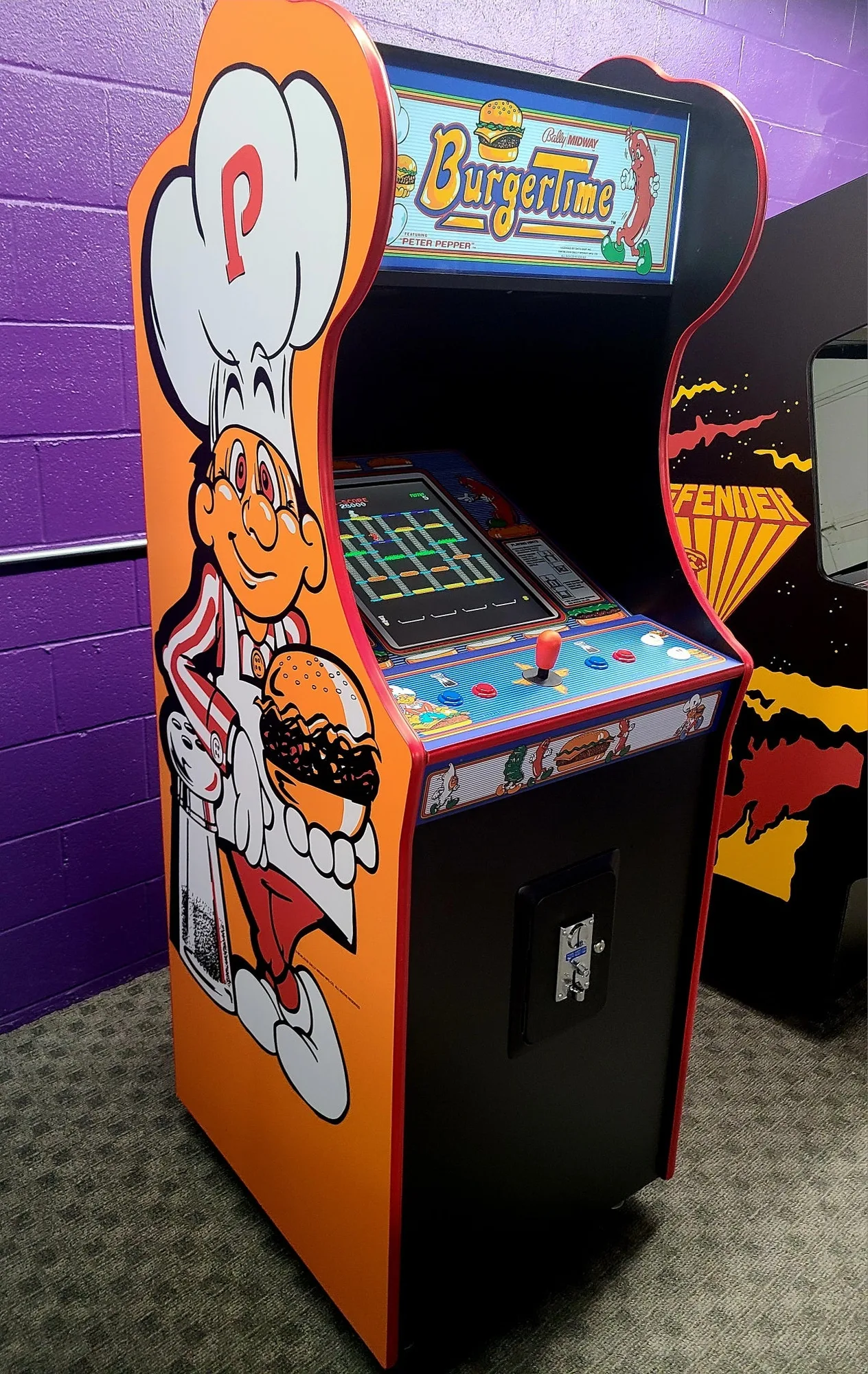
The Burger Time cabinet is 72.5 inches tall, 24 inches wide, and 27 inches deep, weighing 255 pounds. That large footprint and weight mean you need a spot with enough clearance for the height and a floor that can support it without wobbling. Avoid placing it on thick carpet or uneven surfaces, which can make the cabinet unstable and affect gameplay.
Because the machine uses a standard wall outlet, you don't need special wiring, but the cord reach will limit where you can put it. Plan for the outlet to be within about 6 feet of the cabinet's back panel to avoid using an extension cord, which can be a tripping hazard.
Step-by-step setup process
- 1. Choose the floor location: Select a spot on a hard, level floor with at least 78 inches of vertical clearance. Keep the cabinet away from direct sunlight, heat vents, and moisture. Make sure a standard wall outlet is within 6 feet of the back of the cabinet. Check that the floor is level with a spirit level; an uneven surface can cause the monitor to tilt and affect gameplay.
- 2. Prepare the path and get help: Measure all doorways, hallways, and corners along the route to the final location. The cabinet is 24 inches wide and 27 inches deep, so you need at least 28 inches of width for most turns. Enlist at least one other person to help lift and move the 255-pound machine. Remove any doors or obstacles in the path beforehand to avoid scratching the cabinet or damaging walls.
- 3. Move the cabinet into place: Tilt the cabinet back slightly and use a dolly or hand truck with straps to move it. Keep the cabinet upright as much as possible to avoid stressing the monitor and internal components. Once at the spot, carefully lower it onto the floor. Never lay the cabinet on its side or back; this can damage the CRT monitor and loosen internal connections.
- 4. Level the cabinet: Adjust the leveling feet on the bottom corners of the cabinet until the machine sits firmly and doesn't rock. Use a spirit level on the control panel to confirm it's level side-to-side and front-to-back. If the cabinet rocks, even slightly, the game may register false inputs or the monitor could develop alignment issues over time.
- 5. Connect power and turn on: Plug the power cord into the wall outlet. Locate the main power switch, usually on the back or bottom of the cabinet near the cord. Flip it to the on position. The game should boot up and display the attract mode within 30 seconds. If the screen stays dark, check that the outlet is working and the power cord is fully seated. Do not open the cabinet to check internal fuses unless you are experienced with arcade electronics.
- 6. Adjust game settings (optional): Open the coin door and find the small service buttons or dip switches inside. You can adjust settings like difficulty, number of lives, and free play mode. Refer to the manual for your specific board revision, as the settings vary. Make a note of the original settings before changing anything, so you can revert if the game doesn't play as expected.
Product facts
-
Burger Time Arcade Video Game: The Burger Time Arcade Game is 72.5 inches tall, 24 inches wide, 27 inches deep, and weighs 255 lbs. This large, heavy cabinet requires a stable, level floor and enough vertical clearance, so measure your doorways and intended location before moving it.
Burger Time Arcade Video Game