Quick answer
CABLE BITE Vol.2 Animal charms are made for iPhone official Lightning cables, so they fit best on that cable's standard thickness. If you want to use one on a thicker charging cable, attach it gently and check that the connector still seats fully; if it does not, keep the charm on a standard Lightning cable instead.
Why thicker cables need a gentler approach
CABLE BITE charms are designed to grip the area where the cord meets the plug on an iPhone Lightning cable. That cord has a known, consistent diameter, and the charm's opening is sized for it. A thicker cable leaves less room for the charm to sit flush, and forcing it can stretch the opening or put sideways pressure on the connector.
The charm's job is to protect the most sensitive part of the cable, not to act as a heavy-duty strain relief. On a thicker cable, treat it as a decorative accessory that should sit lightly rather than a tight clamp.
When to skip the charm on a thick cable
If the cable's jacket is noticeably thicker than a standard Lightning cable, or if the plug housing is wider than the charm's opening, do not force it. A loose charm can slide and distract; an overstuffed one can distort. In either case, the charm is better suited to a standard iPhone Lightning cable, where it fits as intended.
Also skip the charm on braided or reinforced cables that already have a molded strain relief at the connector. The charm adds bulk where the cable is already stiff, and it may not sit flat.
How to attach a CABLE BITE Vol.2 Animal charm to a thicker cable
- Check the cable type first: Confirm your cable is an iPhone Lightning cable. If it is a USB-C or micro-USB cable, the charm is not designed for it and may not fit securely. If the cable is not Lightning, stop here and use the charm on a compatible cable.
- Compare the cable thickness to the charm opening: Hold the charm next to the cable's connector area. The charm should slip over the cord with light resistance, not require stretching. If the charm cannot slide on with gentle pressure, do not force it.
- Slide the charm on from the plug end: With the cable unplugged, ease the charm's opening over the plug and down to the base of the connector. Work slowly and keep the charm straight. Never pull the cord sideways while sliding the charm; that stresses the internal wires.
- Seat the charm so it sits flush: Position the charm so its mouth rests against the plug housing and the animal's body lies along the cord. It should look like it is biting the phone, not hanging loose. If the charm sits at an angle, remove it and try again rather than twisting it into place.
- Plug in and check the connection: Connect the cable to your iPhone. The plug should click in fully and charge normally. If the charm prevents the plug from seating, remove the charm. A charger that feels loose or does not charge is a sign the charm is interfering.
- Test gently and adjust: Give the cord a light tug near the charm. The charm should stay in place without sliding freely. If it slides, the cable is likely too thin; if it bunches, the cable is too thick. Use the charm only on cables where it stays put with normal use.
Product facts
-
CABLE BITE Vol.2 Animal: CABLE BITE Vol.2 Animal charms are accessories for iPhone official Lightning cables and attach where the cord meets the plug. This tells you the intended cable type, so you can judge whether your thicker cable is a safe fit before attaching.
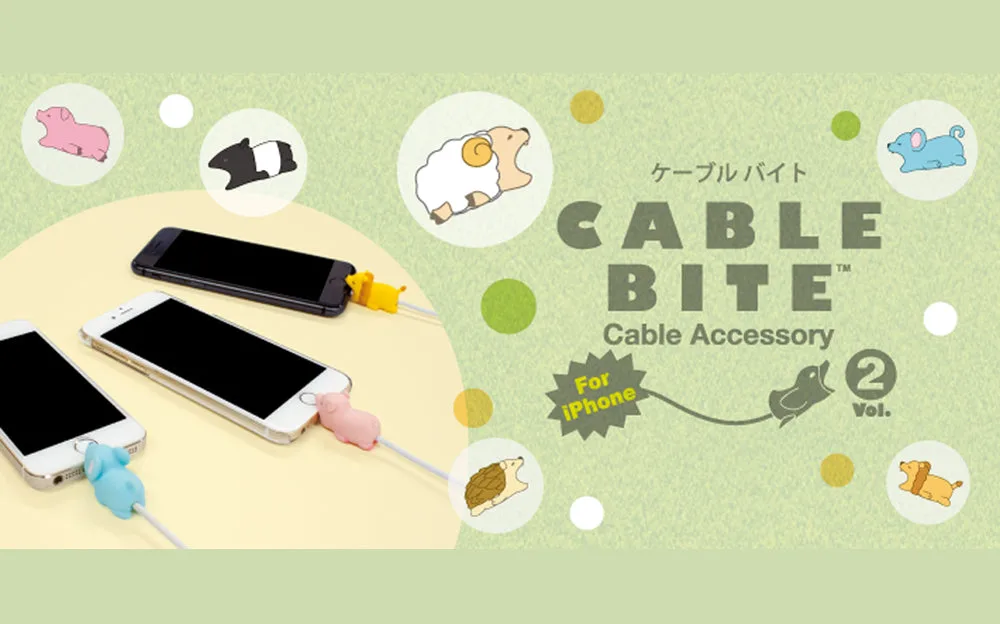
CABLE BITE Vol.2 Animal