Start with the mode dial, not the manual
The Canon AE-1 Program gives you three ways to set exposure: Program, shutter priority, and aperture priority. The mode dial on the top plate is your control center, and understanding what each position does is the fastest way to move from guessing to shooting with intent.
This guide explains what each mode is for, how to set it, and when to switch. It is built around the restored Canon AE-1 Program from Cute Camera Co., which arrives with a Canon FD or SC 50mm lens and batteries included.
The camera this guide is built around
-
Canon AE-1 Program | 35mm Film Camera: Restored Canon AE-1 Program camera with Canon 50mm lens (FD or SC). The 50mm lens is a versatile starting point for learning each mode, and the restored body means you can trust the meter and shutter to respond as intended.
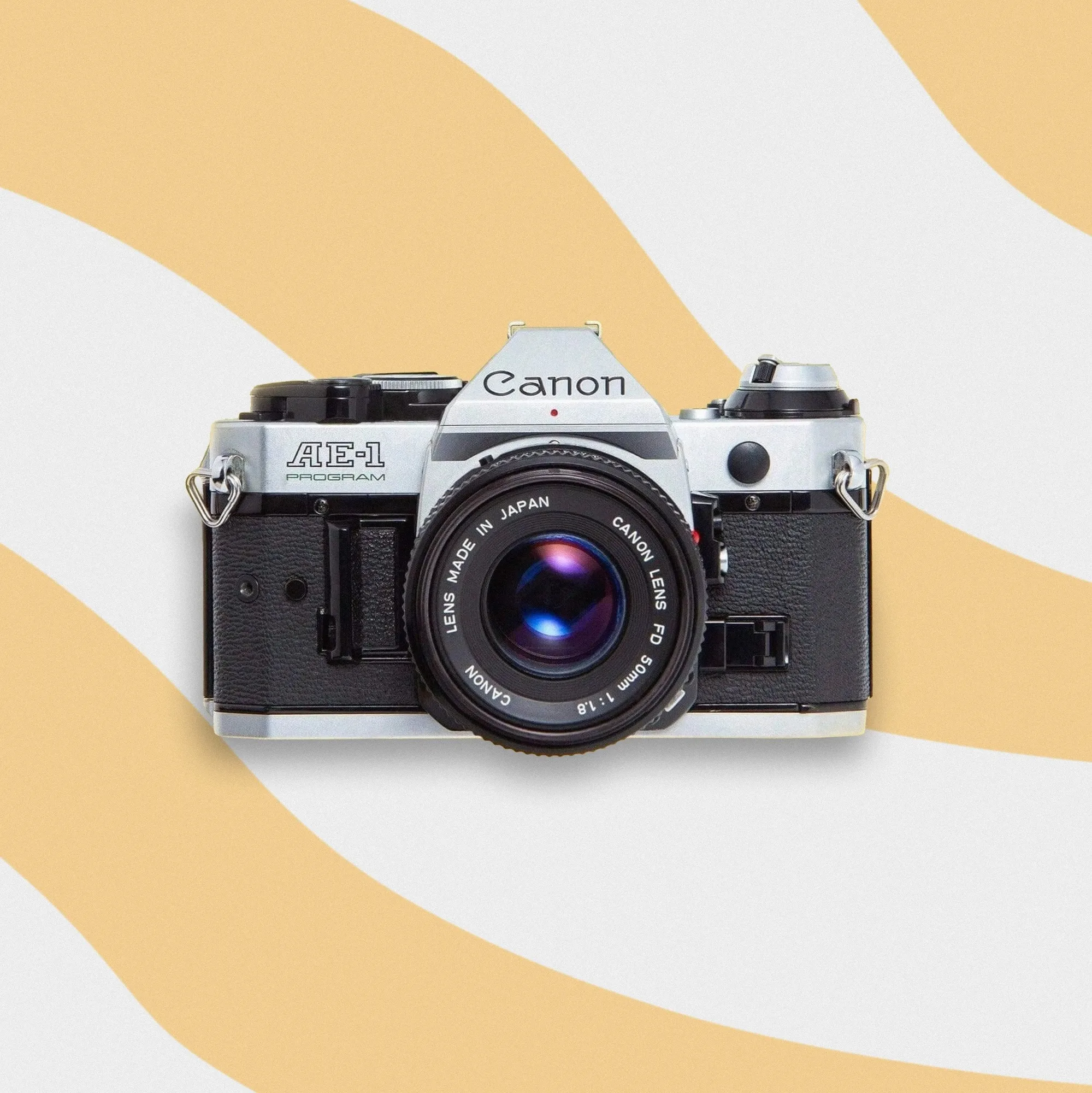
Canon AE-1 Program | 35mm Film Camera
-
Canon AE-1 Program | 35mm Film Camera: Comes with batteries and beginner-friendly support from Cute Camera Co. You can start practicing the modes as soon as the camera arrives, and you have a resource if a mode behaves unexpectedly.
How to set each mode on the AE-1 Program
The mode dial has distinct positions for Program, shutter priority, and aperture priority. Turn the dial until it clicks into the mode you want, then set the corresponding control.
- Program mode: Turn the mode dial to Program. The camera selects both shutter speed and aperture automatically. You focus and shoot. Use this when light is changing fast or you simply want a reliable exposure without thinking about settings.
- Shutter priority mode: Turn the mode dial to Tv (shutter priority). Set your desired shutter speed using the shutter speed dial. The camera chooses the aperture to match. Use this when motion is your priority—freezing a moving subject or allowing blur.
- Aperture priority mode: Turn the mode dial to Av (aperture priority). Set your desired aperture on the lens aperture ring. The camera chooses the shutter speed. Use this when depth of field matters—a blurred background or a sharp scene.
When to choose Program, shutter priority, or aperture priority
Program mode is the most forgiving. It is ideal for street photography, travel, and family snapshots where you want to raise the camera and shoot. The AE-1 Program was designed to make film photography accessible, and Program mode is the clearest expression of that.
Shutter priority gives you control over motion. If you are photographing a running child or a moving car, a faster shutter speed freezes action. If you want to convey motion with blur, a slower speed does that. The camera adjusts aperture to compensate, so you stay focused on the subject.
Aperture priority is for controlling depth of field. A wide aperture (like f/2 or f/2.8 on your 50mm lens) blurs the background for portraits. A narrow aperture (like f/8 or f/11) keeps more of the scene sharp for landscapes. The camera adjusts shutter speed to maintain exposure.
What the catalog confirms about exposure control
- Canon AE-1 Program | 35mm Film Camera: Designed with an intuitive Program mode that lets you focus on the moment without worrying about complex settings. Confirms that Program mode is intended for automatic exposure, so you can trust it as a starting point.
- Canon AE-1 Program | 35mm Film Camera: Manual controls offer creative freedom for pros. Reminds you that beyond the automatic modes, the camera also supports full manual exposure, giving you room to grow.
Checkpoints before you blame the camera
If a mode does not seem to work as expected, run through these basics before assuming a fault.
- Battery check: The AE-1 Program requires battery power for its meter and automatic modes. Confirm the batteries are fresh and correctly installed. The camera comes with batteries, but if you have been shooting for a while, replace them.
- Lens aperture ring: In Program and shutter priority modes, the aperture ring should be set to the A (auto) position or its smallest aperture, depending on the lens. If it is set to a manual aperture, the camera cannot control aperture automatically.
- Film loaded and advanced: The camera will not fire if film is not loaded or if the film is not advanced. Make sure the film is properly loaded and the advance lever is pulled.
- Mode dial clicked into place: The mode dial should click firmly into the desired position. If it is between clicks, the camera may not operate correctly.
A simple practice routine for learning the modes
Load a roll of film and spend the first few frames in Program mode to get comfortable with framing and focusing. Then switch to shutter priority and photograph a moving subject at different speeds. Finally, switch to aperture priority and take the same shot at different apertures to see how depth of field changes. This progression builds intuition without wasting film.
The Canon AE-1 Program rewards practice. Its program mode is forgiving, and its manual controls let you take over when you are ready. With a restored body from Cute Camera Co., you can trust the camera to respond consistently as you learn.