Getting Started with the Canon RF 70-200mm F2.8L IS USM Z White
The Canon RF 70-200mm F2.8L IS USM Z is a versatile telephoto zoom designed for hybrid shooters who move between stills and video. Available in a heat-reflective White finish, it offers the same optical performance as the Black version but with reduced heat absorption in bright conditions. This guide covers setup, key features for hybrid work, and practical care tips based on the supplied information.
Key Specifications at a Glance
-
Canon RF 70-200mm F2.8L IS USM Z White: Focal length range: 70-200mm with constant f2.8 aperture The constant f2.8 aperture gives consistent exposure and depth-of-field control across the zoom range, ideal for both photography and video.
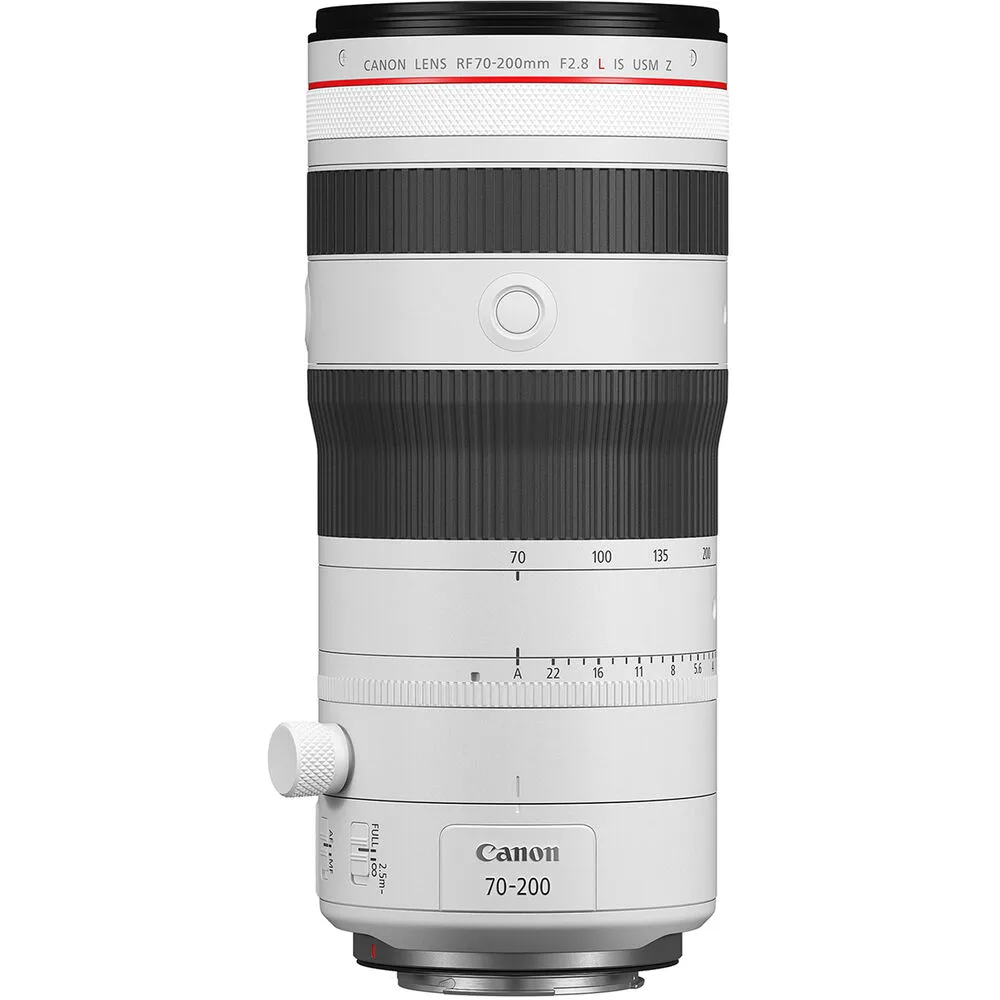
Canon RF 70-200mm F2.8L IS USM Z White
-
Canon RF 70-200mm F2.8L IS USM Z White: 5.5 stops of optical image stabilisation Helps capture sharp handheld shots and steadier video, especially at longer focal lengths.
-
Canon RF 70-200mm F2.8L IS USM Z White: Dual Nano USM system with Iris Ring for manual aperture and autofocus adjustment Smooth, quiet autofocus and a manual aperture ring make it well-suited for video work.
-
Canon RF 70-200mm F2.8L IS USM Z White: Electronic Parfocal Performance Maintains focus while zooming, reducing focus breathing for steadier video footage.
-
Canon RF 70-200mm F2.8L IS USM Z White: Lens construction: two super UD, one UD, and three aspherical lenses with ASC and Super Spectra coatings; fluorine coating on front element Advanced optics minimise aberrations, ghosting, and flare, while the fluorine coating repels dirt and makes cleaning easier.
Setting Up the Lens on Your RF Mount Camera
The Canon RF 70-200mm F2.8L IS USM Z uses the RF mount, so it attaches directly to Canon EOS R-series bodies without an adapter. Before mounting, ensure the camera is off. Align the red dot on the lens with the corresponding dot on the camera body, then rotate the lens clockwise until it clicks into place.
The lens features a smooth-action Iris Ring that can be set to manual aperture control. For video, you can adjust the aperture silently while recording. The Dual Nano USM system also allows manual override of autofocus at any time.
For hybrid shooting, the short 70° zoom rotation lets you quickly change focal length without large hand movements, helping you stay on a moving subject.
Using the Lens for Hybrid Photography and Filmmaking
The constant f2.8 aperture provides consistent exposure when zooming, which is critical for video where changing aperture would cause a visible shift. Combined with 5.5 stops of optical stabilisation, you can shoot handheld in lower light without a tripod.
Electronic Parfocal Performance keeps the subject in focus as you zoom, eliminating the need to reframe and refocus. This is especially useful for run-and-gun documentary or event coverage.
For stills, the Dual Nano USM delivers fast, quiet autofocus that tracks subjects reliably. The 11-blade circular aperture contributes to smooth bokeh in portraits and close-ups.
Lens Care and Cleaning Tips
The front element has a fluorine coating that helps repel dust, moisture, and smudges. For routine cleaning, use a blower to remove loose particles, then a microfiber cloth for fingerprints. Avoid solvents or abrasive materials.
Store the lens in a dry, cool place with caps on both ends. The heat-reflective White finish can help keep the lens cooler in direct sunlight, but avoid prolonged exposure to extreme heat or humidity.
The supplied information does not specify a cleaning interval or procedure beyond general care. Refer to Canon’s official manual for detailed maintenance instructions.