Quick answer
Clean your 64 Audio IEMs after every few listening sessions with a dry, soft tool, keep them in a closed case when not in use, and replace foam tips when they lose their shape. If you notice channel imbalance, a dead driver, or a cracked shell, stop using the IEM and contact 64 Audio Repair Service instead of attempting a DIY fix.
Your 64 Audio in-ear monitors are precision instruments, and most failures come from small habits: sweat left on the nozzle, tips stored loose in a bag, or a cable yanked out by the connector. A five-minute routine every week prevents the majority of those problems.
This guide walks through the exact order of operations for 64 Audio IEM care, from daily wipe-downs to long-term storage, and explains when a problem is a cleaning issue versus a repair issue. It also covers the accessories that make each step easier, including the TrueFidelity Foam Tips, IEM Tip Holder, and Solid Plug.
Step 1: Clean the nozzles and tips after every few sessions
Earwax and skin oils are the leading cause of muffled sound and clogged nozzles. Remove the eartips first, then use a dry cleaning tool or a soft brush to lift debris out of the nozzle opening. Never push a cotton swab into the bore, because you can compact wax deeper into the acoustic filter. If your 64 Audio IEMs use removable apex modules, leave them in place during cleaning so you do not lose them.
Clean the eartips separately with lukewarm water and mild soap, then let them air-dry completely before reinstalling. Foam tips absorb moisture and should be replaced rather than washed. A simple checkpoint: hold the cleaned IEM up to a light and confirm you can see through the nozzle. If airflow looks restricted, repeat the dry brushing before you reassemble.
- Common mistake: using alcohol or harsh solvents on the shell or nozzle, which can degrade finishes and adhesives.
- Checkpoint: after cleaning, play a familiar track at low volume and listen for balanced output in both ears.
Step 2: Replace worn tips and keep spares organized
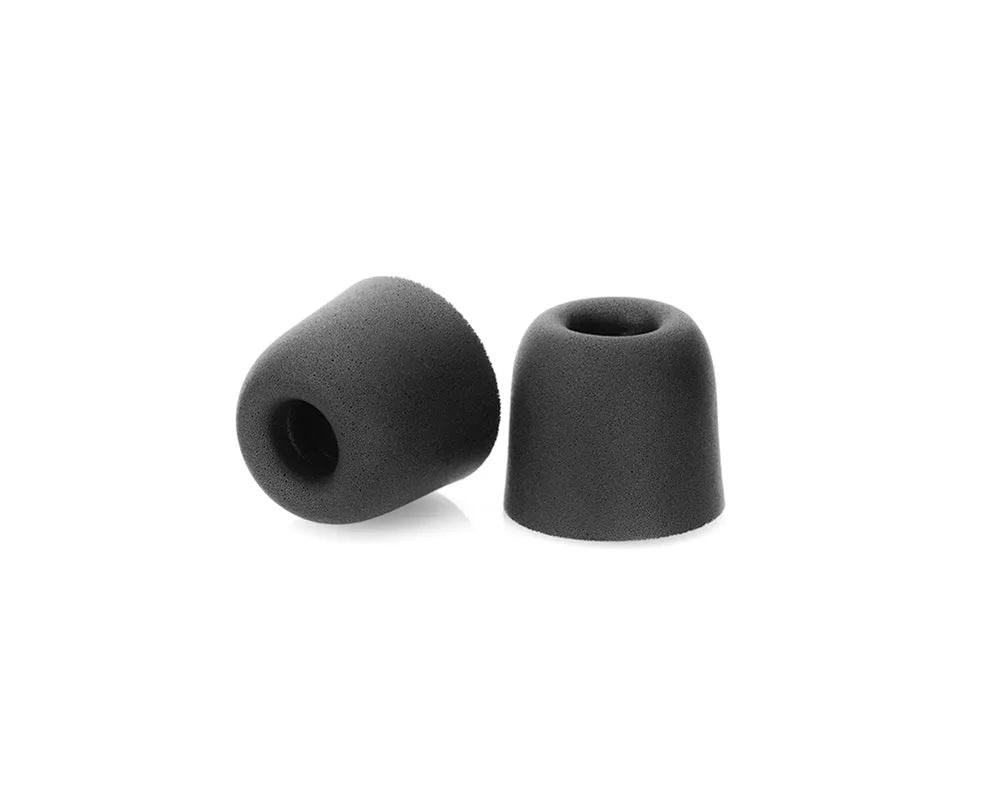
Eartips are a wear item, not a permanent part. When a tip no longer seals, feels stiff, or stays compressed after you roll it, replace it. TrueFidelity Foam Tips from 64 Audio are replacement eartips offered in Small, Medium, and Large, so you can match the size that seals best in each ear. A good seal matters more than any other single factor for bass response and isolation.
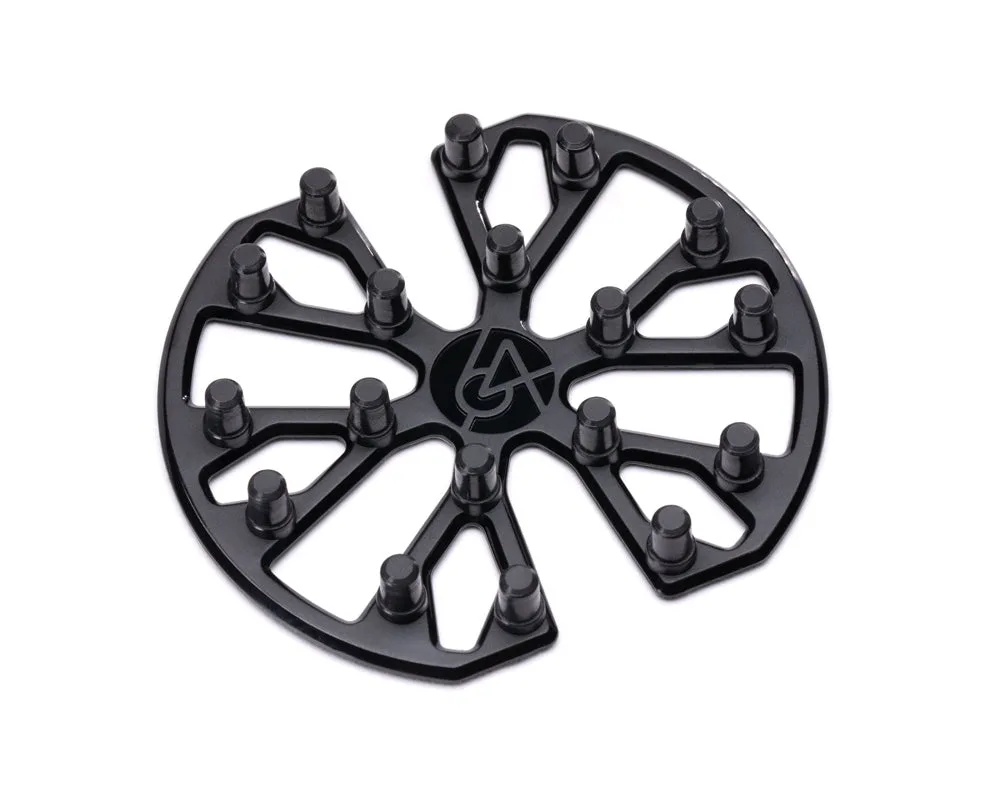
Store spare tips where you can find them instead of loose in a drawer. The 64 Audio IEM Tip Holder is designed to keep your in-ear monitor tips organized and within reach between listening sessions. If you use different tip sizes on each ear, label the holder so you do not mix them up. Checkpoint: after installing a new tip, gently tug it to confirm it is fully seated on the nozzle.
- Common mistake: forcing a tip that is too large, which can tear the bore or leave the tip stuck in your ear.
- Checkpoint: if you need a different seal for noisy environments, consider isolation accessories rather than oversized tips.
Step 3: Manage isolation and modules correctly
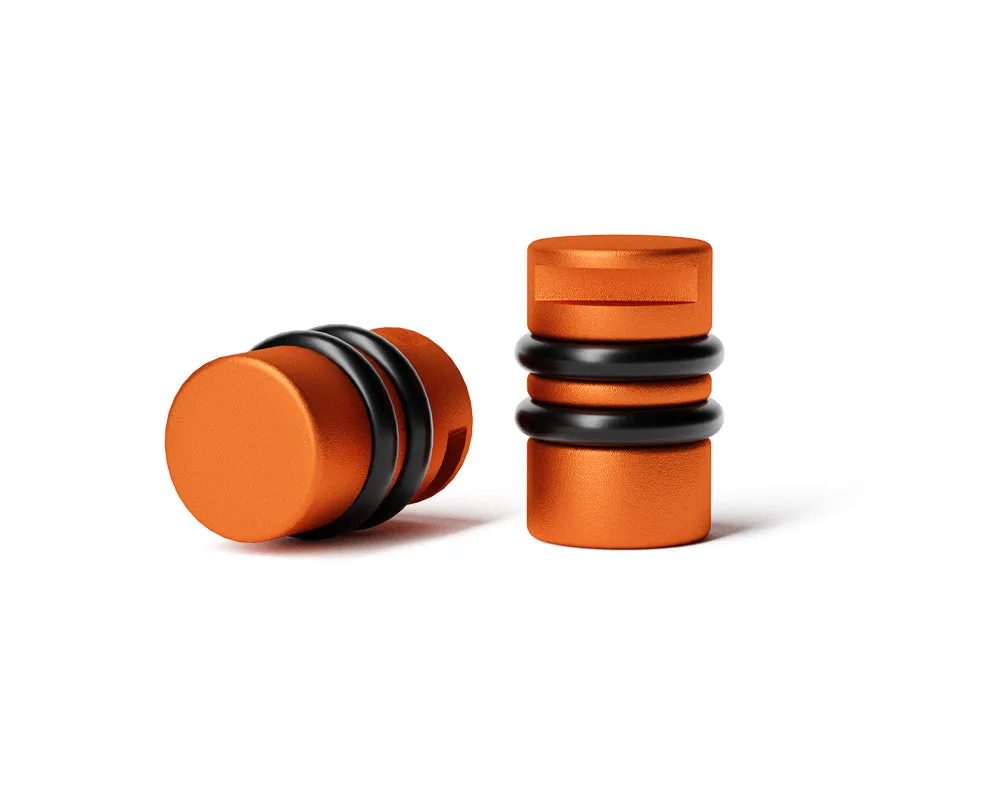
If your 64 Audio model uses apex modules or accepts solid plugs, treat those small parts as a system. The Solid Plug does not feature apex technology but offers up to -26dB of isolation. It is designed to be the same size and shape as apex modules, so listeners can swap it into High Fidelity Earplugs for different levels of isolation in different environments. That makes it a useful spare for loud commutes or rehearsals.
Swap modules only when the IEM is clean and dry, and keep unused modules in a dedicated compartment. Do not mix modules between left and right unless you intend to change isolation on both sides. Checkpoint: after any swap, verify that the module sits flush and does not protrude, because a partially seated module can break the seal and change the sound.
- Common mistake: losing modules because they were set down on a table instead of returned to the case.
- Checkpoint: if isolation suddenly drops, reseat the module and the eartip before assuming a driver problem.
Step 4: Store IEMs in a closed case, not a pocket
The single best habit for extending IEM lifespan is putting them away in a closed case after each session. Loose IEMs in a bag collect lint, get crushed, and stress the cable at the connector. If your 64 Audio IEMs came with a case, use it every time, even for short breaks. Keep the case itself clean by shaking out debris and wiping the interior with a dry cloth.
For cable management, coil the cable loosely at a diameter of roughly a fist and avoid sharp bends near the 2-pin connectors. Store the case away from direct sun and heat, which can degrade foam tips and cable jacketing over time. Checkpoint: before closing the case, confirm both IEMs are seated in their slots and no tip is pressing against the shell.
- Common mistake: wrapping the cable tightly around the IEMs, which creates memory kinks and strain at the connector.
- Checkpoint: if you travel often, keep a spare set of tips and a cleaning tool in the case.
Step 5: Inspect cables and connectors monthly
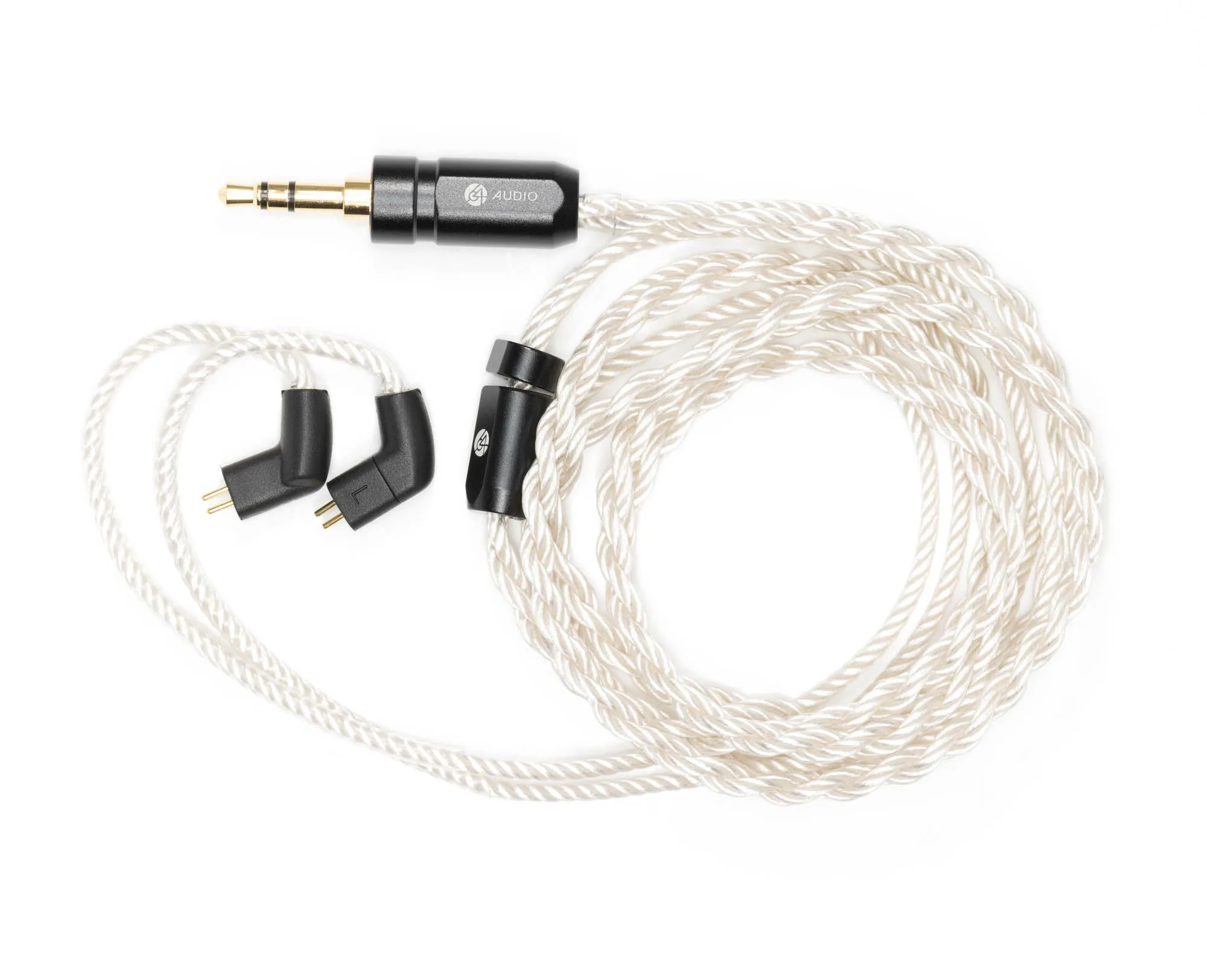
Cables fail more often than drivers. Once a month, inspect the length of the cable for stiff spots, exposed wire, or a frayed jacket near the angled 2-pin connectors. On the Pearl Eight-Braid Cable, the branded aluminum bifurcation and soft touch jacketing are designed to protect the split and the run to each earpiece, but no cable is indestructible. Disconnect the cable from the IEM only when necessary, and pull straight rather than at an angle.
If you notice intermittent sound that changes when you wiggle the connector, the issue is likely the cable or the socket, not the driver. Test with a known-good cable before concluding the IEM needs service. Checkpoint: after reconnecting, confirm the connector is fully seated and the channel is not cutting out when you move your head.
- Common mistake: yanking the cable out by the wire instead of gripping the connector housing.
- Checkpoint: keep the connector contacts clean and dry; moisture at the socket can cause corrosion over time.
Step 6: Know when to stop and use 64 Audio Repair Service
Some problems are not maintenance issues. If one channel is silent, distorted, or noticeably quieter after you have cleaned the nozzle, replaced the tip, and tested a different cable, stop using the IEM. The same applies to a cracked shell, a loose nozzle, or a connector that no longer holds the cable securely. Continuing to play a damaged IEM can turn a minor repair into a driver replacement.
64 Audio Repair Service exists for exactly these situations. Before you send anything in, document the issue with a short description and, if possible, a recording or video of the symptom. Remove the cable and eartips unless instructed otherwise, and pack the IEM securely. Checkpoint: do not attempt to open the shell or adjust internal components yourself, because that can void service options and cause further damage.
- Common mistake: assuming a dead channel is always a driver failure when it is often a cable or connector issue.
- Checkpoint: if the problem follows the cable when you swap channels, the cable is the likely culprit.
Your 64 Audio IEM care routine at a glance
- Dry-clean nozzles and tips: Remove tips, brush debris out of the nozzle with a dry tool, and never push wax deeper with a swab. Checkpoint: you can see through the nozzle and both channels sound balanced.
- Replace worn foam tips: Swap in a fresh TrueFidelity Foam Tip in the correct size when the old tip stops sealing or stays compressed. Checkpoint: the tip is fully seated and does not pull off when you tug gently.
- Store in a closed case: Coil the cable loosely, seat both IEMs in their slots, and close the case after every session. Checkpoint: no tip is pressing against a shell and no cable is kinked at the connector.
- Inspect cable and connectors monthly: Look for fraying, stiff spots, or intermittent sound when you move the connector. Checkpoint: test with a known-good cable before assuming the IEM itself is faulty.
- Escalate to 64 Audio Repair Service: If a channel is dead or distorted after cleaning, tip replacement, and cable testing, stop using the IEM and arrange service. Checkpoint: do not open the shell yourself; document the symptom and pack the IEM securely.
Accessories that support this routine
- TrueFidelity Foam Tips: Replacement eartips from 64 Audio offered in three sizes: Small, Medium, and Large. A fresh, correctly sized foam tip restores seal and isolation, which are the foundation of both sound quality and comfort.
- IEM Tip Holder: An accessory designed to keep your in-ear monitor tips organized and within reach. Keeps spare tips clean and paired by size, so you are not hunting for a tip when a seal fails before a session.
- Solid Plug: Does not feature apex technology but offers up to -26dB of isolation, and is designed to be the same size and shape as apex modules. Lets you increase isolation for loud environments by swapping it into compatible earplugs without changing the fit of the IEM.
- Pearl Eight-Braid Cable: Features branded aluminum bifurcation and soft touch jacketing, with classic angled 2-Pin connectors at the end of an ergonomic curve to accommodate a comfortable fit around the ear without a memory wire. A well-built replacement or upgrade cable reduces strain at the connector, which is one of the most common failure points in IEM care.
Consistent, gentle care is what keeps a 64 Audio IEM sounding the way it did on day one. Clean dry, store closed, replace tips when they wear, and let 64 Audio Repair Service handle anything that cleaning cannot fix.