Start with a realistic capacity plan
The Centon Memory Power Sport is a USB flash drive built for reliable data storage and transfer across personal, professional, and enterprise work. Before you copy a single file, decide what the 128GB drive is for. A drive that lives on a keyring and holds a rotating set of work documents behaves very differently from one that acts as a second copy of a photo library.
Pick one primary job for the drive, such as moving documents between machines or keeping a portable folder of project files. That decision tells you how to organize folders and how often to refresh the contents, and it keeps the drive from becoming a junk drawer.
Set up the drive for daily carry
These steps use only what the supplied product record supports. They are general file-management habits, not manufacturer instructions.
- Label the drive physically and in the file system: Give the drive a clear name when you first format or rename it, and write the same name on the body if there is room. A named drive is easier to identify when several are plugged in at once.
- Create one top-level folder per purpose: Separate work, personal, and archive folders at the root so you can grab the whole folder you need rather than hunting through loose files.
- Keep a second copy of anything you cannot lose: A flash drive is a transfer tool, not a backup plan. The supplied record describes storage and transfer, not data recovery, so treat the drive as one copy among others.
- Check the drive before you rely on it: Plug it in, confirm it appears, and open a file from each folder before you leave for a meeting or trip. This catches a bad connection before it matters.
Match the interface to your ports
The Memory Power Sport line is offered in USB 3.2 and USB 2.0 variants, and the 128GB size sits alongside 512GB and 1TB options in the wider line. Choose the interface that matches the ports on the machines you actually use. If your laptop or desktop has USB 3.x ports, the USB 3.2 variant is the natural pick; if you regularly plug into older equipment, confirm which ports are available before you buy.
The supplied record does not include transfer-speed figures, so treat the interface label as a compatibility guide rather than a promise of a specific speed. Check the drive's reported capacity and open a few files after your first copy to confirm it behaves as expected on your system.
What the supplied record confirms about this drive
-
Centon Memory Power, Sport, 128GB: Centon Memory Power, Sport, 128GB is a USB flash drive designed for reliable data storage and transfer across personal, professional, and enterprise applications. This is the core use case: moving and holding files, not running applications or acting as a fixed internal disk.
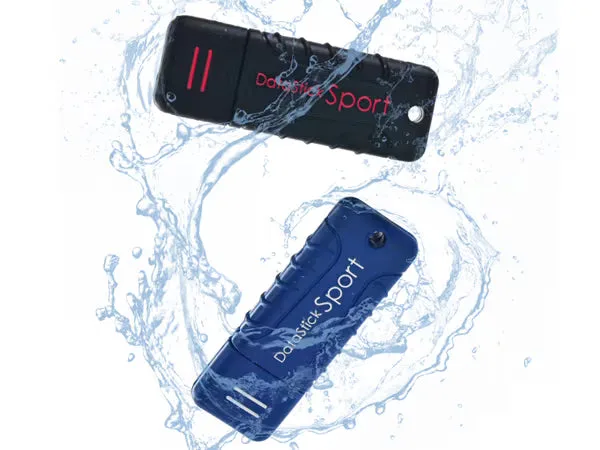
Centon Memory Power, Sport, 128GB
-
Centon Memory Power, Sport, 128GB: The wider Memory Power Sport line is available in multiple capacities and form factors. If 128GB turns out to be too small or too large for your routine, the line offers other sizes to consider.
-
Centon Memory Power, Sport, 128GB: The line includes USB 3.2 and USB 2.0 variants. Interface choice should follow the ports on your devices; the record does not state speed ratings, so verify compatibility rather than assuming performance.
Everyday carry habits that protect the drive
The record does not include ruggedness ratings, water-resistance claims, or drop-test results, so avoid treating the Sport name as a guarantee. These habits reduce risk without relying on unconfirmed specifications.
- Keep it capped or covered when not in use: The connector is the most exposed part of any flash drive. A cap or cover keeps dust and lint out of the contacts.
- Store it away from heat and moisture: A pocket, bag, or desk drawer is fine; a hot car or a damp gym bag is not. The supplied record does not confirm any environmental tolerance, so err on the side of caution.
- Eject before you pull it out: Use your operating system's safe-eject option before removing the drive. This is a general habit that reduces the chance of file corruption during a write.
- Refresh the contents on a schedule: If the drive carries work files, set a weekly or monthly reminder to delete outdated copies and confirm the current ones open correctly.
When 128GB is the right size, and when it is not
128GB is a practical middle ground for document sets, presentations, spreadsheets, and a reasonable number of photos. It is less suited to large video projects or full system backups, where the 512GB and 1TB options in the Memory Power Sport line would give more headroom. If your main use is moving a handful of files between computers, 128GB leaves plenty of room and keeps the drive easy to manage.
The supplied record does not list a warranty period, read/write speed, or supported operating systems, so check those details on the product page before purchase if they matter to your workflow. What the record does confirm is the drive's purpose: reliable storage and transfer across personal, professional, and enterprise settings. Build your routine around that job, and the Memory Power Sport 128GB will do what a flash drive is supposed to do.