Why the Charging Rubber Cap #R5 Matters
The Charging Rubber Cap #R5 is a small but important component for your Dogtra RR-Deluxe receiver. It covers the right launcher port and the external speaker port, helping to keep moisture, dust, and debris out of sensitive areas. A secure cap is your first line of defense for maintaining the receiver's water resistance and reliable performance.
Because the cap is sold individually, you can replace just the one you need without buying a whole new receiver. This guide explains how to identify the correct cap, install it properly, and care for it so it continues to seal effectively.
What the Charging Rubber Cap #R5 Covers
-
CHARGING RUBBER CAP #R5 _RR-DELUXE RECEIVER: Charging rubber cap #R5, for Dogtra receivers: RR Deluxe right launcher port and RR Deluxe external speaker port cover. *Sold individually* This cap is specifically designed for two ports on the RR-Deluxe receiver, so you can be confident it fits those locations. Knowing it's sold individually helps you order exactly what you need.
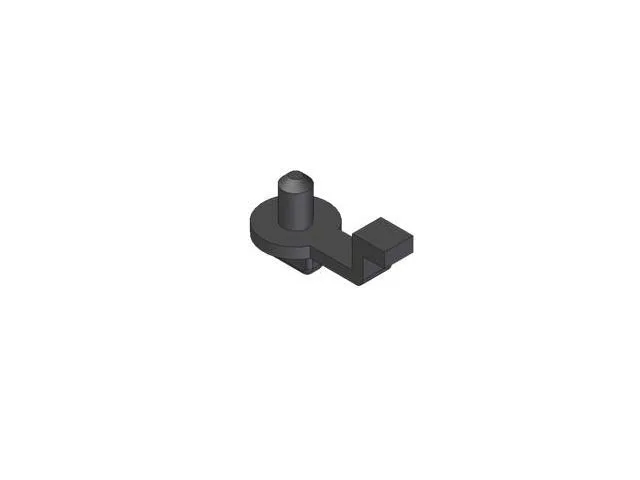
CHARGING RUBBER CAP #R5 _RR-DELUXE RECEIVER
How to Replace the Charging Rubber Cap #R5
Replacing the cap is straightforward. Follow these steps to ensure a proper fit and seal.
- Remove the old cap: Gently pull the old rubber cap away from the port. If it's torn or stretched, it may come off easily. Avoid using sharp tools that could damage the port.
- Clean the port area: Wipe away any dirt or moisture around the port with a dry, soft cloth. A clean surface helps the new cap seat properly.
- Align the new cap: Position the Charging Rubber Cap #R5 over the right launcher port or the external speaker port, matching the shape of the opening.
- Press firmly into place: Push the cap into the port until it sits flush. Make sure the edges are fully seated to create a secure seal.
- Test the fit: Gently tug on the cap to confirm it stays in place. It should not come off easily during normal use.
Care Tips for the Charging Port Cover
Regular care extends the life of the cap and helps maintain your Dogtra receiver's water resistance.
- Inspect regularly: Check the cap for cracks, tears, or stiffness. Replace it if you notice any damage.
- Keep it clean: Rinse the cap with fresh water after exposure to mud or saltwater, and dry it thoroughly before reattaching.
- Avoid harsh chemicals: Do not use solvents or abrasive cleaners, which can degrade the rubber.
- Store properly: When not in use, keep the cap attached to the receiver to prevent loss.
When to Replace the Cap
Replace the Charging Rubber Cap #R5 if it becomes loose, torn, or no longer seals properly. A damaged cap can let moisture into the receiver, potentially causing malfunction. Since the cap is sold individually, it's affordable to keep a spare on hand.
Note: The supplied information does not specify a replacement schedule or detailed cleaning instructions beyond what is provided here. Inspect your cap regularly and replace it as needed based on its condition.